6-2
6 SPECIAL MODE (Menu Mode)
6.1 Application Measurement (PROGRAMS)
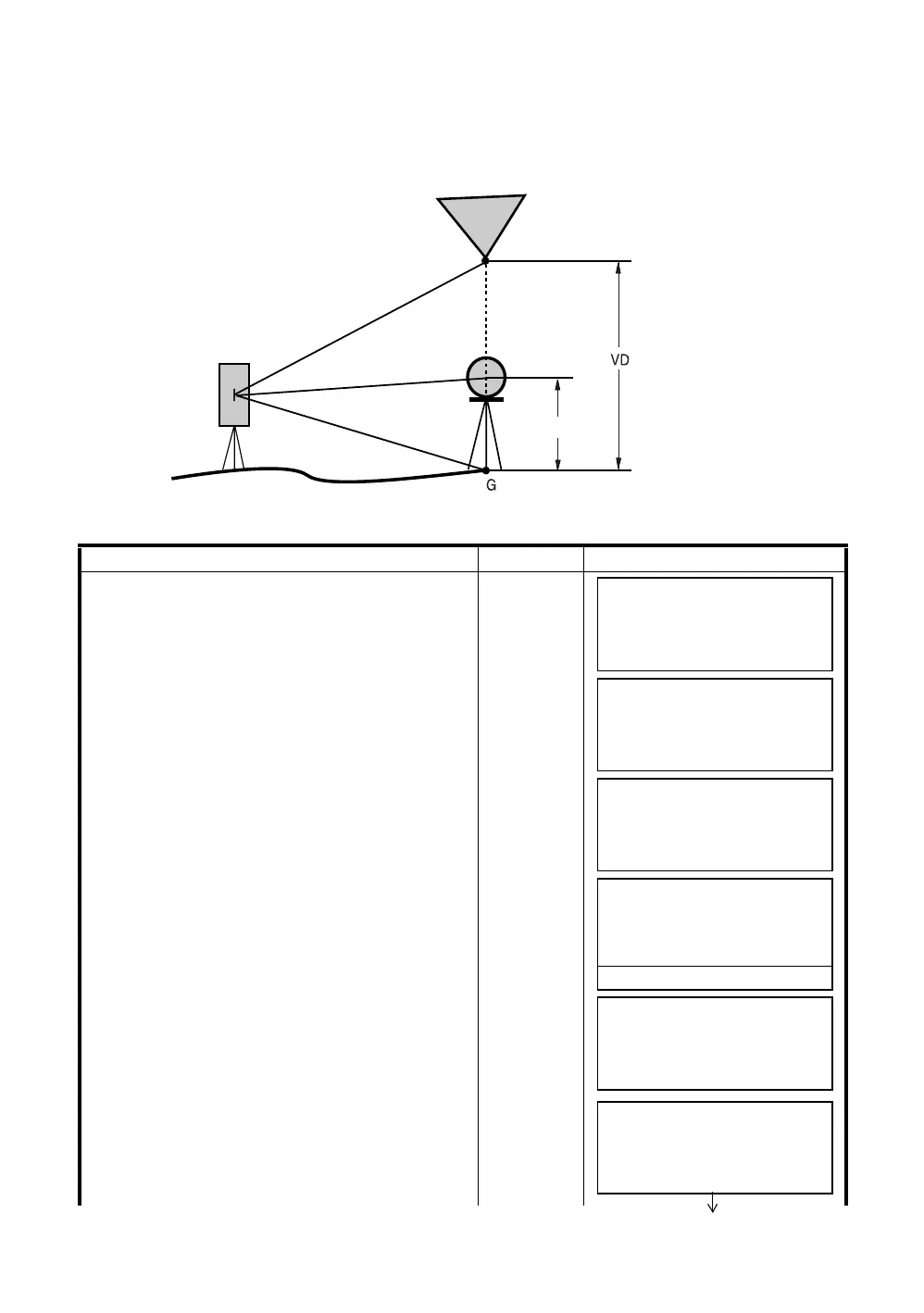
6.1.1 Remote Elevation measurement (REM)
To obtain elevation of the point at which setting the target prism is not possible, place the prism at any
point on the vertical line from the target then carry out REM procedure as follows.
1) With prism height (h) input (Example :h=1.5m)
Operating procedure Operation Display
1
After pressing the [MENU] key, press the [F4](P
↓
)
key to get the menu on page 2.
[MENU]
[F4]
2
Press the [F1] key.
[F1]
3
Press the [F1](REM) key.
[F1]
4
Press the [F1] key.
5
Enter prism height. *1)
6
Collimate prism.
[F1]
[F1]
Enter R.HT
[F4]
Collimate P
7
Press the [F1](MEAS) key.
Measuring starts.
[F1]
Target K
Prism height
Instrument
Prism
MENU 2/3
F1:PROGRAMS
F2:GRID FACTOR
F3:ILLUMINATION P
↓
PROGRAMS 1/2
F1:REM
F2:MLM
F3:Z COORD. P
↓
REM
F1:INPUT R.HT
F2:NO R.HT
REM-1
<STEP-1>
R.HT : 0.000 m
INPUT ––– ––– ENTER
1234 5678 90. –[ENT]
REM-1
<STEP-2>
HD: m
MEAS ––– NP/P –––
REM-1
<STEP-2>
HD*[n] << m
>Measuring...



 To Next Page
 Loading...
