6-14
6 SPECIAL MODE (Menu Mode)
6.1.5 Point to Line Measurement
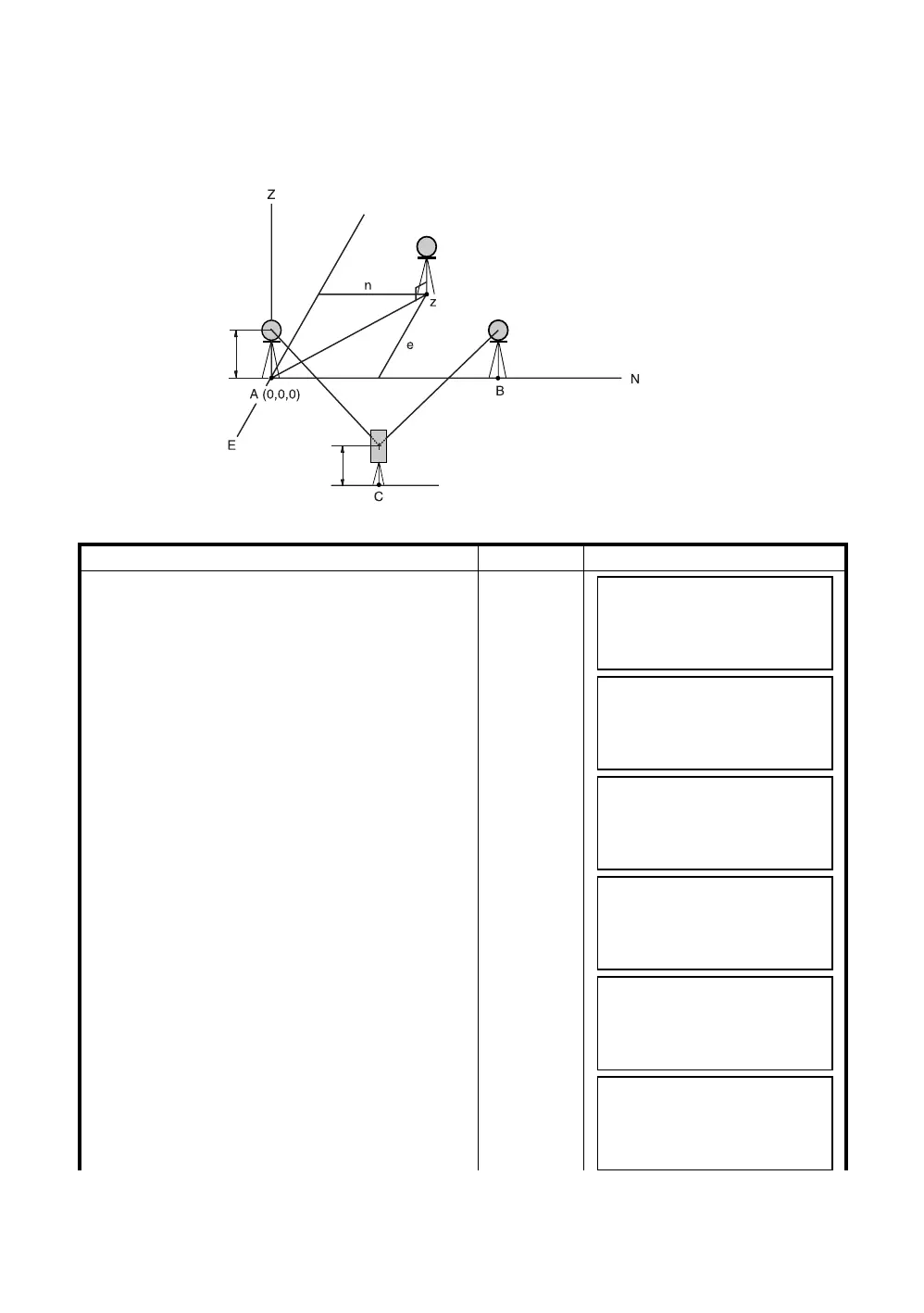
This mode is used to obtain the coordinate data with the origin point A(0,0,0) and the line AB as N
axis.
Place the 2 prisms at the points A and B on the line, and place the instrument at unknown point C. After
measuring the 2 prisms , the coordinate data and the direction angle of the instrument will be calculated
and restored.
Operating procedure Operation Display
1
After pressing the [MENU] key, press the [F4](P
↓
)
key to get the menu on page 2/3.
[MENU]
[F4]
2
Press the [F1] key.
[F1]
3
Press the [F4](P
↓
) key to get the PROGRAMS
menu on page 2/2.
[F4]
4
Press the [F2] key.
[F2]
5
Press the [F1](INPUT) key and enter instrument
height.
[F1]
Enter
INS.HT
[F4]
6
Press the [F1](INPUT) key and enter reflector
A(P1) height.
[F1]
Enter R.HT
[F4]
P(n, e, z)
Prism P2
Line
Instrument Point (Unknown point)
INS.HT
Prism P1
R.HT
MENU 2/3
F1:PROGRAMS
F2:GRID FACTOR
F3:ILLUMINATION P
↓
PROGRAMS 1/2
F1:REM
F2:MLM
F3:Z COORD. P
↓
PROGRAMS 2/2
F1:AREA
F2:POINT TO LINE
P
↓
INSTRUMENT HEIGHT
INPUT
INS.HT: 0.000 m
INPUT ––– ––– ENTER
REFLECTOR HEIGHT
INPUT
R.HT: 0.000 m
INPUT ––– ––– ENTER
POINT TO LINE
MEAS.P1
HD: m
MEAS ––– NP/P –––



 To Next Page
 Loading...
