Phoenix Pro User Manual
93
11.3 Batterybox Structure & Accessories
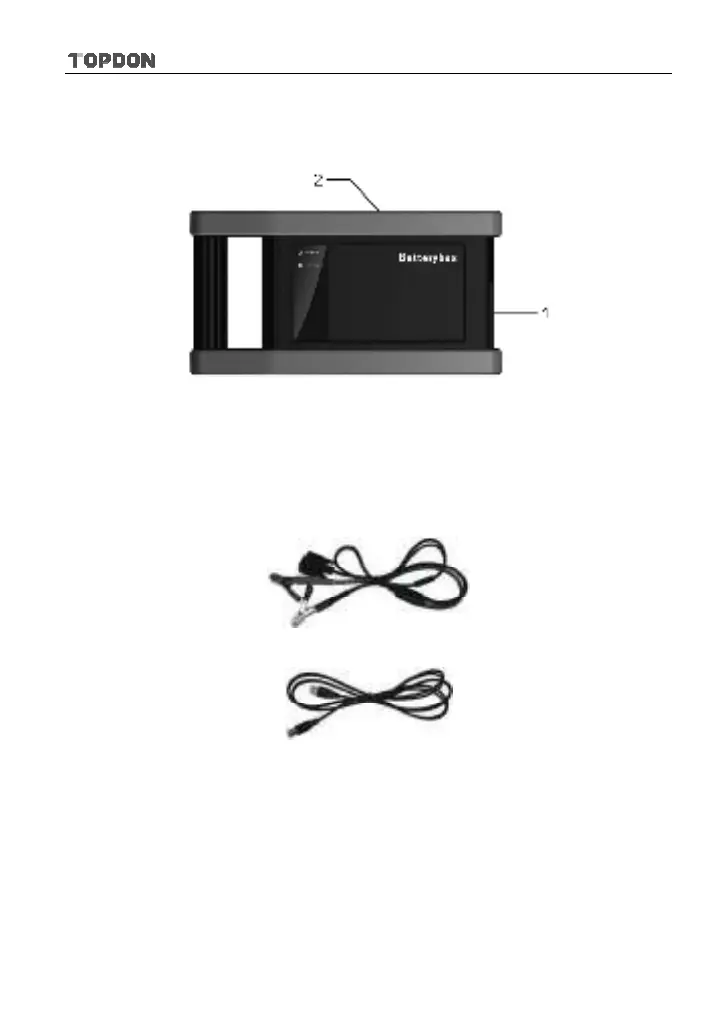
11.3.1 Batterybox structure
Fig.11-1 Batterybox structure diagram
1.
Battery connector: Connect to vehicle’s battery for battery test.
2.
B type USB terminal: Connect to the Phoenix Pro tablet with a B-shaped USB
cable.
11.3.2 Test accessories
Fig. 11-2 Kelvin clip
Fig. 11-3 A/B cable
11.4. Connections & Operations
11.4.1 Connection
Connect one end of the A/B cable to the B type USB terminal of the batterybox,
and then connect the other end to the USB port of Phoenix Pro tablet. This
connection applies to outside the vehicle test and inside the vehicle.
*Notes:












 To Next Page