Phoenix Pro User Manual
86
large as wave in drawing zone so that the system can sample more points to reduce
tolerance.
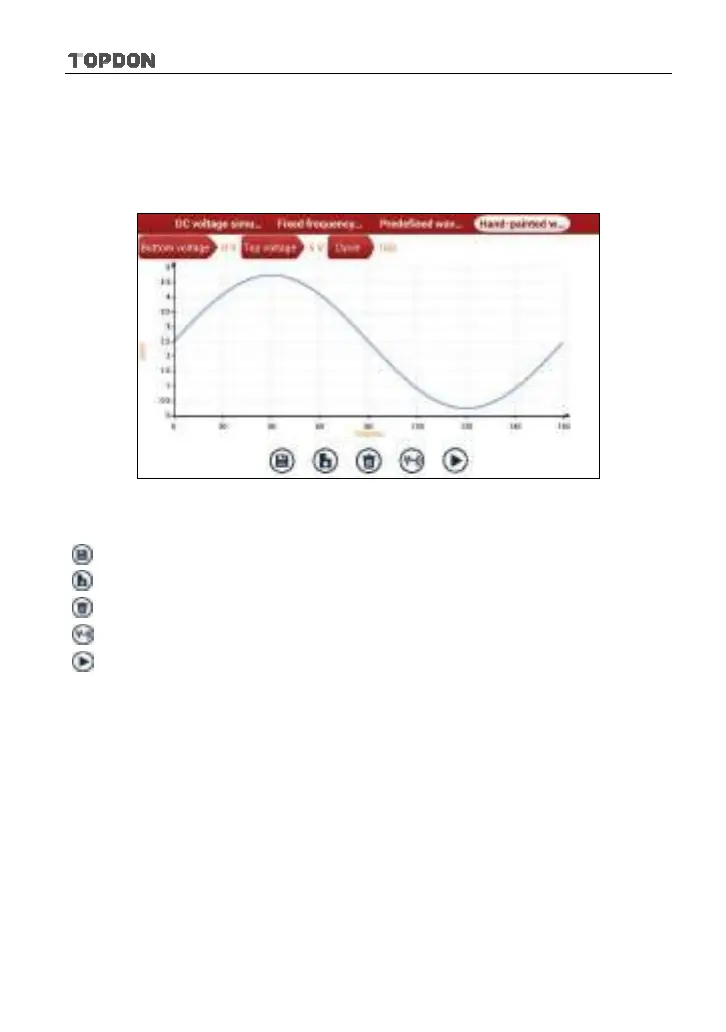
In Fig. 9-2, tap “Hand-painted waveform simulation”, a screen similar to Fig. 9-8
will appear.
Fig. 9-8
Button descriptions:
[
]: Save the current waveform.
[
]: Loads the previously saved hand-drawn waveform.
[
]: Clear all hand-drawn waveform.
[
]: Click to call out the predefined waveform for reference.
[
]: Continues the following operation.
9.3.3 Precautions on checking vehicle sensor
y
Hold the connector when plugging or unplugging it. Do not pull the cable for
unplugging.
y
At first check the fuse, fusible line and terminals. Then check others after
eliminating these faults.
y
When measuring voltage, the ignition switch should be on and the battery
voltage should not be less than 11V.
y
When measuring voltage, please shake the lead lightly in the vertical and
horizontal direction for more precision.
y
When checking whether there is open in the line, disconnect the CEU and the
relevant sensor at first, then measure the resistance among the ports of












 To Next Page