Phoenix Pro User Manual
80
2 Data sending indicator
Indicator (green) for sending data to main
unit.
3 Power indicator
It keeps steady on (red) after the sensorbox
is powered on.
4 Type-B USB port
Connect to main unit with USB cable when it
is applied as separated USB device.
5 Power connector
Connect to power supply through the power
adaptor.
6 COM Common terminal of multimeter
7 VΩHz Testing terminal of multimeter
9.2.2 Sensorbox accessories
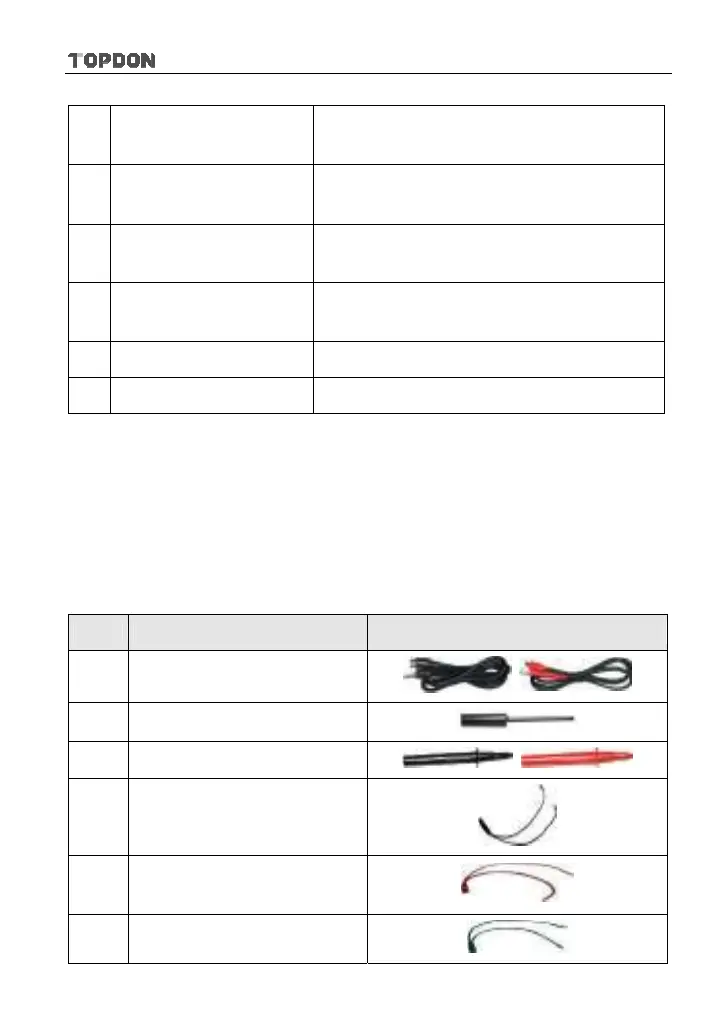
The sensorbox accessories include sensor test cable, probe etc. See Table 9-2.
As the product configuration can be different, the accessories included with the
product may differ from the accessories listed on this manual. Please see the
packing list attached to the product for the detailed accessories.
Table 9-2 Accessory checklist
No. Name Picture
1 Sensor test cable
2 Sensor probe
3 Multimeter probe
4
Electronic control converting
cable 1
5
Electronic control converting
cable 2
6 Electronic control converting












 To Next Page