Phoenix Pro User Manual
32
5.2 Local Diagnostics
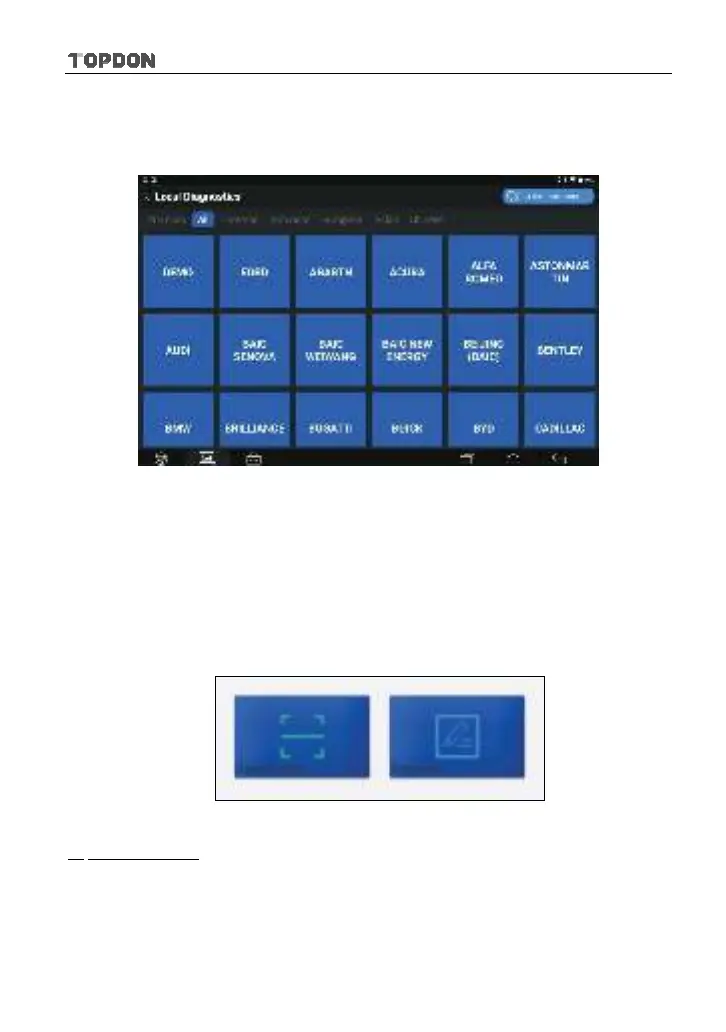
Tap “Local Diagnostics” to enter the vehicle selection page.
Fig. 5-10
2 approaches are provided for you to access the vehicle diagnostic software.
Choose any one of the following ways:
1. VINSCAN enables you to access it more quickly.
In this case, automatic scan (OBD VIN) and manual input (INPUT VIN) are
available.
In Fig. 5-10, tap “VINScan”, the screen displays as follows:
Fig. 5-11
A. Camera Scan: In this mode, the VCI connector should be plugged into the
vehicle’s DLC first, and then a Bluetooth communication should be
established between Phoenix Pro and the vehicle.
Tap “Camera Scan”, a screen similar to the following appears:












 To Next Page