Phoenix Pro User Manual
102
6
Pin connector suite for 4-channel
oscilloscope
12.3 Connection & Initial Use
12.3.1 Connection
The Scopebox should work with the Phoenix Pro tablet.
1. Firstly, power on the Phoenix Pro tablet.
2. Then plug one end of ground cable of the Scopebox into external trigger
channel (GND), and the other end should be grounded.
3. Connect one end of probe cable to the CH1, CH2, CH3, or CH4 on the
Scopebox, and the other end to related signal terminal.
Warning: Please use the specific capacitance probe when diagnosing the ignition high
voltage line. Never connect the Scopebox to the ignition secondary circuit directly.
12.3.2 Initial interface introduction
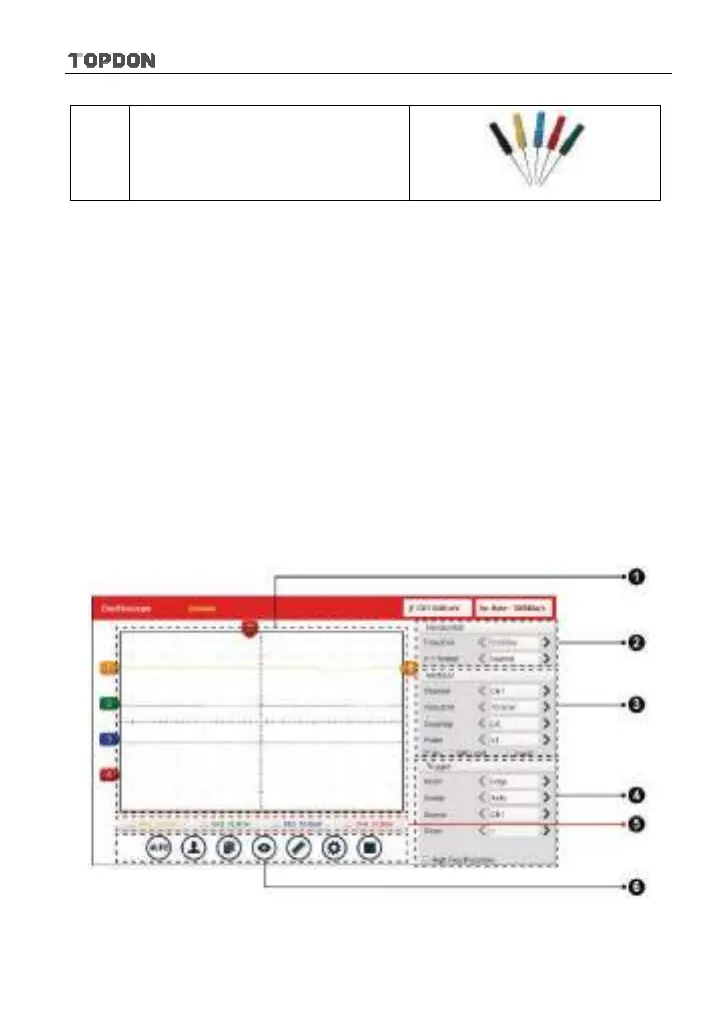
Fig. 12-2 displays the initial interface of the Scopebox.
Fig. 12-2












 To Next Page