Phoenix Pro User Manual
106
the attenuation factor for the probe. The attenuation
factor changes the vertical scaling of the Scopebox so
that the measurement results reflect the actual voltage
levels at the probe tip.
BW Limit
ON: Limits the channel bandwidth to 20MHz to reduce
display noise.
OFF: Get full bandwidth.
Invert
ON: Turn on the invert function.
OFF: Restore to the original display of the waveform.
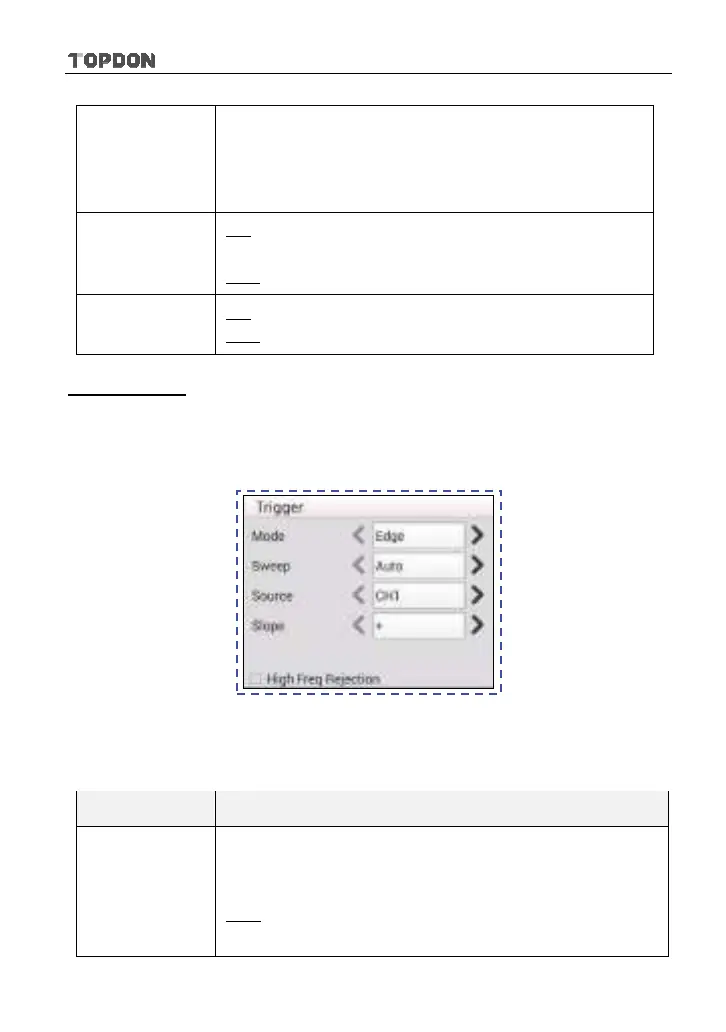
Trigger setting
Trigger indicates that when certain waveform meets the conditions that are
predefined according to the requirements, the Scopebox acquires the waveform
and its adjacent section, and then presents it on the screen.
Fig. 12-6
1) If Edge trigger is selected (An edge trigger determines whether the Scopebox
finds the trigger point on the rising or the falling edge of a signal.):
Menu Comments/Settings
Sweep
The sweep mode determines how the Scopebox behaves
in the absence of a trigger event. The Scopebox provides
three trigger modes: Auto, Normal, and Single.
Auto: It allows the Scopebox to acquire waveforms even
when it does not detect a trigger condition. If no trigger












 To Next Page