Phoenix Pro User Manual
109
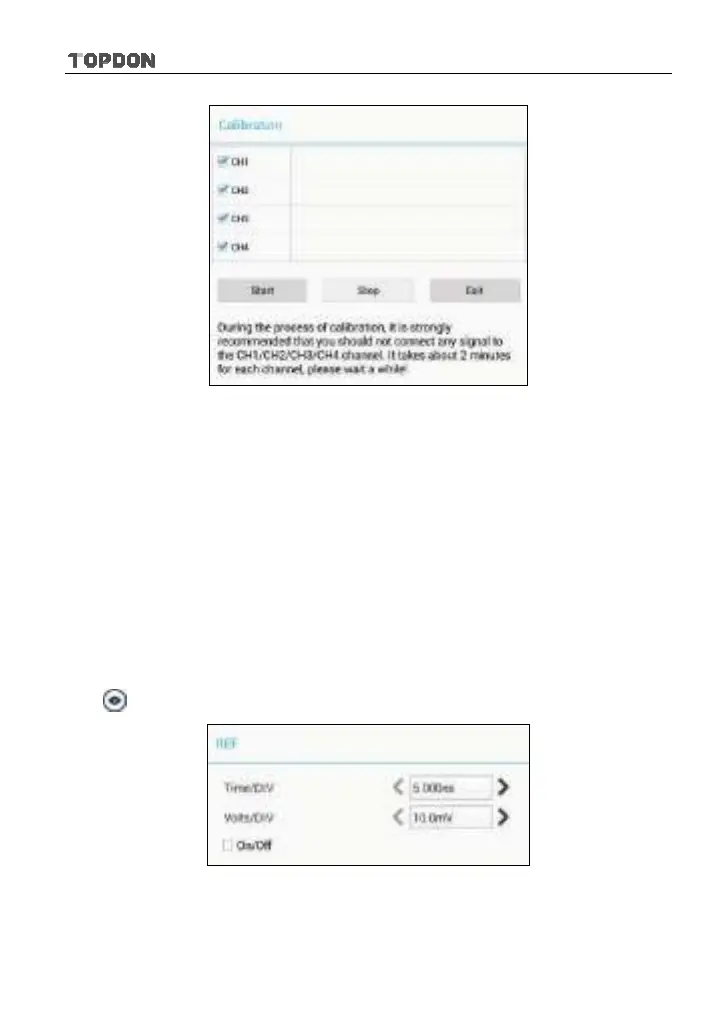
Fig. 12-7
Check the box before the channel to select it. To deselect it, just uncheck it. After
choosing the desired channel(s), tap [Start] to start calibration and [Start] button
will be temporarily invalid during calibrating. Tap [Stop] to stop calibrating. Once
it becomes active, it indicates calibration has completed.
*Note: In process of calibration, make sure CH1/CH2/CH3/CH4 has no signal input.
Moreover, calibration may take several minutes and please be patient to wait.
<2> REF settings
Reference waveforms are saved waveforms to be selected for display. The
reference function will be available after saving the selected waveform to
non-volatile memory.
Tap
and then [REF] to enter the REF setting screen.
Fig. 12-8
Tap < or > to select the desired reference value for time/DIV and volts/DIV. To
show or hide the REF, just check/uncheck the box before On/Off.












 To Next Page