160
1. REAR VIEW MONITOR SYSTEM
RAV4_Navi+MM_OM42A43U_(U)
15.08.10 11:04
SCREEN DESCRIPTION
Vehicles without a smart key system
The rear view monitor system screen will be displayed if the shift lever is shifted to the
“R” position while the engine switch is in “ON” position.
Vehicles with a smart key system
The rear view monitor system screen will be displayed if the shift lever is shifted to the
“R” position while the engine <power> switch is in IGNITION ON <ON> mode.
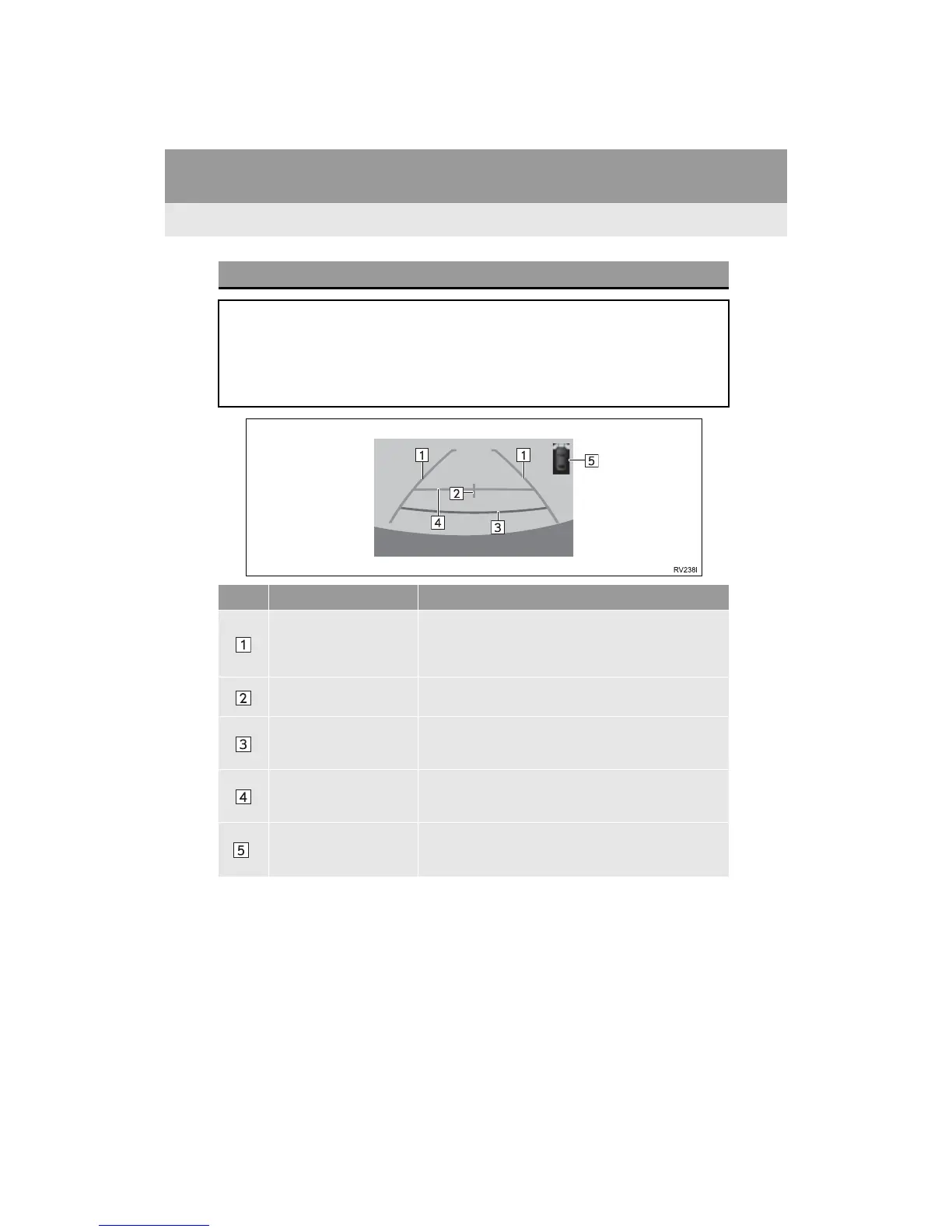
No. Display Function
Vehicle width guide lines
Displays a guide path when the vehicle is being backed
straight up.
The displayed width is wider than the actual vehicle
width.
Vehicle center guide line
These line indicates the estimated vehicle center on the
ground.
Distance guide line
Shows distance behind the vehicle.
Displays a point approximately 1.5 ft. (0.5 m) (red) from
the edge of the bumper.
Distance guide line
Shows distance behind the vehicle.
Displays a point approximately 3 ft. (1 m) (blue) from
the edge of the bumper.
*
Intuitive parking assist
If an obstacle is detected while the intuitive parking assist
is on, a display is shown in the top right corner of the
screen.


 To Next Page
 Loading...




