228
1. PHONE OPERATION (HANDS-FREE SYSTEM FOR CELLULAR PHONES)
RAV4_Navi+MM_OM42A43U_(U)
15.08.10 11:04
1 Display the phone top screen.
(P.225)
2 Select the “Contacts” tab and select
the desired contact.
3 Select the desired number.
4 Check that the “Call” screen is dis-
played.
■FOR PBAP COMPATIBLE
Bluetooth
®
PHONES
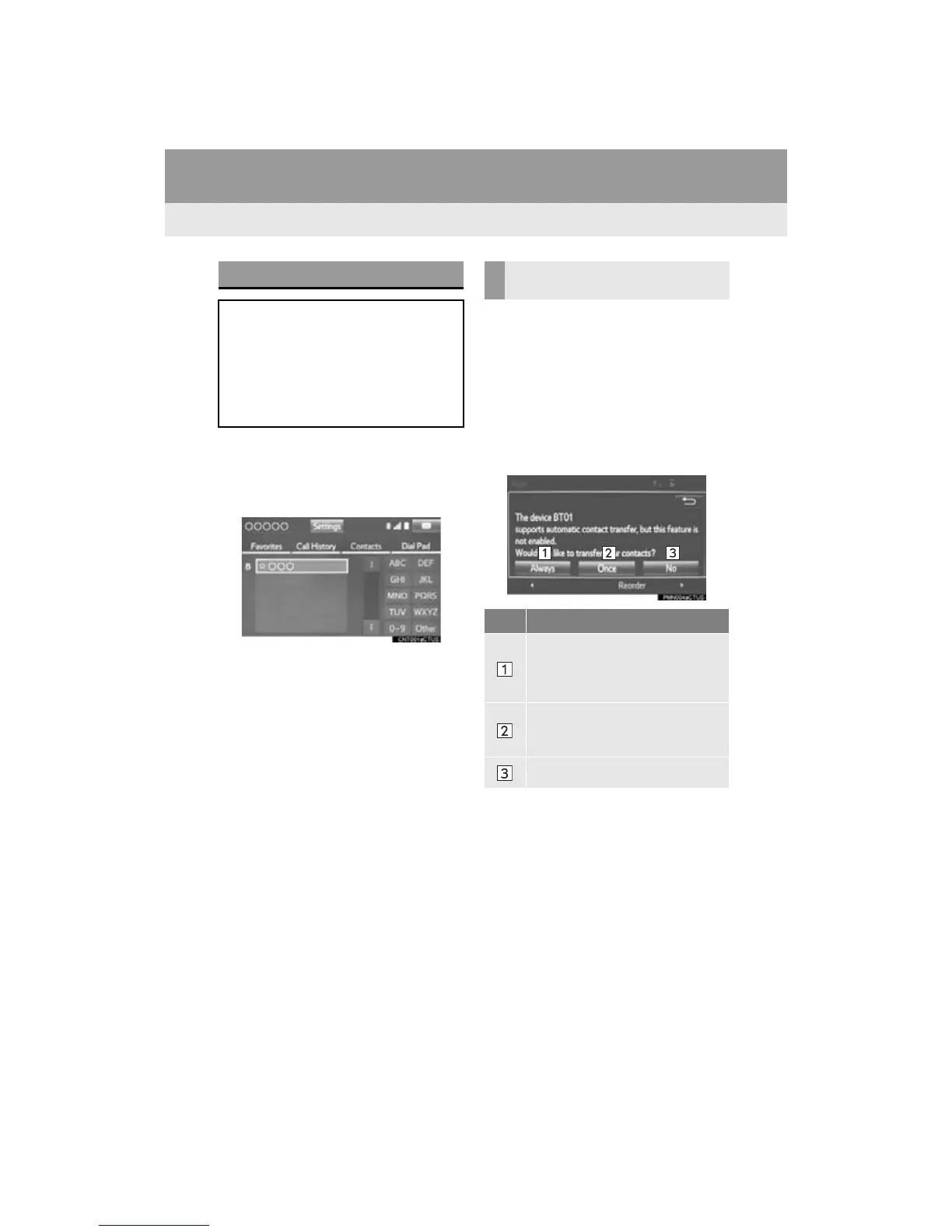
When “Automatic Transfer” is set to on
(P.242)
Contacts are transferred automatically.
When “Automatic Transfer” is set to off
(P.242)
1 Select the desired item.
BY CONTACTS LIST
Calls can be made by using contact
data which is transferred from a regis-
tered cellular phone. (P.228)
Up to 2500 contacts (maximum of 4
phone numbers and e-mail addresses
per contact) can be registered in the
contact list.
WHEN THE CONTACT IS
EMPTY
No. Function
Select to transfer new contacts from
a cellular phone, select “Always”
and then enable “Automatic Trans-
fer”.
Select to transfer all the contacts
from a connected cellular phone
only once.
Select to cancel transferring.


 To Next Page
 Loading...




