191
3. PANORAMIC VIEW MONITOR
RAV4_Navi+MM_OM42A43U_(U)
15.08.21 12:27
PERIPHERAL MONITORING SYSTEM
6
2. CHECKING AROUND THE VEHICLE
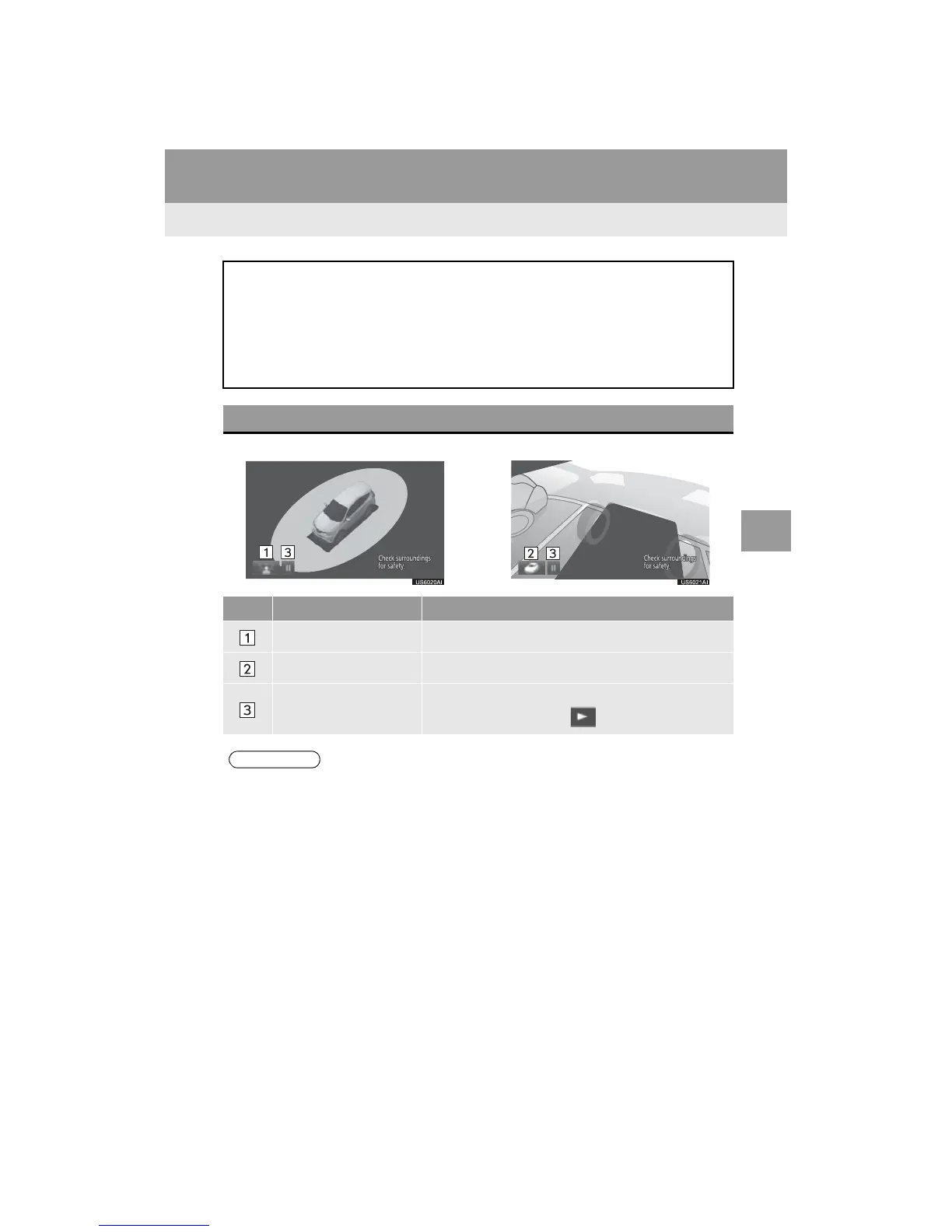
Moving view See-through view
The moving view screen and the see-through view screen provide support when
checking the areas of around the vehicle while parking. Displays an image of the
vicinity of the vehicle combined from the 4 cameras. The screen will display a 360
view around the vehicle from either inside the vehicle or from a birds-eye view at
an angle.
To display the screen, press the camera switch when the shift lever is in the “P”
position.
SCREEN DISPLAY
No. Display Function
See-through view switch Select to change to the see-through view screen.
Moving view switch Select to change to the moving view screen.
Rotation pause switch
Select to pause the rotation of the screen.
To resume rotation, select .
● Pressing the camera switch again changes the screen back to the previously displayed
screen, such as the navigation screen.



 To Next Page
 Loading...



