76
1. BASIC OPERATION
RAV4_Navi+MM_OM42A43U_(U)
15.08.10 11:04
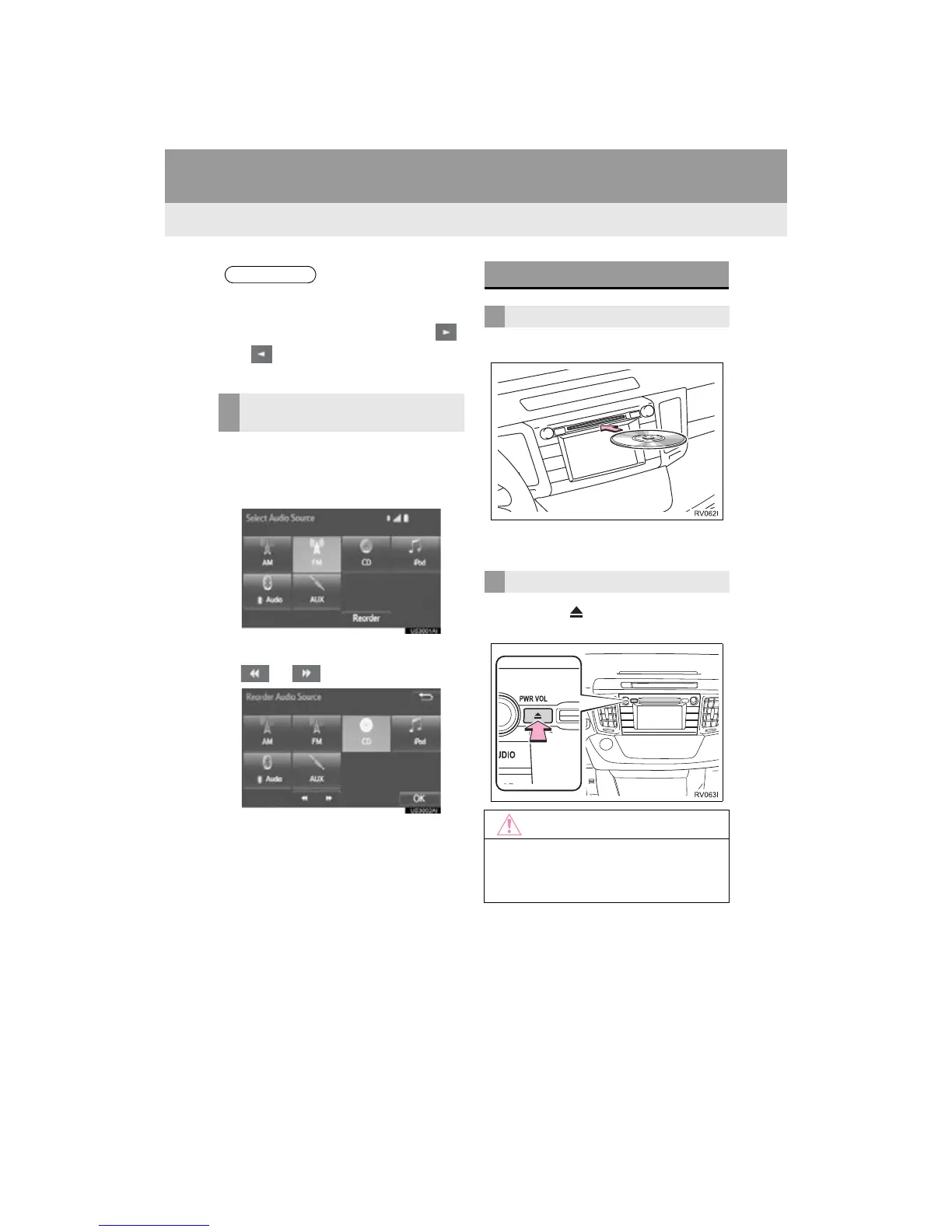
1 Display the “Select Audio Source”
screen. (P.75)
2 Select “Reorder”.
3 Select the desired audio source then
or to reorder.
4 Select “OK”.
1 Insert a disc into the disc slot.
After insertion, the disc is automatically
loaded.
1 Press the button and remove the
disc.
● Dimmed screen buttons cannot be oper-
ated.
● When there are two pages, select
or to change the page.
REORDERING THE AUDIO
SOURCE
DISC SLOT*
INSERTING A DISC
EJECTING A DISC
● Never try to disassemble or oil any part
of the CD player. Do not insert anything
other than a disc into the slot.


 To Next Page
 Loading...




