63
3. OTHER SETTINGS
RAV4_Navi+MM_OM42A43U_(U)
15.08.10 11:04
BASIC FUNCTION
2
2. VOICE SETTINGS
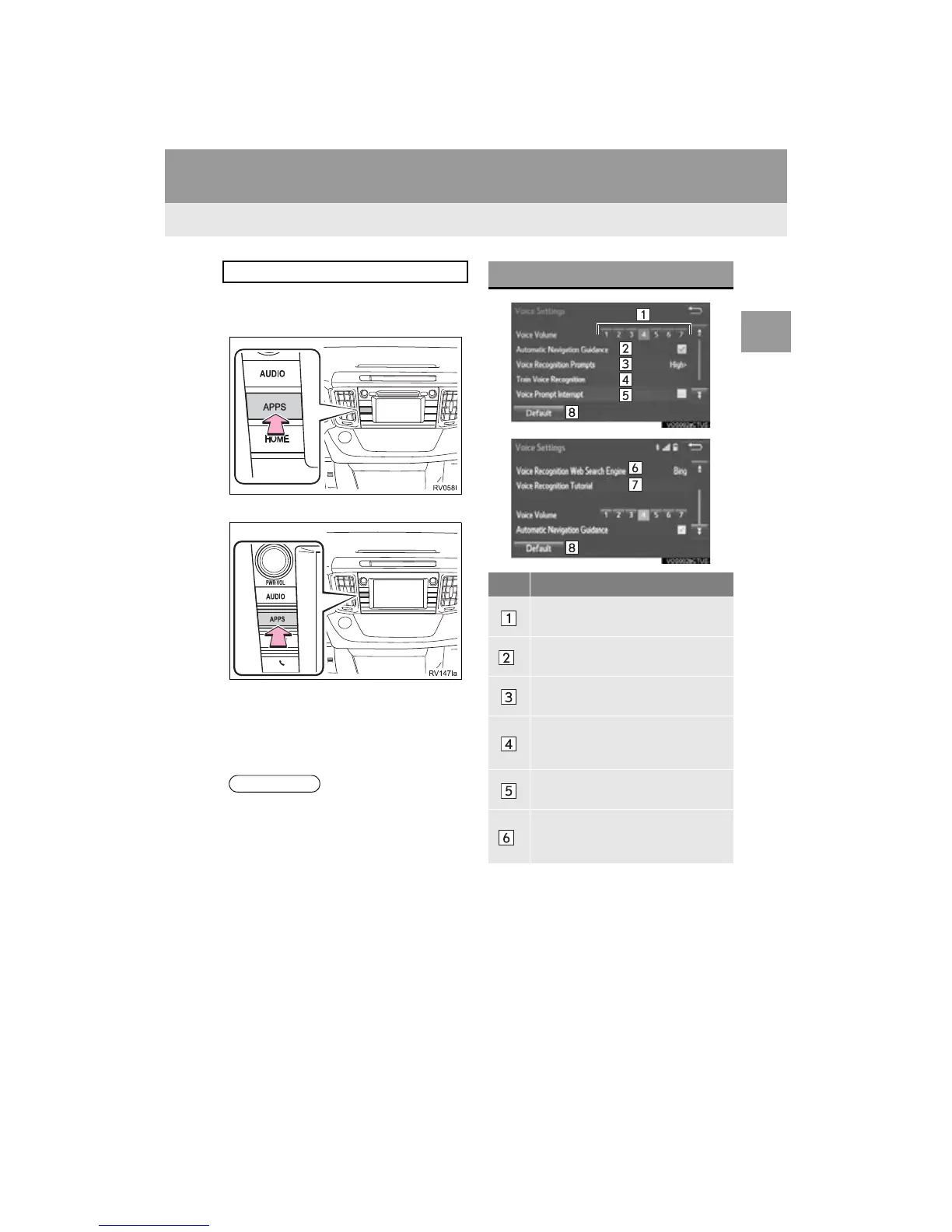
1 Press the “APPS” button.
Entune Audio Plus
Entune Premium Audio
2 Select “Setup”.
3 Select “Voice”.
4 Select the items to be set.
Voice volume, etc. can be set.
● “Voice Settings” screen can also be dis-
played from the voice recognition top
screen. (P.141)
VOICE SETTINGS SCREEN
No. Function
Select to adjust the volume of voice
guidance.
*
Select to set the voice guidance dur-
ing route guidance on/off.
Select to set the voice recognition
prompts.
Select to train voice recognition.
The voice command system adapt
the user accent.
Select to set the voice prompt inter-
rupt on/off.
*
Select to set the web search engine.
The search engines are Entune App
Suite applications. (P.341)


 To Next Page
 Loading...




