16 EMTX-SVX01G-EN
Connecting Rover to a Device
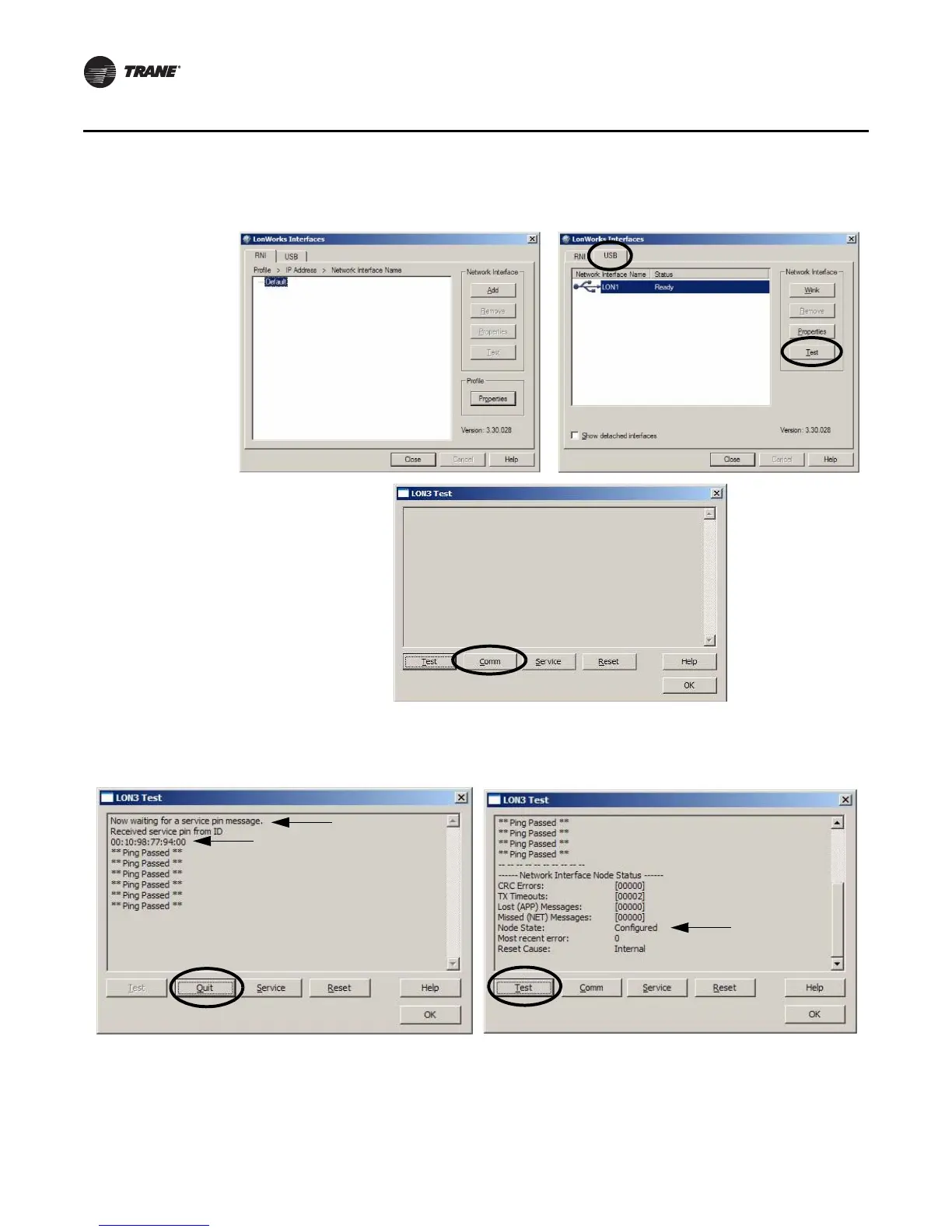
4. As shown in Figure 6, click Comm and a message displays stating Now waiting for a service
pin message and is displayed in the LonWorks Interfaces Diagnostics comment box (Figure 7).
Figure 6. LonWorks Interfaces diagnostics dialog boxes.
Figure 7. Ping Passed and Network Interface Node Status



 To Next Page