Threat Protection System Hardware Specification and Installation Guide 11
Fans and power supplies
The TPS TX Series devices include two power supplies and seven cooling fans. These components are hot-
swappable. For more information about these components, see Power supplies on page 43 and Fans on
page 46.
External SSD
The TPS TX Series device includes an external SSD module that is installed with your product. The SSD
stores traffic logs, snapshots, and other system data. The card can be removed and inserted while the device
is running; however, to do so, you must issue the appropriate unmounting, mounting, and preparation
commands in the device CLI.
For more information about the procedure, refer to External user disk on page 50.
Ports
The TPS TX Series devices are equipped with network slots for standard or bypass I/O modules.
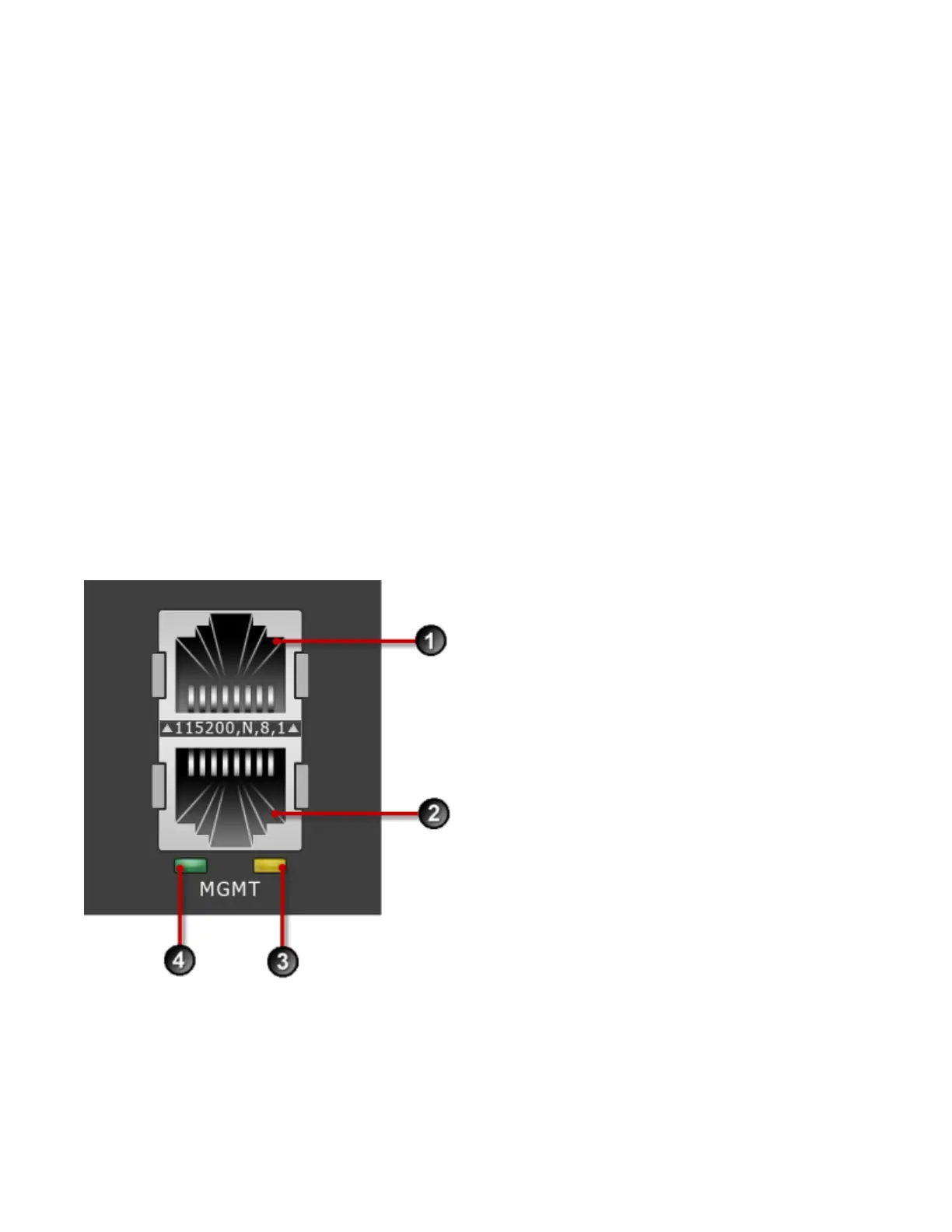
In addition, the device provides a console and management port as shown in the following figure:
Figure 6. TPS TX Series devices – management and console ports
1. 1 RJ-45 serial console port
2. 1 GbE copper management port
3. Activity LED



 To Next Page