Threat Protection System Hardware Specification and Installation Guide 49
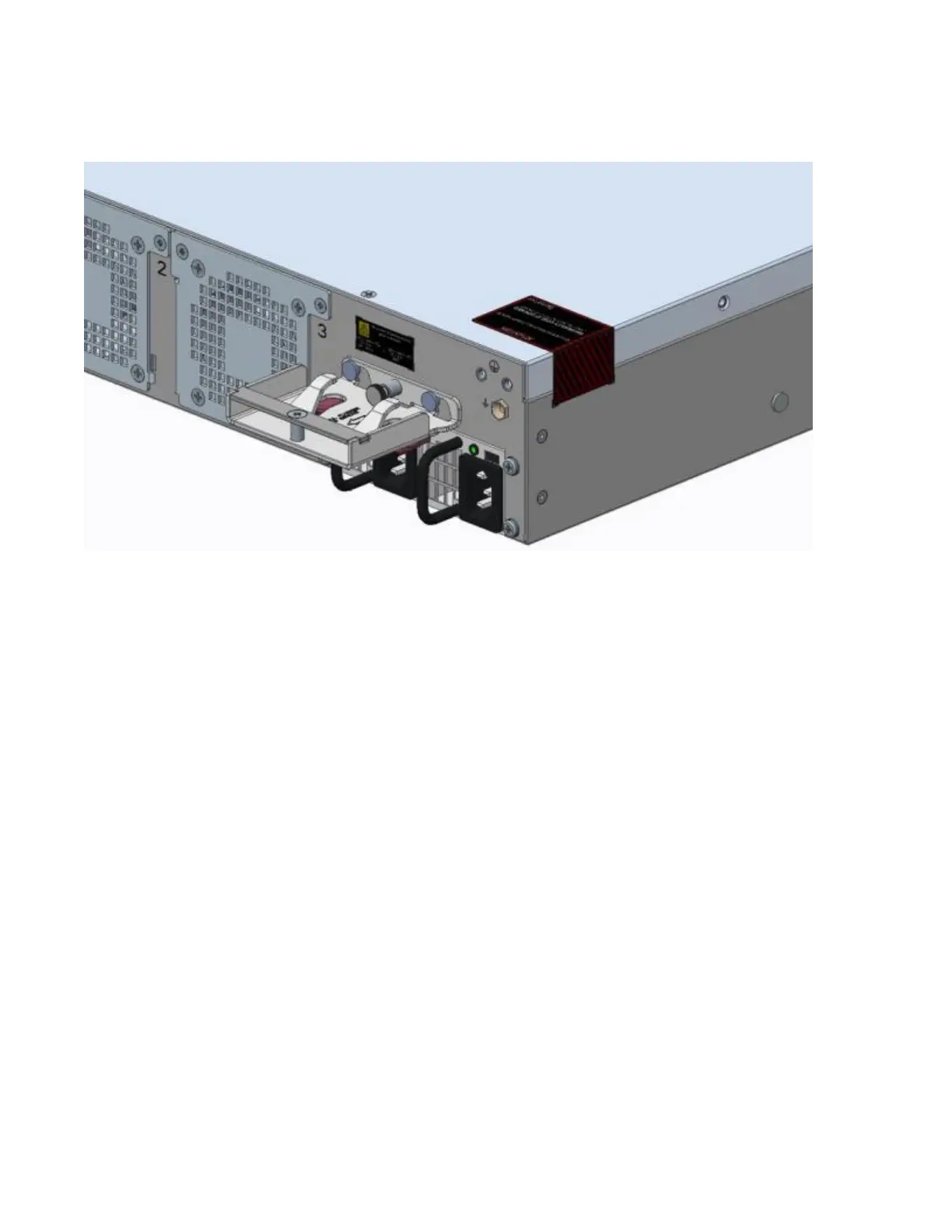
Figure 19. TPS 2200T device – back panel with retention bracket
To install the retention bracket:
1. Orient the bracket against the back surface of the chassis.
2. Slide the bracket over the two shoulder rivets on the back of the chassis.
The spring-loaded plunger in the center of the bracket slides into place.
Use the power cord retention bracket
Follow this procedure to attach the power cord to the retention bracket:
1. Fold the power cable and slide it into the slot.
2. Push the folded cable into the slot until the cable loop goes past the sheet metal tabs.
3. Secure the folded cable loop under the sheet metal tabs and attach the power cable to the power supply.
Remove the bracket
If you need to remove one of the brackets, pull the spring-loaded plunger in the middle of the bracket and
slide the bracket up and off the shoulder rivets.



 To Next Page