© Copyright 2013 TRENDnet. All Rights Reserved.
TRENDnet User’s Guide
TEG-448WS
21
o Disabled - This parameter indicates that the port is not permitted to
use flow control.
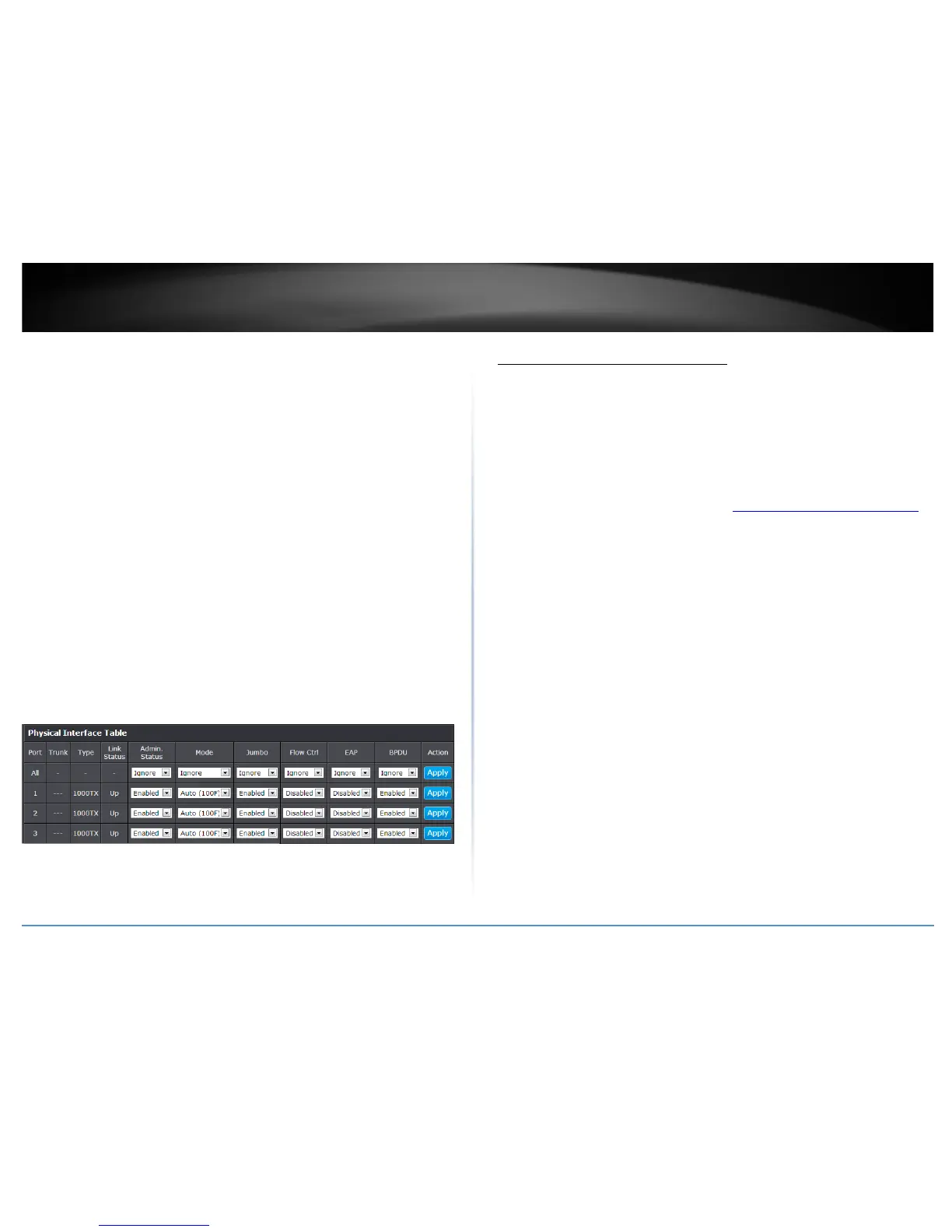
• EAP: This parameter reflects the current Extensible Authentication Protocol
(EAP) setting on the port. The possible values are:
o Ignore - This parameter indicates that the All setting does not apply to
the EAP field. In other words, each port is set individually.
o Enabled - This parameter indicates that the port is able to send and
receive EAP packets.
o Disabled - This parameter indicates that the port is disabled and is not
able to send or receive EAP packets.
• BPDU: This parameter reflects the current BPDU setting on the port.The
possible values are:
o Ignore - This parameter indicates that the All setting does not apply to
the BPDU field. In other words, each port is set individually.
o Enabled - This parameter indicates that the switch will pass BPDU
frames through the switch and broadcast them through all other
ports.
o Disabled - This parameter indicates that the switch will not pass BPDU
frames through the switch, With RSTP or STP enabled, the switch will
receive BPDU frames and process them according to the spanning tree
protocol.
4. Click Save Settings to Flash (menu).
5. Click Save Settings to Flash (button), then click OK.
Note: This step saves all configuration changes to the NV-RAM to ensure that if the
switch is rebooted or power cycled, the configuration changes will still be applied.
Spanning Tree (STP, RSTP, MSTP)
Configure Spanning Tree Protocol settings
Bridge > Spanning Tree > Protocol Settings
Spanning Tree Protocol (STP) provides network topology for any arrangement of
bridges/switches. STP also provides a single path between end stations on a network,
eliminating loops. Loops occur when alternate routes exist between hosts. Loops in an
extended network can cause bridges to forward traffic indefinitely, resulting in
increased traffic and reducing network efficiency.
1. Log into your switch management page (see “Access your switch management page
”
on page 7).
2. Click on Bridge.
3. Review the settings. Click Apply to save changes.
• Global STP Status: Select the STP state on the device. The possible field values
are:
o Disable – Disables STP on the device. This is the default value.
o Enable – Enables STP on the device.
• Protocol Version: Specifies the Spanning Tree Protocol (STP) mode to enable
on the switch. The possible field values are:
o STP – Enables STP 802.1d on the device.
o RSTP – Enables Rapid STP 802.1w on the device. This is the default
value.
o MSTP – Enables Multiple STP 802.1s on the device.
• Bridge Priority: The Bridge Priority has a range 0 to 61440 in increments of
4096. To make this easier for you, the Web Management Utility divides the
range into increments. You specify the increment that represents the desired
bridge priority value.
• Maximum Age: The Maximum Age defines the amount of time a port will wait
for STP/RSTP information. MSTP uses this parameter when interacting with
STP/RSTP domains on the boundary ports. Its range is 6 - 40 seconds










 To Next Page