© Copyright 2013 TRENDnet. All Rights Reserved.
TRENDnet User’s Guide
TEG-448WS
38
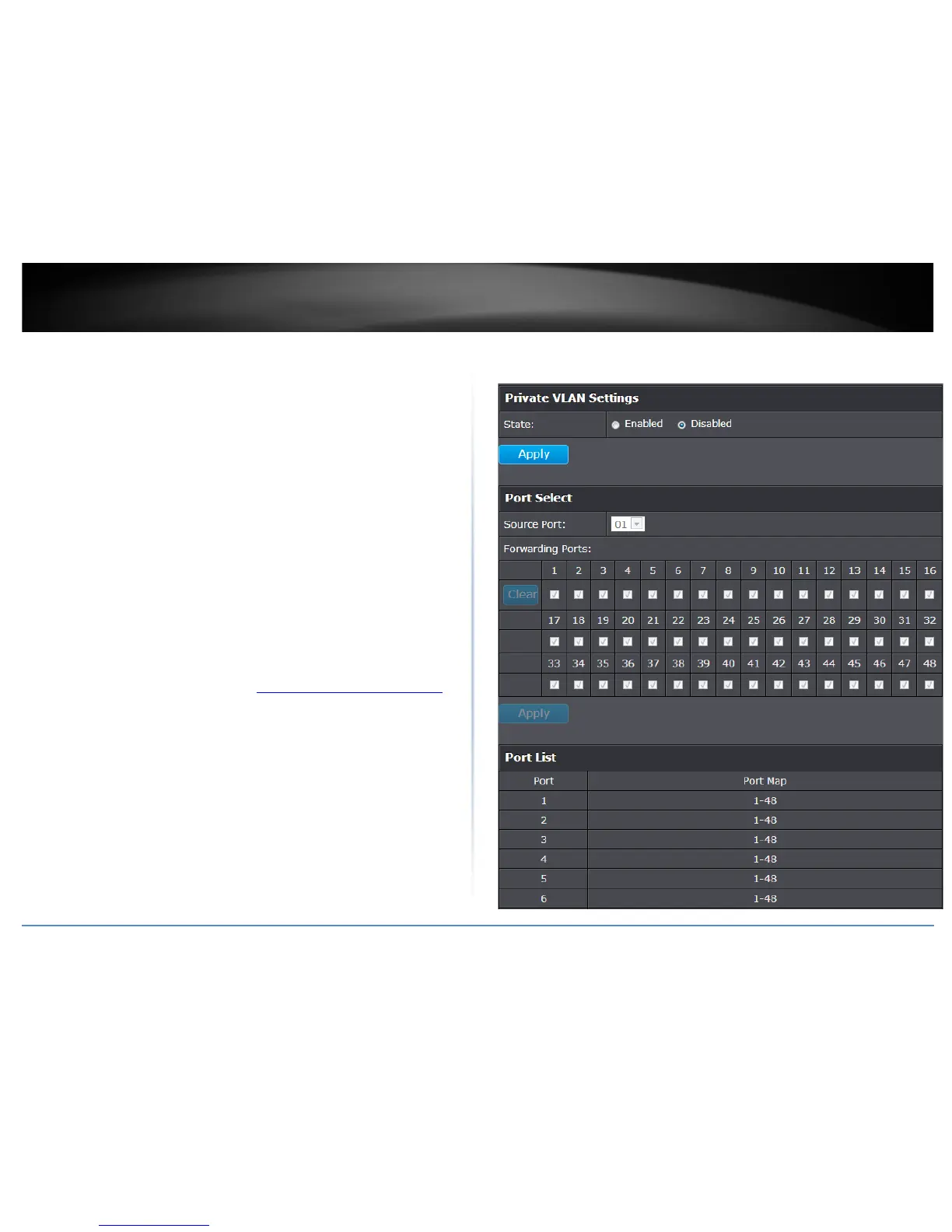
Create a private VLAN
Bridge > VLAN > Private VLAN
The private VLAN feature allows you to create a more secure VLAN that is completely
isolated to it’s members and cannot communicate with other VLANs. A private VLAN
partitions the Layer 2 broadcast domain of a VLAN into subdomains, allowing you to
isolate the ports on the switch from each other. A subdomain consists of a primary
VLAN and one or more secondary VLANs. All VLANs in a private VLAN domain share the
same primary VLAN. The secondary VLAN ID differentiates one subdomain from
another. The secondary VLANs may either be isolated VLANs or community VLANs. A
host on an isolated VLAN can only communicate with the associated promiscuous port
in its primary VLAN. Hosts on community VLANs can communicate among themselves
and with their associated promiscuous port but not with ports in other community
VLANs.
The following guidelines apply when configuring private VLANs: The default VLAN 1
cannot be a private VLAN. The management VLAN 4095 cannot be a private VLAN. The
management port cannot be a member of a private VLAN.IGMP Snooping must be
disabled on isolated VLANs. Each secondary port's (isolated port and community ports)
PVID must match its corresponding secondary VLAN ID. Ports within a secondary VLAN
cannot be members of other VLANs. All VLANs that make up the private VLAN must
belong to the same Spanning Tree Group.
1. Log into your switch management page (see “Access your switch management page
”
on page 7).
2. Click on Bridge, click on VLAN, and click on Private VLAN.
3. To configure Private VLAN Settings, perform the following procedure:
• Select Private VLAN status from the Status radio button choices that you want
to change.
o Enable: Enable Private VLAN settings.
o Disable: Disable Private VLAN settings.
• Press Apply for changes to take effect.
• Set the Source Port to one of the following choices from the pull-down menu:
All, 01 – 10.
• Click on the Forwarding Ports ratio button that applies to your configuration.
• Click Apply.










 To Next Page