© Copyright 2013 TRENDnet. All Rights Reserved.
TRENDnet User’s Guide
TEG-448WS
45
Configure the IPv6 Traffic Class Priority Settings
Bridge > QoS > IPv6 Traffic Class Priority Settings
1. Log into your switch management page (see “Access your switch management page
”
on page 7).
2. Click on Bridge, click on QoS and click on IPv6 Traffic Class Priority Settings.
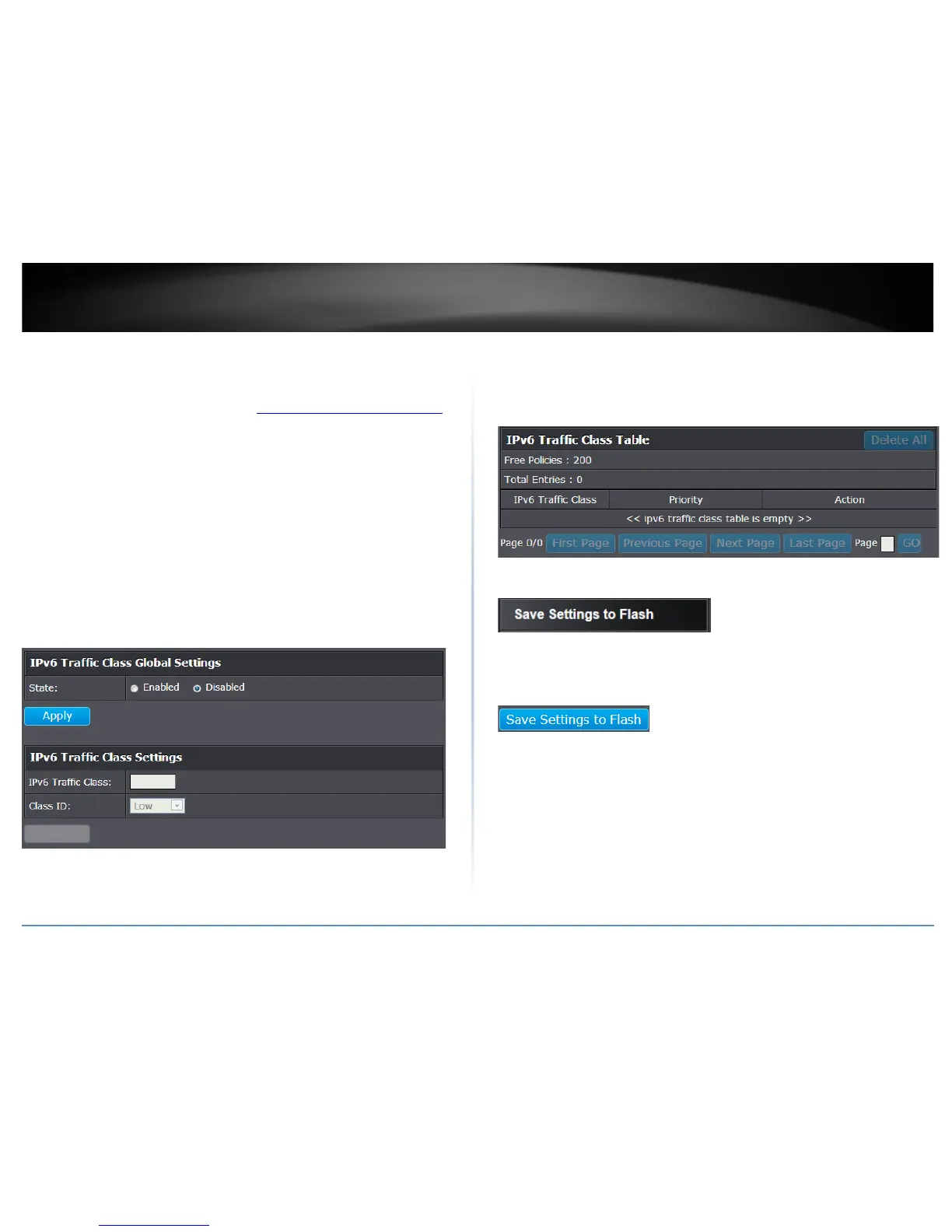
3. Review the settings.
• IPv6 Traffic Class Global Settings: Select Enable or Disable. Click Apply to save
the settings.
• IPv6 Traffic Class (0-255): Specify the value of IPv6 class.
• Class ID: Defines the priority assigned to the port. The priorities are Highest,
High, Medium and Low.
Click Add to add the traffic class setting entry to the table.
In the list, you can click Modify to modify an entry or click Delete or delete the entry.
You can also click Delete All to delete all of the entries in the table. If the entries span
multiple pages, you can navigate page number in the Page field and click Go or you can
click First, Previous, Next, and Last Page to navigate the pages.
4. Click Save Settings to Flash (menu).
5. Click Save Settings to Flash (button), then click OK.
Note: This step saves all configuration changes to the NV-RAM to ensure that if the
switch is rebooted or power cycled, the configuration changes will still be applied.










 To Next Page