© Copyright 2013 TRENDnet. All Rights Reserved.
TRENDnet User’s Guide
TEG-448WS
85
Using the Web Smart Switch Management Utility
The Powerline Utility allows you to do the following:
• You can easily discover all TRENDnet web smart switches on your network
using the discover feature.
• You can modify the IP address settings, change the admin password, and
upgrade firmware for multiple switches.
System Requirements
Operating System: Windows® 8 (32/64-bit), Windows 7 (32/64-bit), Vista (32/64-bit), or
XP (32/64-bit)
Installation
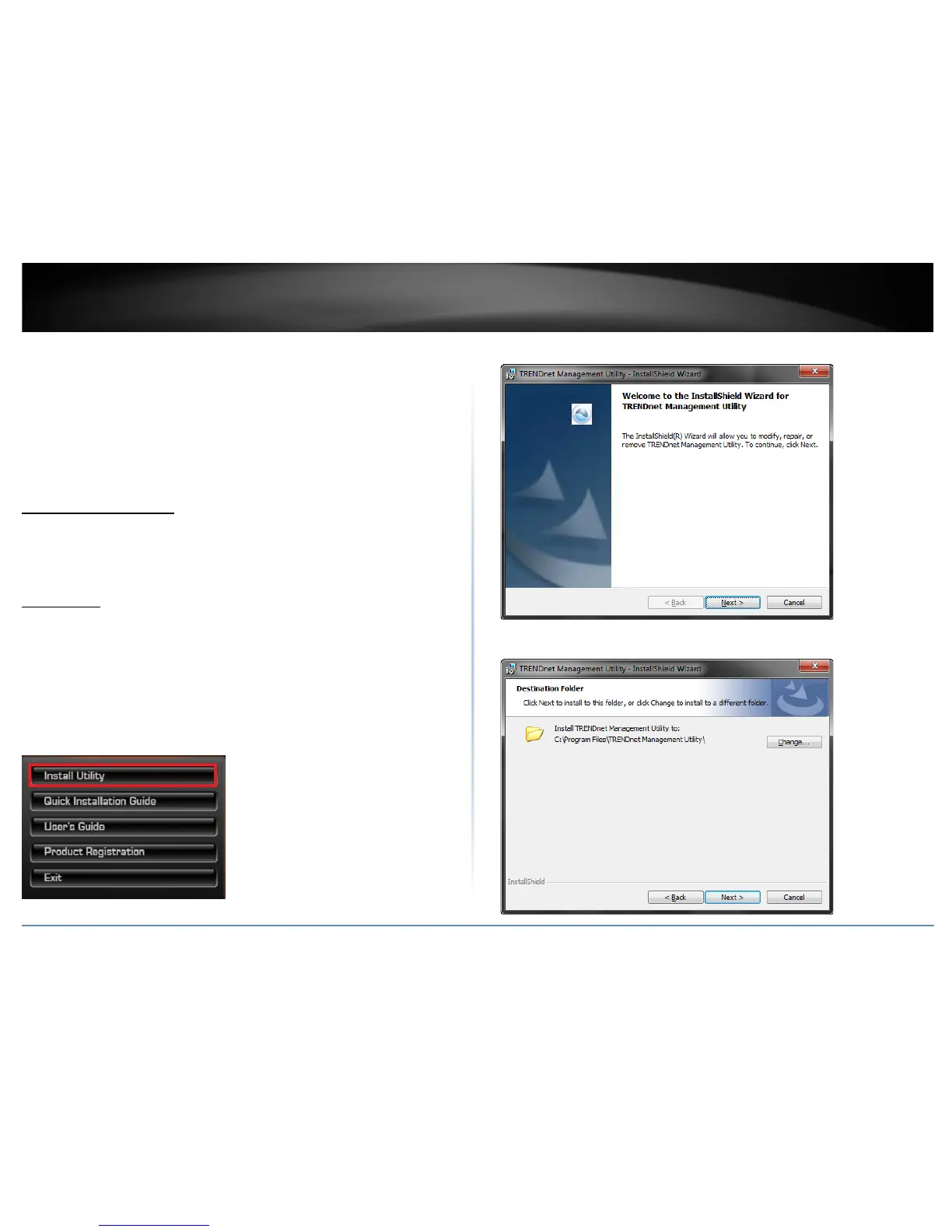
1. Insert the included CD-ROM into your computer’s CD-ROM drive.
2. At the CD Autorun Prompt window, click Run Autorun.exe .
Note: If the Autorun prompt does not appear automatically, open the CD contents and
double-click Autorun.exe.
3. At the CD-ROM main menu, click Install Utility.
4. At the Utility installation window, click Next.
5. At the Install Location installation window, click Next.










 To Next Page