© Copyright 2013 TRENDnet. All Rights Reserved.
TRENDnet User’s Guide
TEG-448WS
64
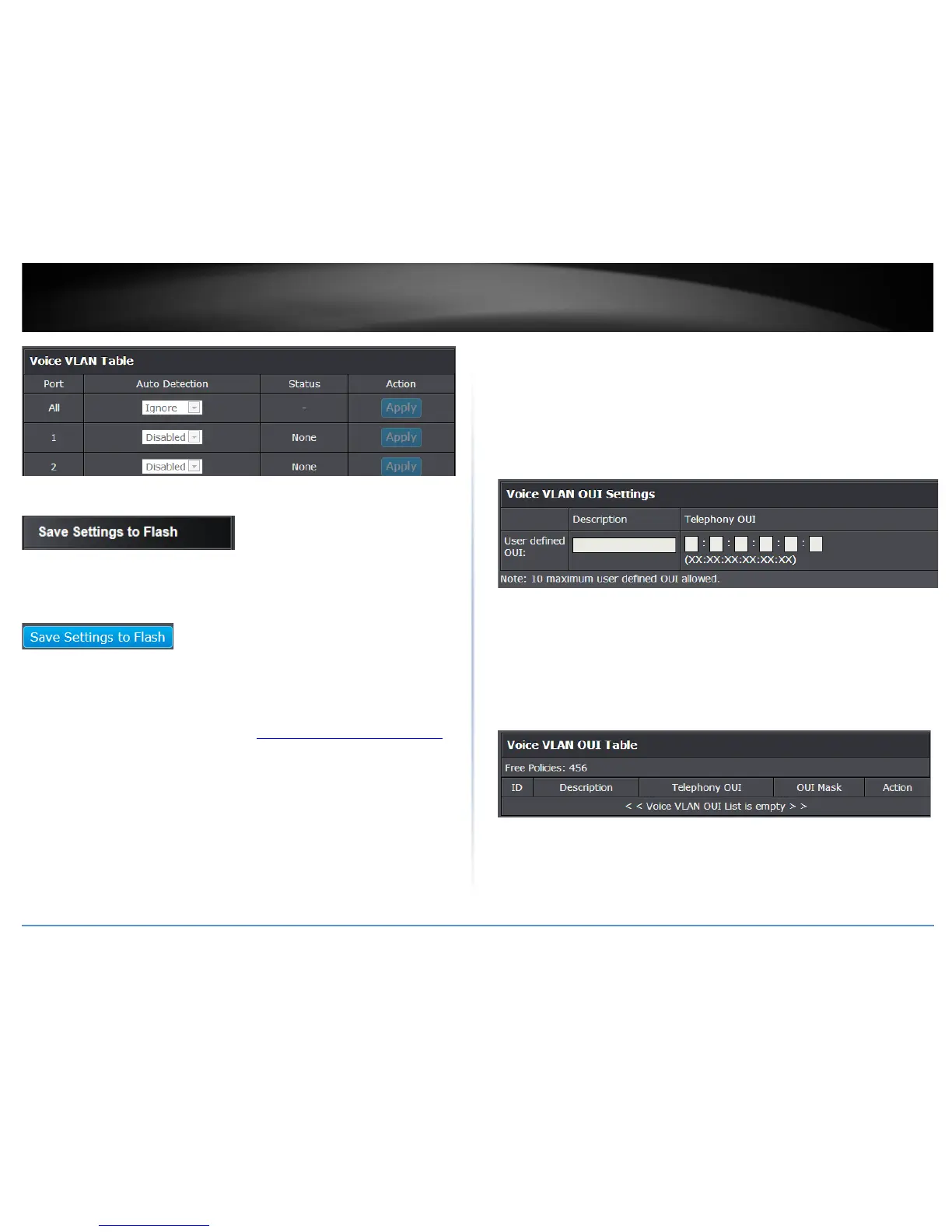
4. Click Save Settings to Flash (menu).
5. Click Save Settings to Flash (button), then click OK.
Note: This step saves all configuration changes to the NV-RAM to ensure that if the
switch is rebooted or power cycled, the configuration changes will still be applied.
Configure Voice VLAN OUI settings
Voice VLAN > Voice VLAN OUI Settings
1. Log into your switch management page (see “Access your switch management page
”
on page 7).
2. Click on Voice VLAN and click on Voice VLAN OUI Settings.
3. Review the settings.
Use the following procedure to configure voice VLAN OUIs:
• Enter a text description that helps you identify the manufacturer’s OUI in the
User Defined OUI - Description field. This parameter can be up to 20 characters
in length.
• Enter the MAC address in the User Defined OUI - Telephony OUI field of one of
the IP phones with the manufacturer's OUI.
• Click Add. The new OUI entry is displayed in the table at the bottom of the
page.
Note: If you find more than one OUI among the IP phones you are installing,
enter one MAC address that represents each individual OUI. You can enter a
total of 10 OUIs.
Modify OUI Setting
To modify or delete an OUI, it must be first be deleted and then re-created.
Delete OUI Setting
To delete a specific OUI that had already been entered in the table at the bottom of the
page, click on Delete in the Action column of the table. The specific OUI will be deleted
from the table.
4. Click Save Settings to Flash (menu).
5. Click Save Settings to Flash (button), then click OK.
Note: This step saves all configuration changes to the NV-RAM to ensure that if the
switch is rebooted or power cycled, the configuration changes will still be applied.










 To Next Page