© Copyright 2013 TRENDnet. All Rights Reserved.
TRENDnet User’s Guide
TEG-448WS
34
Set Ingress Rate Limiting
Bridge > Bandwidth Control > Ingress Rate Limiting
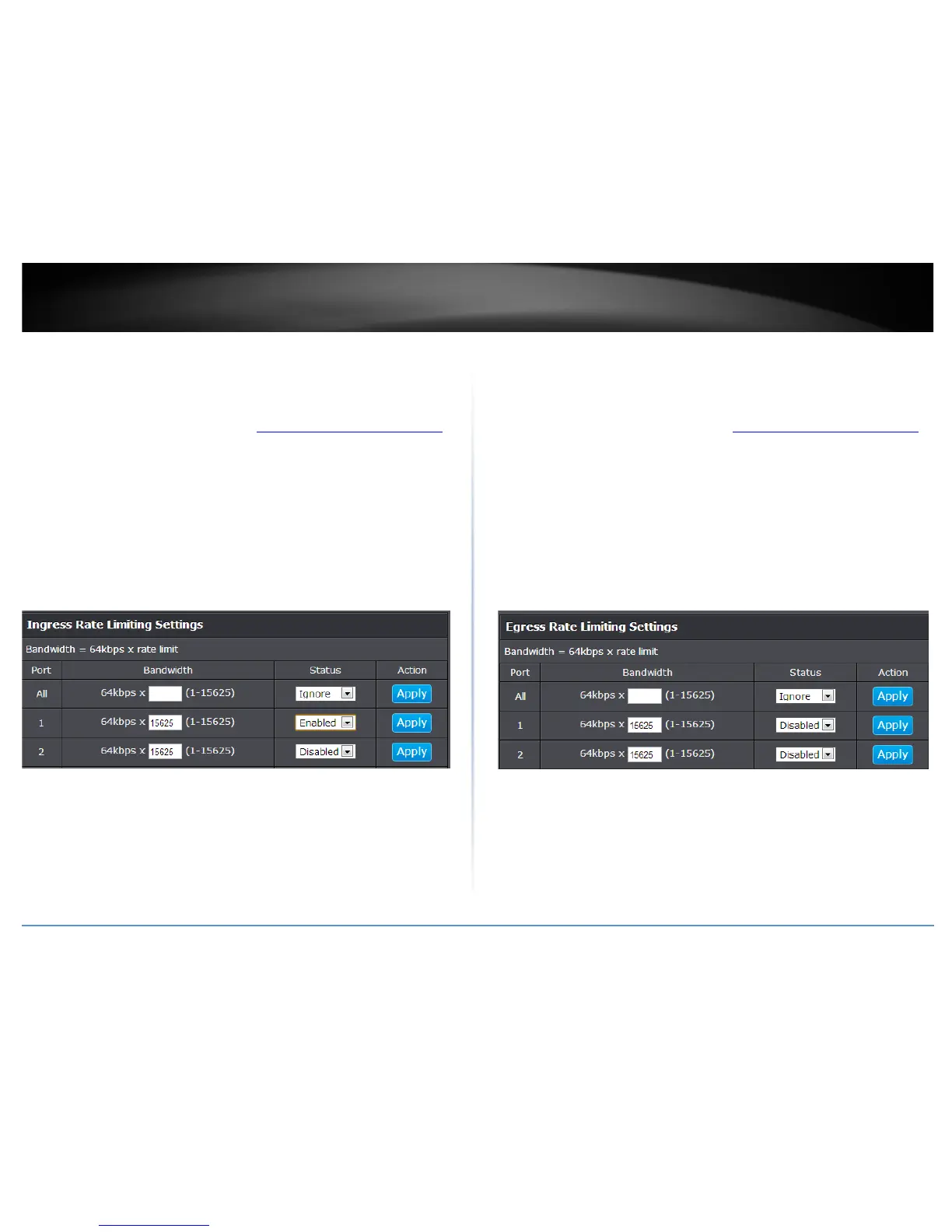
This section allows you to set the ingress (receive) rate for each switch port.
1. Log into your switch management page (see “Access your switch management page
”
on page 7).
2. Click on Bridge, click on Bandwidth Control, and click on Ingress Rate Limiting.
3. Review the settings for each port. Click Apply to save the settings.
• Bandwidth – Enter the ingress rate limit value.
• Status – Click the drop-down list and select Enabled to enable ingress rate
limiting or select Disabled to disable ingress rate limiting.
Note: Modifying settings in the row marked All, will apply the settings to all
ports.
4. Click Save Settings to Flash (menu).
5. Click Save Settings to Flash (button), then click OK.
Note: This step saves all configuration changes to the NV-RAM to ensure that if the
switch is rebooted or power cycled, the configuration changes will still be applied.
Set Egress Rate Limiting
Bridge > Bandwidth Control > Egress Rate Limiting
This section allows you to set the egress (transmit) rate for each switch port.
1. Log into your switch management page (see “Access your switch management page
”
on page 7).
2. Click on Bridge, click on Bandwidth Control, and click on Egress Rate Limiting.
3. Review the settings for each port. Click Apply to save the settings.
• Bandwidth – Enter the egress rate limit value.
• Status – Click the drop-down list and select Enabled to enable egress rate
limiting or select Disabled to disable egress rate limiting.
Note: Modifying settings in the row marked All, will apply the settings to all
ports.
4. Click Save Settings to Flash (menu).
5. Click Save Settings to Flash (button), then click OK.
Note: This step saves all configuration changes to the NV-RAM to ensure that if the
switch is rebooted or power cycled, the configuration changes will still be applied.










 To Next Page