© Copyright 2013 TRENDnet. All Rights Reserved.
TRENDnet User’s Guide
TEG-448WS
32
IGMP Snooping
Configure IGMP Snooping Settings
Bridge > IGMP Snooping > IGMP Snooping Settings
1. Log into your switch management page (see “Access your switch management page
”
on page 7).
2. Click on Bridge and click on IGMP Snooping.
3. Review the settings. Click Apply to save the settings.
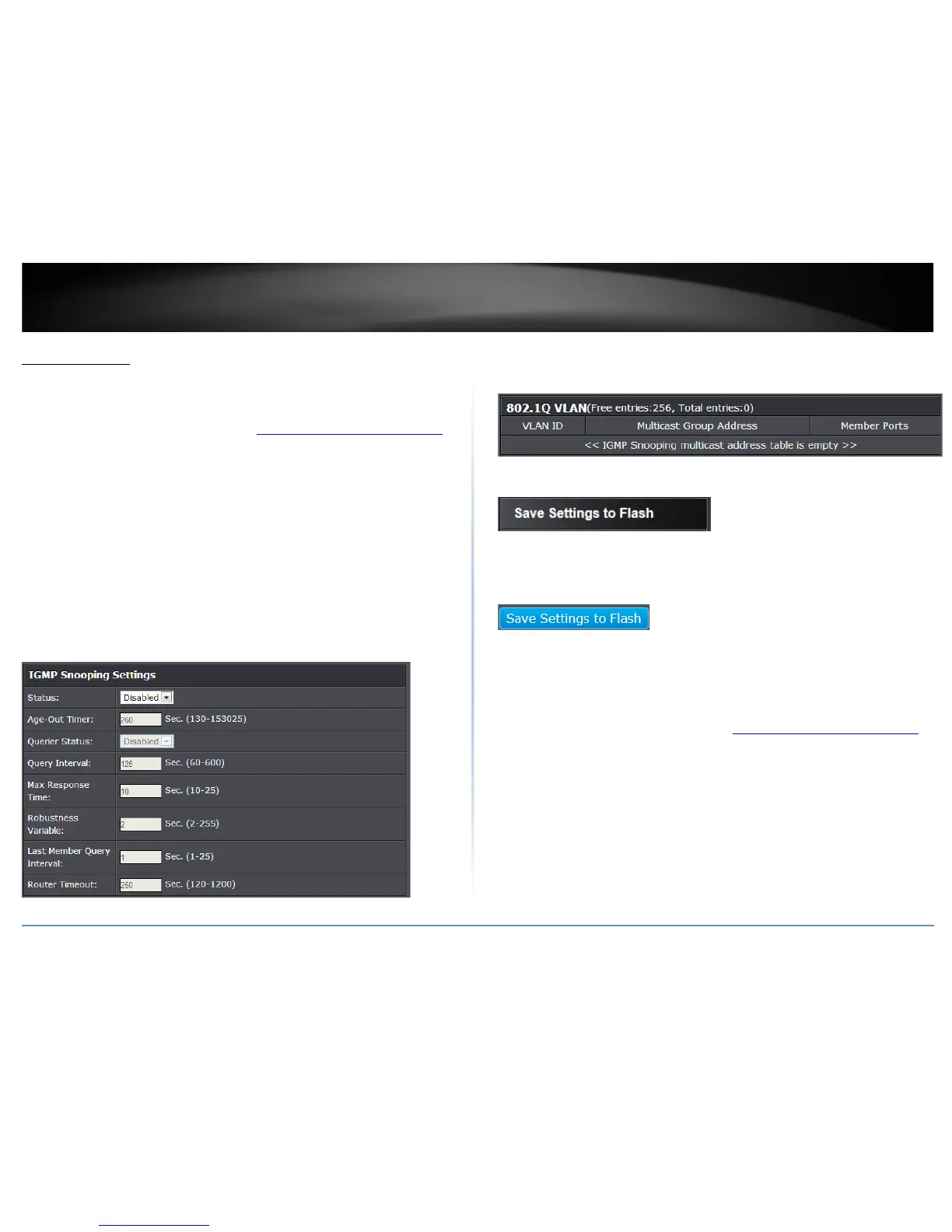
• Status – Click the drop-down list and select Enabled to enable the IGMP
snooping feature or Disabled to disable the feature.
• Age-Out Timer – Enter the amount of time in seconds that you want your
switch to wait before it purges an inactive dynamic MAC address.
• Querier Status – Click the drop-down list and select Enabled to enable the
Querier Status or Disabled to disable this feature.
• Querier Interval – Enter the amount of time you want your switch to send
IGMP queries.
The table below displays the static multicast address groups defined in your switch for
reference and can be modified on under Bridge > Static Multicast or dynamically
updated with the active multicast address groups.
4. Click Save Settings to Flash (menu).
5. Click Save Settings to Flash (button), then click OK.
Note: This step saves all configuration changes to the NV-RAM to ensure that if the
switch is rebooted or power cycled, the configuration changes will still be applied.
Configure IGMP Snooping Router Ports
Bridge > IGMP Snooping > IGMP Snooping Router Port
1. Log into your switch management page (see “Access your switch management page
”
on page 7).
2. Click on Bridge and click on IGMP Snooping.
3. Review the settings. Click Apply to save the settings.
In the VLAN ID router port list, you can configure your Static and Dynamic Router ports.
IGMP Snooping Router Port configured manually is a Static Router Port, and a Dynamic
Router Port is dynamically configured by the Switch when a query control message is
received.










 To Next Page