Basic Installation and Configuration
Note: It is recommended that you configured the wireless router from a wired computer.
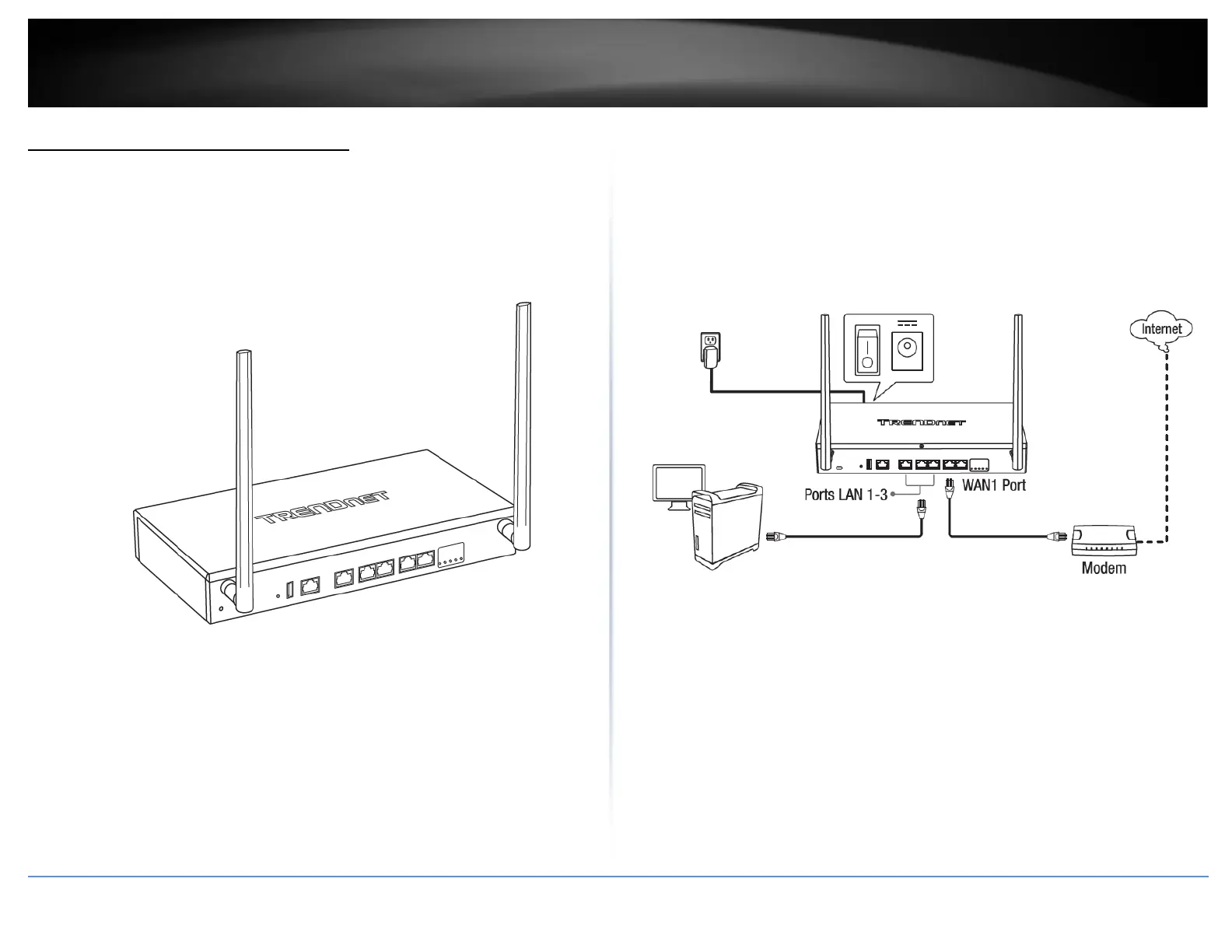
1. Attach the antennas to the front and back of the router and position them for the
best WiFi coverage. It is recommended that you position all antennas vertically as
shown for initial installation and adjust as needed later on.
2. Connect a network cable from the WAN1 port of your router to your modem.
3. Connect a network cable from one of the LAN ports (1-3) of your router to your
computer.
4. Connect the includes power adapter from a power outlet to your router power port
and push the Power On(-)/Off(o) switch into the On(-) position.














 To Next Page