View routing table and ARP entries
System > Routes / ARP
You may want to check the current routing table and ARP entry information for
troubleshooting or monitoring purposes.
1. Log into your router management page (see “Access your router management page”
on page 8).
2. Click on System and click on Routes / ARP.
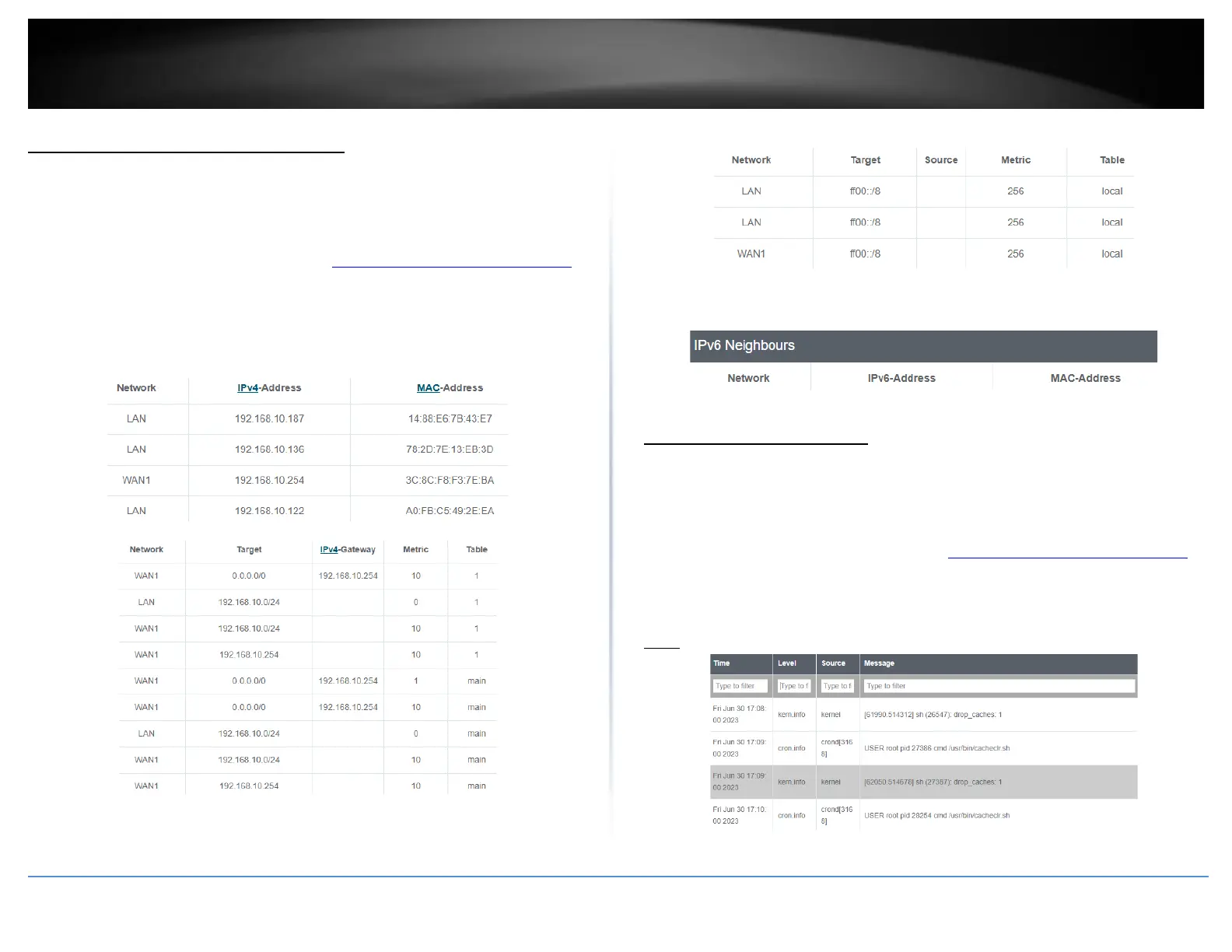
• ARP – Displays the router ARP table.
• Active IPv4-Routes – Displays the current IPv4 active routing table.
• Active IPv6-Routes – Displays the current IPv6 active routing table.
• IPv6 Neighbors – Displays currently discovered/detected IPv6 neighbor
devices.
View your router logging
System > System Log
Your router system log can be used to obtain activity information on the functionality of
your router or for troubleshooting purposes.
1. Log into your router management page (see “Access your router management page”
on page 8).
2. Click on System and click on System Log.
Note: The router system log will display the most recent entries in the list.














 To Next Page