OSPF (Open Shortest Path First)
Network > Routing > OSPF
1. Log into your router management page (see “Access your router management page”
on page 6).
2. Click on Network, click on Routing, and click on the OSPF tab.
3. Review the OSPF Routing section. To save changes to this section, click Apply to
commit and save your changes.
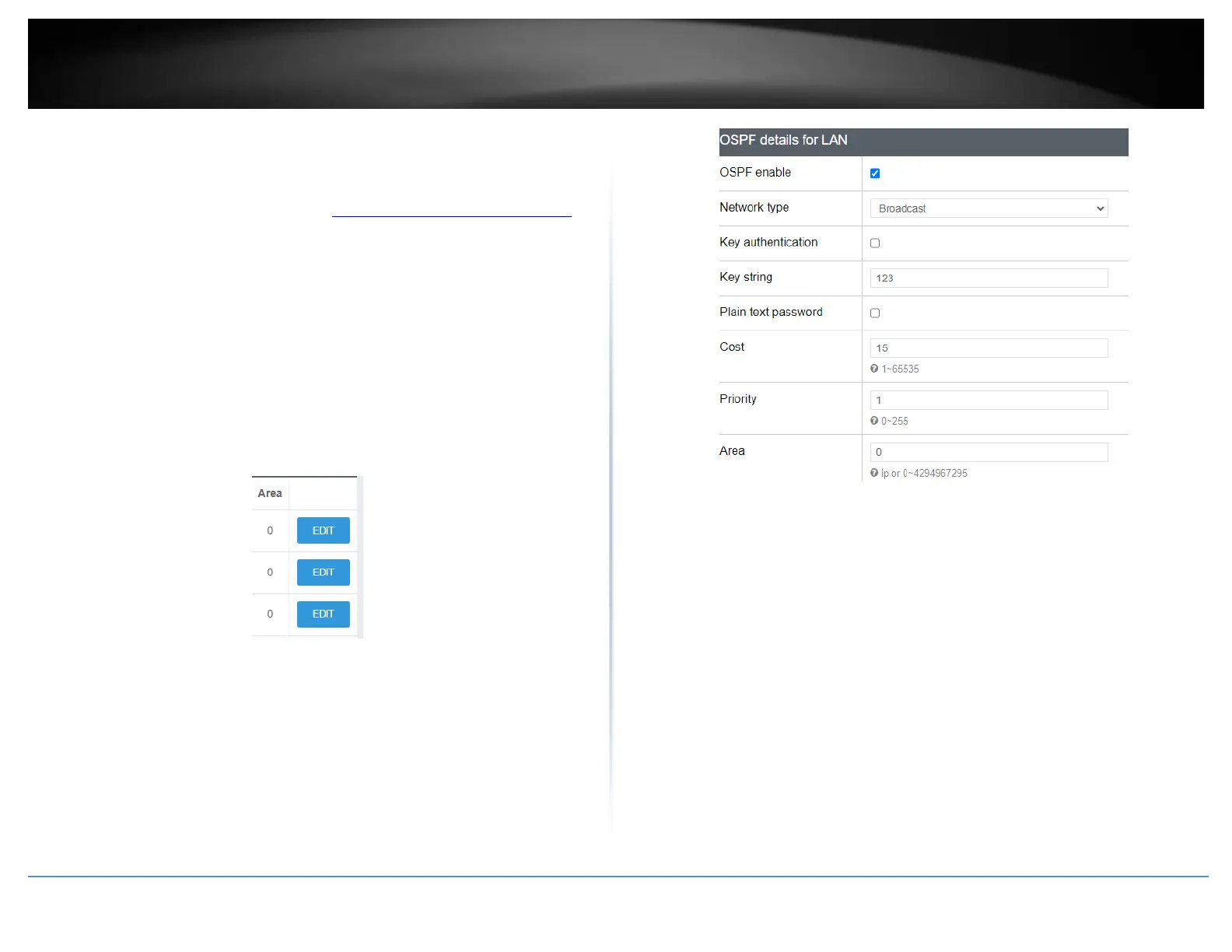
In the Overview table, you can enable and configure RIP for each interface by clicking
Edit next to the interface.
• OSPF enable: Check the option to enable OSPF dynamic routing globally on the
router.
• Router ID: Enter the OSPF router ID.
• OSPF enable: Check the option to enable OSPF dynamic routing on the specified
interface.
• Network type: Select the OSPF network type. Select only Point to Point or Point
to Multi-point if connecting to your networking using PPP protocol, otherwise
select Broadcast. If only exchanging OSPF routing information to one other
device, select Non-Broadcast and enter in the Neighbor IP address at the bottom.
• Key authentication – Enables MD5 authentication on all OSPF messages sent and
received.
• Key string – If authentication is enabled, enter the authentication key
string/password to use for OSPF messages sent and received.
• Plain text password – This option will set the password to be send in clear text
instead of using the MD5 hash. This setting is not recommended.
• Cost – Enter the OSPF cost value.
• Priority – Enter the OSPF priority value.
• Area - Enter the area id for OSPF.
You can check the current routing table under Status > Routes under Active IPv6-
Routes.














 To Next Page