Diagnostic tools
Tools > Diagnostics
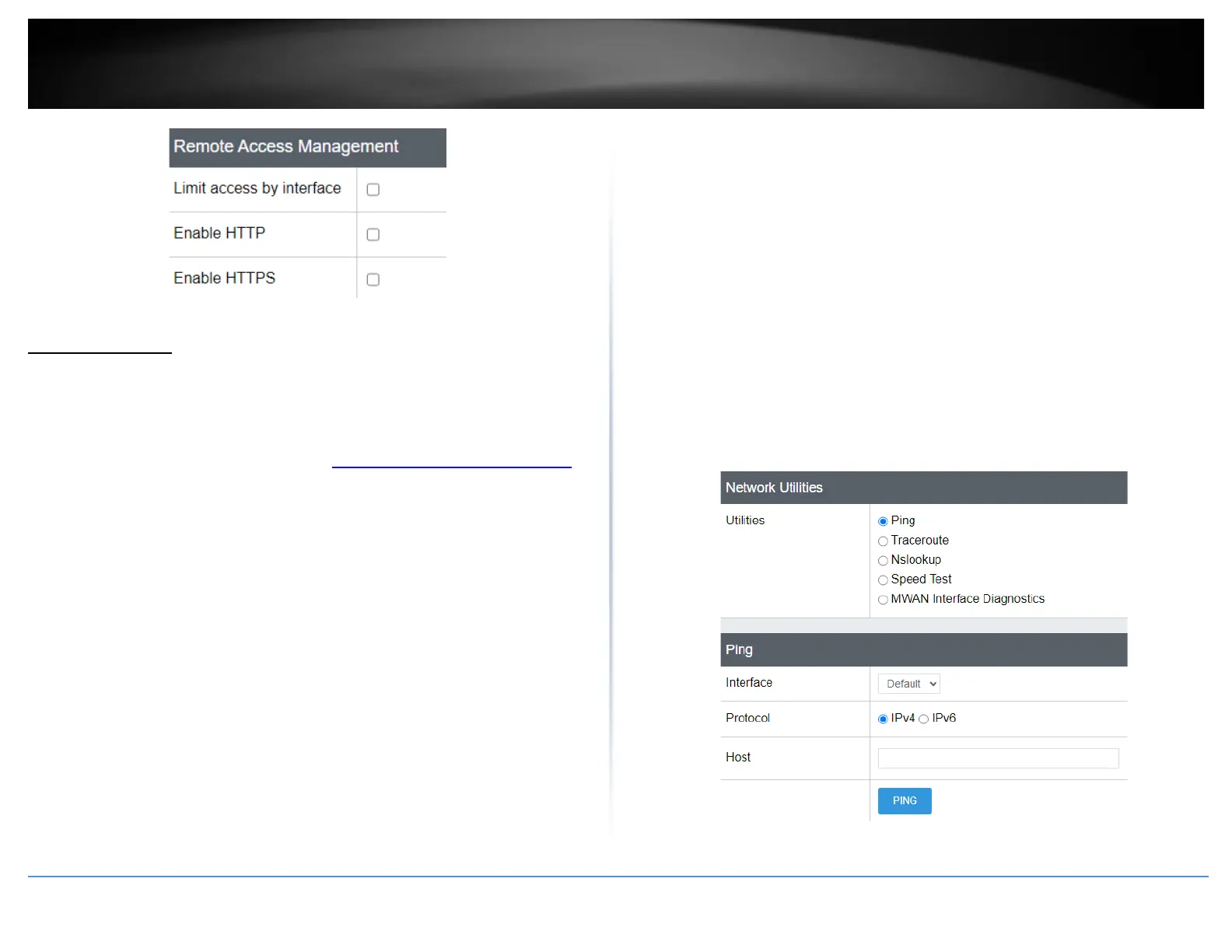
This section includes network tools and utilities for testing connectivity and
troubleshooting.
1. Log into your router management page (see “Access your router management page”
on page 6).
2. Click on Tools and click on Diagnostics.
3. Review the settings below.
Network Utilities
• Ping – This tool conducts a basic ping/connectivity test to a host IP address or
domain name. After selecting and entering all of the required parameters, click
PING to start the connectivity test and the results will appear at the bottom of the
page.
o Interface – Select the interface used to run the connectivity test.
▪ Default – Uses the internal loopback interface to conduct the
connectivity test.
▪ WAN1/WAN2 – You can select either WAN1 or WAN2 to
conduct the connectivity test through a specific WAN
interface for troubleshooting.
o Protocol – Select the IP protocol version for the connectivity test, IPv4
or IPv6.
o Host – Enter the host IP address or domain name to test connectivity.
• Traceroute – This tool conducts a test to check the routing path taken to reach a
specific destination host IP address or domain name. After selecting and entering all
of the required parameters, click TRACEROUTE to start the connectivity test and the
results will appear at the bottom of the page.
o Interface – Select the interface used to run the connectivity test.
▪ Default – Uses the internal loopback interface to conduct the
connectivity test.
▪ WAN1/WAN2 – You can select either WAN1 or WAN2 to
conduct the connectivity test through a specific WAN
interface for troubleshooting.
o Protocol – Select the IP protocol version for the connectivity test, IPv4
or IPv6.
o Host – Enter the host IP address or domain name to test connectivity.
• Nslookup – This tool conducts a test to check domain name resolution to an IP
address. After entering in the domain name to resolve, click NSLOOKUP to start the
resolution test and the results will appear at the bottom of the page.
o Host – Enter the host IP address or domain name to test resolution.














 To Next Page