more stability than 20/40MHz (Auto) for connectivity
in busy wireless environments where there are
several neighboring wireless networks in the area.
• Auto 20/40MHz (11n) or Auto 20/40/80MHz
(11ac/11ax) –When this setting is active, this mode
is capable of providing higher performance only if
the wireless devices support the channel width
settings. Enabling Auto 20/40MHz or Auto 20/40/80
MHz typically results in substantial performance
increases when connecting an 802.11ac/n wireless
client.
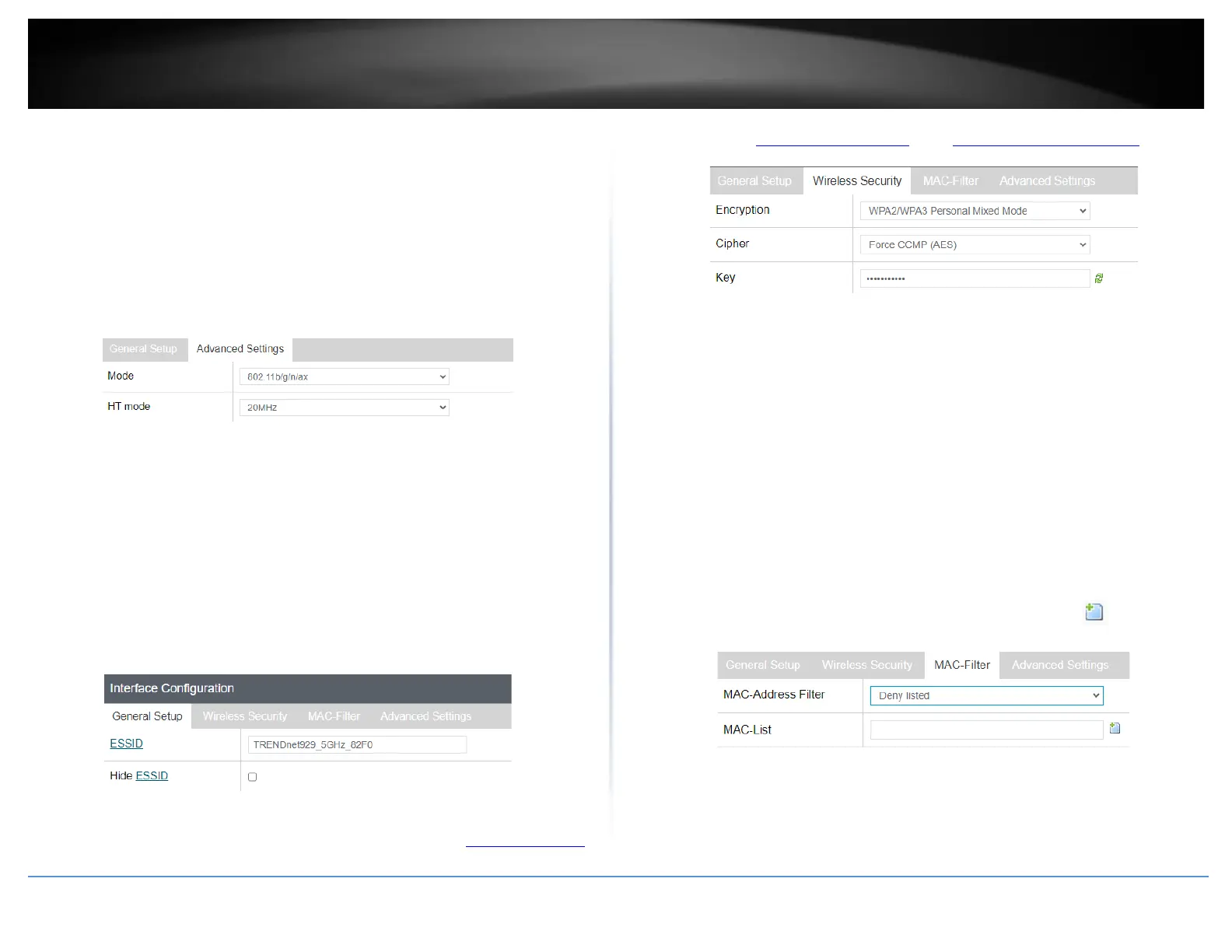
• Interface Configuration
o General Setup
▪ ESSID – This is wireless network name setting for the primary
SSID band. This name will differentiate your wireless network
from other neighboring wireless networks so you can identify
and connect your wireless client devices. Enter the wireless
network name to assign to the wireless band.
▪ Hide ESSID – Checking this option will hide your wireless
network name from being discovered by wireless client
devices scanning for available wireless networks. This will not
disable the wireless band or network and wireless client
devices can still connect. It only hides the network name from
being discovered.
o Wireless Security – Allows you to configure the wireless
encryption/security for the wireless band. See the “How to choose the
type of wireless security” and “Secure your wireless network” sections
for details configuring wireless security.
o MAC-Filter – This feature adds additional security to your wireless
band by allowing you to enter a list of specific MAC addresses that can
either be allowed to connect (Allow listed only) or blocked (Deny
listed) from connecting to your wireless network. This feature must be
specified on each wireless band.
▪ MAC-Address Filter
• Disable - Disables MAC address filtering on the
wireless band.
• Allow listed only (Whitelist) – Sets the MAC filter
action to allow only the MAC addresses listed and
deny all others on the wireless band.
• Deny listed (Blacklist) – Sets the MAC filter action to
deny only the MAC addresses listed and allow all
others on the wireless band.
▪ MAC- List – Enter the MAC addresses to allow or deny. For
each additional MAC address entries, click .
(e.g. a1:b2:c3:d4:e5:f6)
o Advanced Settings
▪ Separate Clients – By default, this option is left unchecked
and allows all wireless client devices that are connected to
the same wireless SSID to communicate with other wireless
client devices. Checking this option will block communication
between wireless client devices connecting with other














 To Next Page