Juno Series Handhelds User Guide 81
Half-press the Camera button to focus, and then fully press the Camera button to take
the photo.
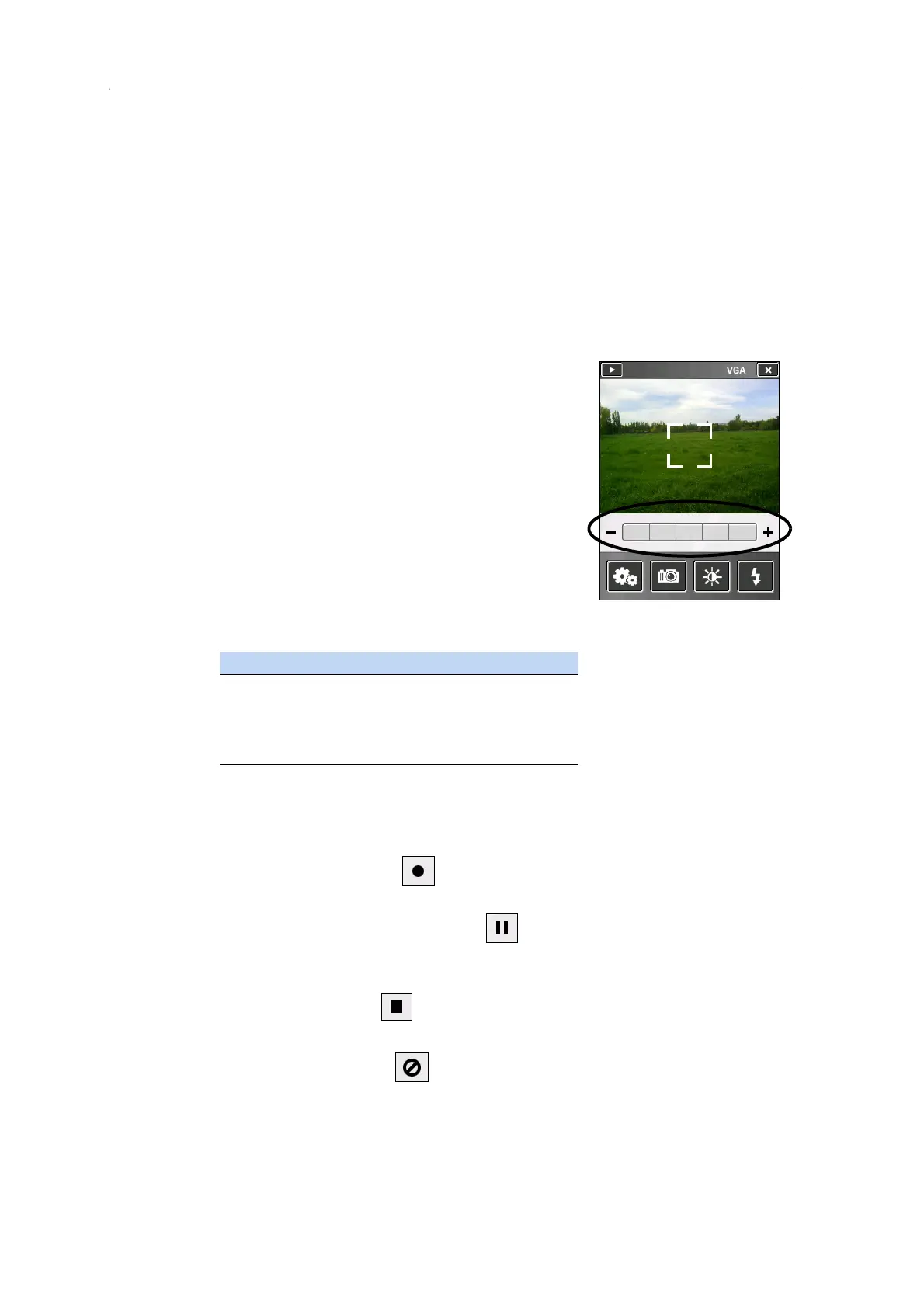
When focussing, the focus square on the preview screen (see below) will change color:
• White - attempting to focus
• Red - cannot focus
• Green - focus locked
Using the Zoom function
The Zoom function can only be used in Camera
mo
de. To adjust the current zoom level, do one of
the following:
• tap - to zoom out, or + to zoom in.
• tap the desired zoom level on the bar.
• press the left softkey to zoom out, or the right
softkey to zoom in.
As you zoom in, each segment of the bar turns
y
ellow, to indicate the level of zoom. The level of
total zoom available depends on the resolution that
you use; the greater the current camera resolution
the less you will be able to zoom in:
Using the camera in Video mode
To start recording a video, do one of the following:
• tap the Record icon
• press the Camera button
To pause recording, tap the pause icon . To resume recording, tap the pause icon
again.
To stop recording a video, do one of the following:
• tap the Stop icon
• press the Camera button
• tap the Delete icon
Resolution Zoom capability
VGA 1 - 2x
1MP 1 - 2x
3MP 1 - 1.2x
5MP -



 To Next Page