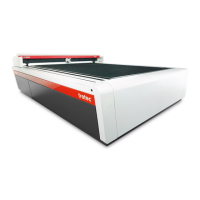
What to do if Trotec SP3000 is not referencing after startup?
- JJulie JimenezSep 23, 2025
If there is no referencing after startup of your Trotec Tools, it might be because the top, front, or side door is not closed. Close all doors.

What to do if Trotec SP3000 is not referencing after startup?
If there is no referencing after startup of your Trotec Tools, it might be because the top, front, or side door is not closed. Close all doors.
What to do if Trotec Laser Level has no visible marking result?
If there's no visible marking result, it could be due to: * Too low laser power. Increase the power setting. * Too high speed. Reduce speed. * Not focused. Check focus. * Wrong focus tool. Change focus tool. * When using autofocus, check the settings within the software (lens, material thickness, table).
Why is my Trotec Laser Level missing the cutting line?
A missing cutting line may be due to: * Zero passes in material database. Increase the amount of passes in the JobControl® material database. * Line thickness in CorelDraw too big. Reduce line thickness to the smallest possible value. * Color was skipped in JobControl®. Set color to cutting in the JobControl® database.
How to fix too low engraving depth on Trotec Laser Level?
If the engraving depth is too low, it could be caused by: * Imprecise focusing. Check focus. * Dirty optics. Clean optics.
Why are corners and angles not cut or marked with my Trotec Laser Level?
If corners and angles are not being cut or marked, the power might be too low. Increase the correction in JobControl® (Settings / Material Templates Setup - Correction).
Why are fine details on stamps engraved too thinly with Trotec SP3000 Tools?
If fine details on stamps are engraved too thinly with your Trotec Tools, it may be due to too steep shoulders. Choose another shoulder or edit (flat/medium/steep): Options/Process Options/Stamp.
Why is the Trotec SP3000 Tools connection frequently interrupted?
If the connection to your Trotec Tools machine is frequently interrupted, it may be due to electromagnetic emissions. Make sure that the machine and computer are connected to the same electric circuit; the original cable lengths should not be exceeded.
What causes waviness of the lines when using Trotec SP3000?
If you observe waviness in the lines produced by your Trotec Tools, the lens may be loose. Check the lens and lens holder.
Why are cut lines missing when using Trotec SP3000 Tools?
If you are experiencing missing cut lines with your Trotec Tools, consider the following: * There may be zero passes in the material database. To solve this, increase the amount of passes in the JobControl® material database. * The line thickness in Corel Draw may be too big. If so, reduce line thickness to the smallest possible value. * The color may have been skipped in JobControl®. To solve this, set color to cutting in the JobControl® database.
Why does the engraved or cut size not match the size in Corel Draw with Trotec SP3000?
If the engraved or cut size doesn't match the size in Corel Draw with your Trotec Tools, there might be several reasons: * Raster correction might be enabled in JobControl®. To solve this, switch off raster correction in JobControl® (settings/advanced options/laser tab). * There might be wrong size settings in the printer driver. If so, use the same size as in Corel draw. * The wrong image position might be selected in the layout tab (printing). To solve this, switch the layout settings to: as in document. * The wrong machine might be selected in the JobControl®. To solve this, select the proper machine in JobControl®.
Details on how to use and understand the manual for safe operation.
Defines symbols used for safety notes, warnings, and information.
Outlines manufacturer's liability and warranty terms for the equipment.
Lists all items included in the standard package of the laser machine.
Information on the machine's identification plate and its importance.
Fundamental safety guidelines for operating the machine safely and preventing hazards.
Specific safety measures and classifications related to laser radiation hazards.
Defines the responsibilities of operators and personnel for machine safety.
Specifies qualifications and training needed for personnel operating or servicing the machine.
Details on warning and safety labels placed on the machine for hazard awareness.
Describes the various safety features and their functions on the machine.
Procedures for regularly testing safety-relevant components to ensure functionality.
Instructions for actions to take during emergencies or accidents.
Information on hazards like fire, gases, fumes, and reflections.
Specifications and recommendations for exhaust systems compatible with the machine.
Lists materials suitable for cutting and engraving with CO2 laser, and prohibited materials.
Provides a visual identification of the machine's main components and parts.
Details different types of cutting tables and their applications.
Information on available lens options for the laser system.
Description of available nozzle sizes and types for the laser head.
Crucial safety guidelines to prevent injury and damage during machine transport.
Information on how the machine is delivered and packaging.
Recommended environmental conditions for transport and storage.
Lists necessary tools for handling and moving the machine parts.
Step-by-step instructions for moving the machine to a new location.
Safety precautions to observe during machine assembly and installation.
Specifies the required subsoil and environmental conditions for installation.
Details on connecting the machine to power, exhaust, and cooling systems.
Essential checks and preparations before starting the machine for the first time.
Information on using the accompanying software for machine control.
Procedure for safely turning the machine on and off.
Step-by-step guide for installing and removing the laser lens.
Instructions for placing and securing the working tables within the machine.
Explanation of different methods for achieving optimal focus for laser processing.
Detailed steps for using the manual focus tool.
Information on the Sonar Technology™ autofocus system.
Procedure for performing safety analysis using the machine's software.
Overview of the machine's main control interface and its components.
Detailed description of the buttons and indicators on the control keypad.
Explains the function of each button and status indicator on the keypad.
List of key combinations for faster operation and access to functions.
Critical safety instructions to follow during all maintenance procedures.
Defines the recommended daily, weekly, and monthly maintenance tasks.
Procedures for cleaning the machine's components to ensure optimal performance.
General steps for cleaning the interior and exterior of the laser machine.
Guidelines for cleaning critical optical components like lenses and mirrors.
Detailed instructions for cleaning and inspecting the laser lens.
Procedure for cleaning the laser nozzle.
Steps for cleaning the exhaust system connected to the laser head.
Instructions for cleaning the exhaust vents on the machine's table.
Method for cleaning the ultrasonic sensor used for focusing.
Procedure for cleaning the protective glass for the 2.5-inch lens holder.
Procedure for cleaning the protective glass for the 5.0-inch lens holder.
A guide to common problems, their potential causes, and solutions.
Contact information and procedures for obtaining technical assistance.
Information on finding local sales offices and representatives.
Details for providing feedback or suggesting changes to the manual.