PT - 262
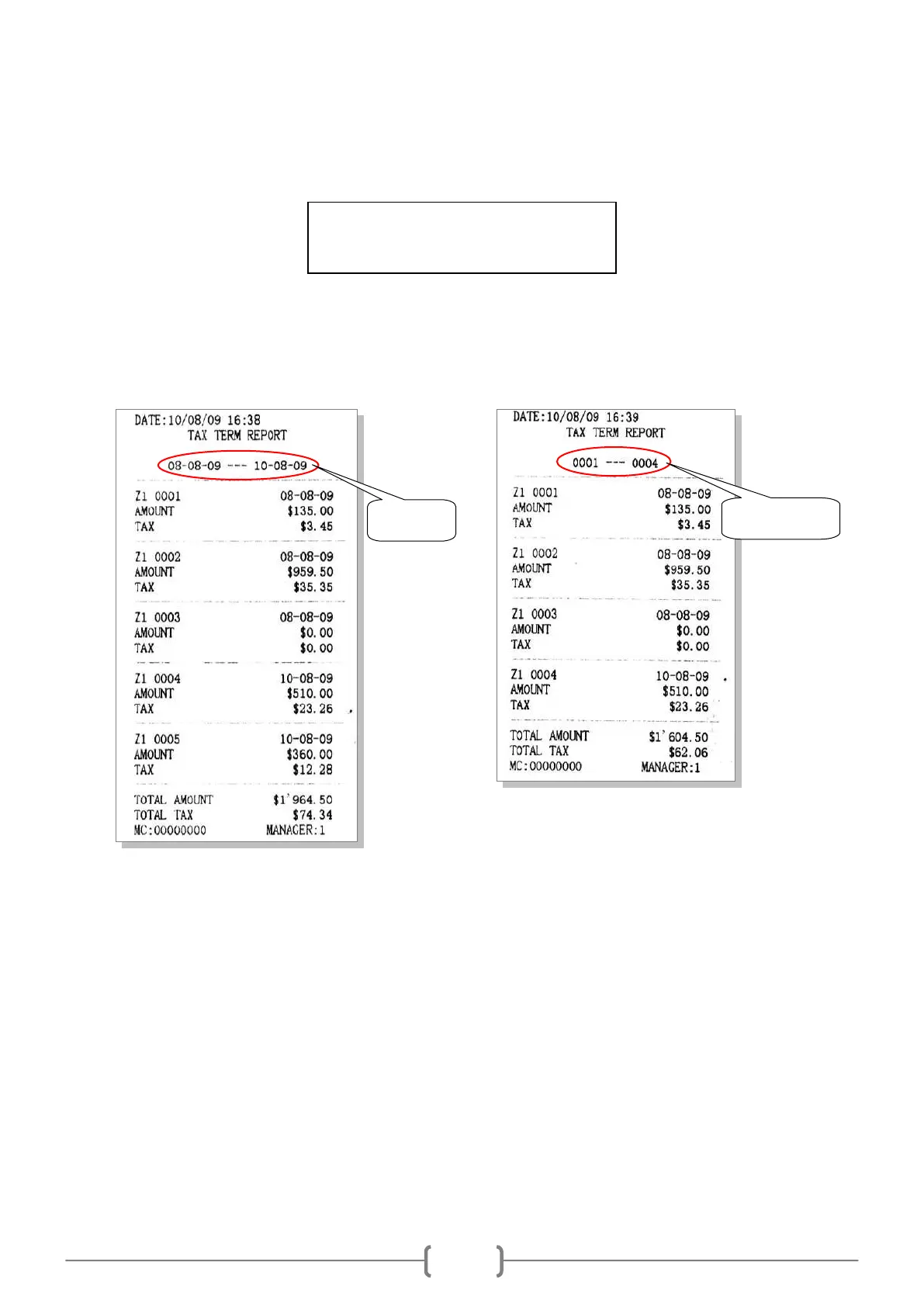
11.4 Tax Term Report
In Z mode, use key [↑] or [↓] to choose item ‗TAX TERM REPORT‘, and press key [CASH].
If you choose ‗BY DATE‘, press [CASH], the system prompts: <DATE TERM (DDMMYYDDMMYY)>, DD is
day, MM is month, YY is year, input the start date and end date.
If you choose ‗BY Z1 Count‘, press [CASH], the system prompts: <INPUT Z1 Count (SSSSEEEE)>, SSSS is the
start Z1 count number, EEEE is the end Z1 count number.
11.5 PLU Report
Enter X/Z mode, use key [↑] and [↓] to select ‗X PLU REPORT‘ or ‗Z PLU REPORT‘, press key [CASH] to
enter.
System prompts: <Input DEP num to print (0 PRINT ALL)>, input the department number, and then press [CASH]
key to print PLU report. If you want to print all PLU information, input 0 here.
During printing, you can press [FEED] key to stop printing.



 To Next Page