PT - 262
14.1 Communication Setting
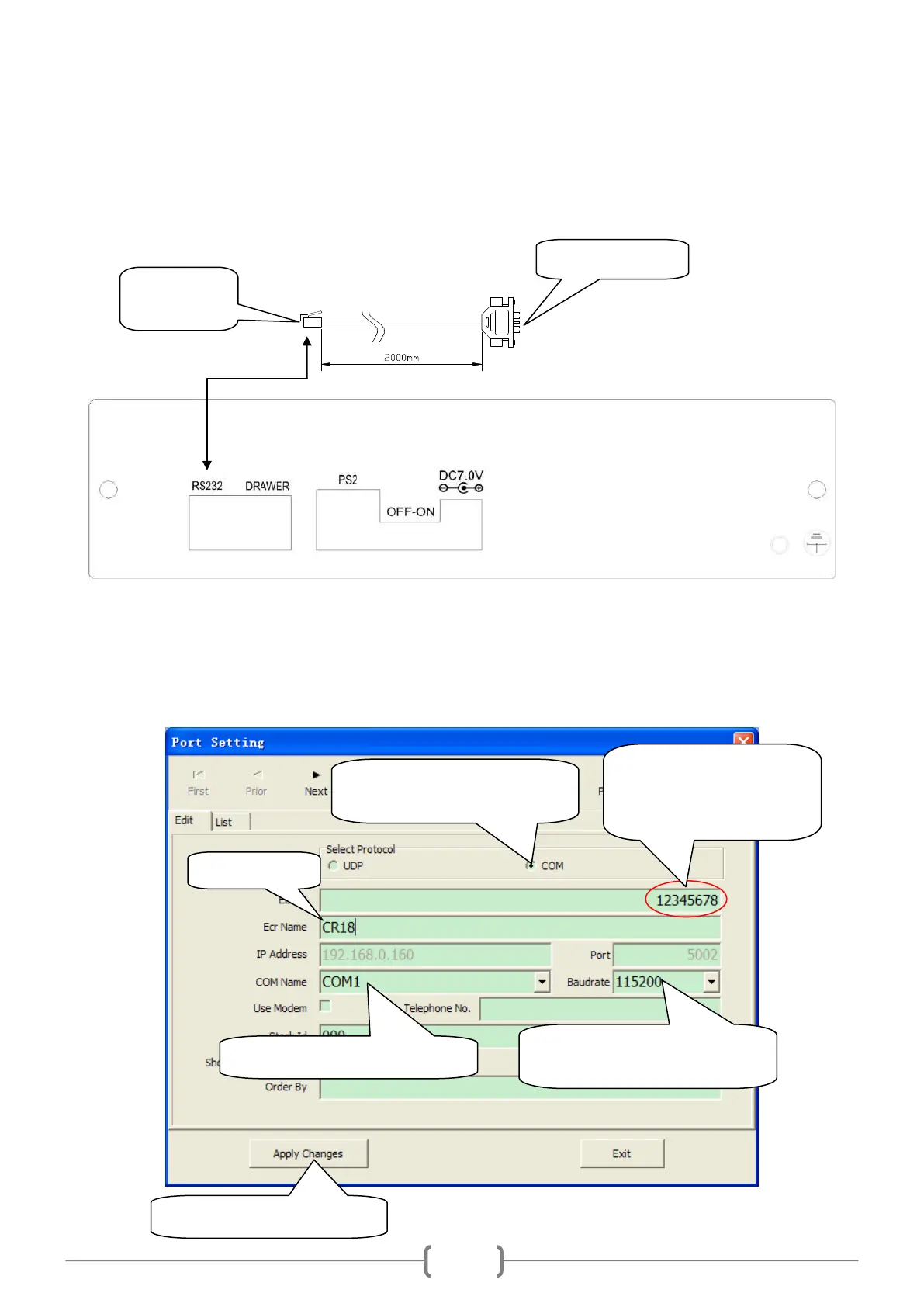
14.1.1 Link ECR to PC
14.1.2 Port Setting
Click ‗System/Port Setting‘ to enter the following interface:
On ‗Edit‘ mode, ECR data can be appended, deleted or modified.
Input the machine number,
which is marked on the
back panel of the ECR.
COM communication: Choose
COM protocol
Set baud rate, the recommended
value is 115200
Choose the connected COM port
Click this button after setting



 To Next Page