PT - 262
14 SOFTWARE DESCRIPTION
The cash register supports to edit PLU on PC software. Copy the software from the disk which is attached to ECR,
and then execute the program ‗PGVCr5X.exe‘.
You need to login the system as the manager at the first time.
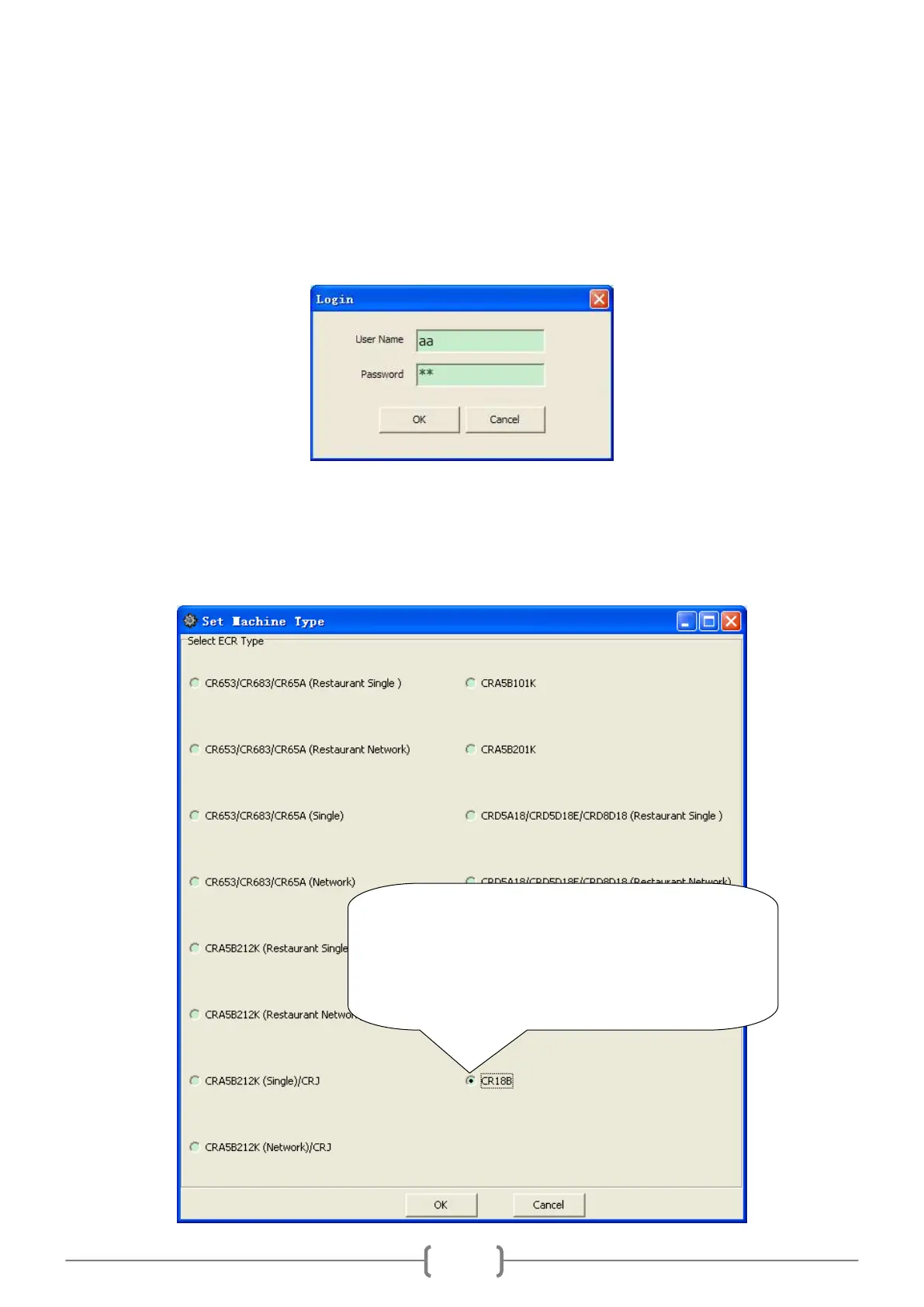
When you double click ―PGVCr5X.exe‖ to operate the program, there is a pop-up window:
It is defaulted that both the user name and the password of the ordinary user are ―aa‖; and that of the super user
(manager) are both ―admin‖. You‘d better change them as soon as using the system. The super user, namely the
manager, can change all users‘ passwords and add or delete users.
Before using the software, you need to choose the machine type. Click ‗System/Set Machine Type‘; choose a type
as below.
Tick off this type, and then click ‗OK‘ button.
Note: After reselecting the machine type, the system
prompts: You need restart application to apply the
change. Click „OK‟. In order to apply the new type, it
is necessary to close up the PC software, and restart it.



 To Next Page