PT - 262
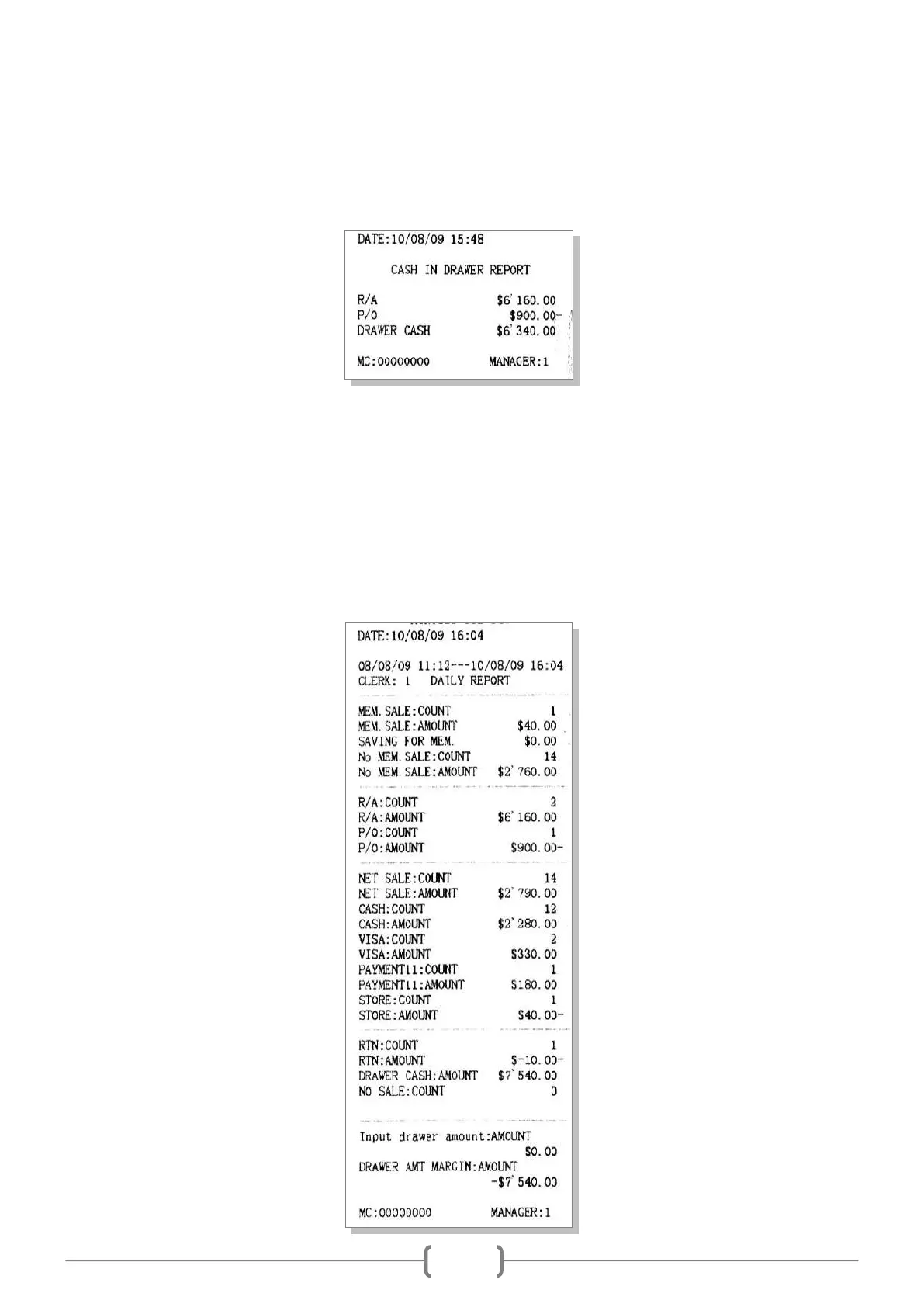
11.12 Cash In Drawer
This is a report to show the record of RA/PO operation and the cash amount in drawer.
In X mode, use key [↑] or [↓] to choose ‗Cash In Drawer‘, press [CASH] key to print.
11.13 Clerk Daily Report
This is a report to show the daily sales information of each clerk.
In X or Z mode, use key [↑] or [↓] to choose ‗X CLERK DAILY REPORT‘ or ‗Z CLERK DAILY REP‘, press
[CASH].
The system prompts: <Input clerk>, input the clerk code, and press [CASH] key to confirm.
The system prompts: <Input drawer amount>, input the drawer amount, and press [CASH] key to confirm, or press
[CASH] key directly to print this report.



 To Next Page