PT - 262
14.5.3 Update Program
Step1: Link ECR to PC. Please refer to chapter 14.1.1;
Step2: Set the Port. Please refer to chapter 14.1.2;
Step3: Test communication. Only when the communication between ECR and PC is OK, can the program be
updated. Please refer to chapter 14.1.3.
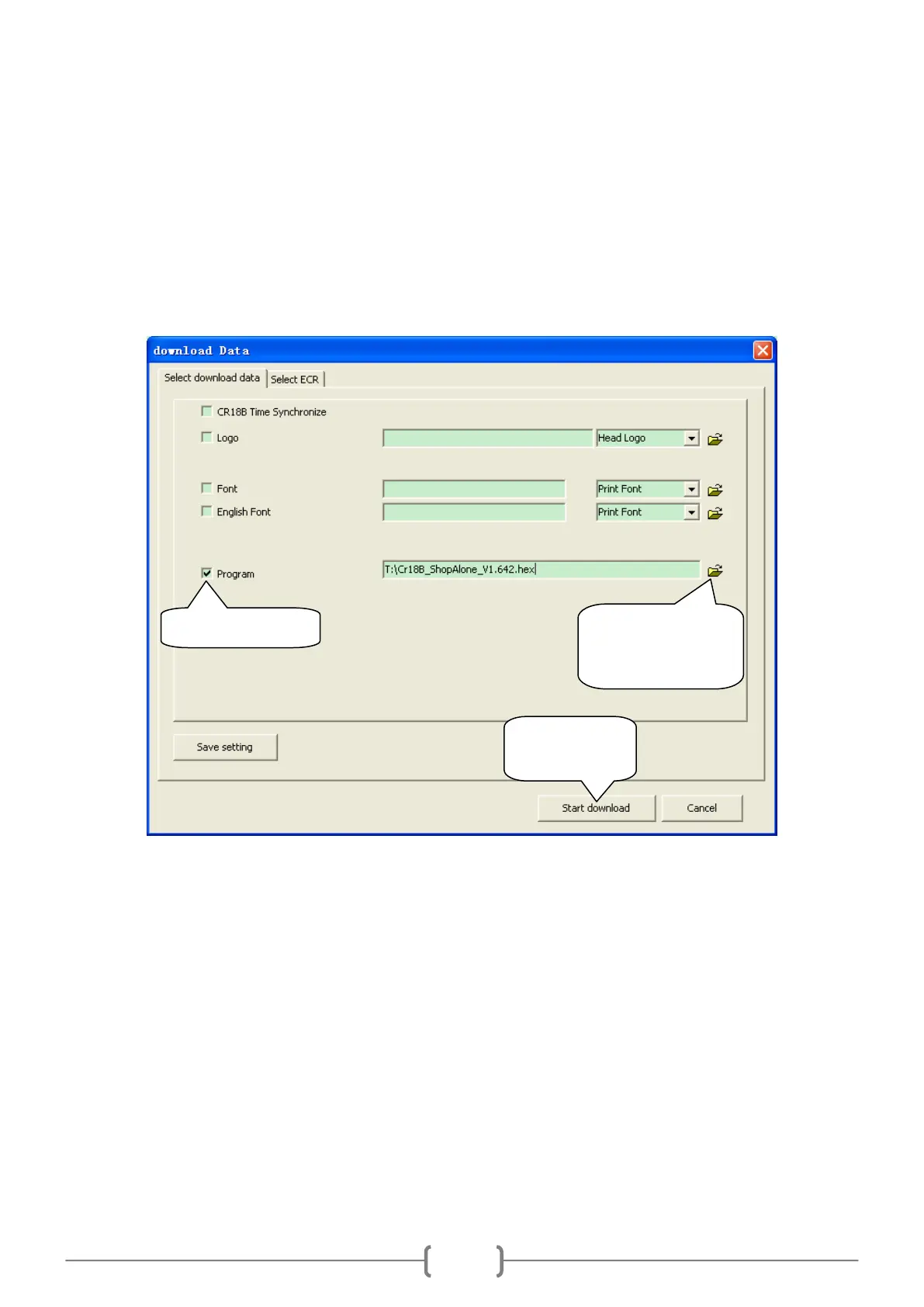
Step4: Update the program. Click ―Communication\Download‖ to enter the following window:
Attention: It is necessary to print Z daily report before updating the program.
14.6 System Column
14.6.1 Option
(1) Click ‗System/Option‘. You can set trade details upload in stated time or set PC online mode to reach receipts.
a. Trade details upload at a fixed time:
Click it to start
updating.
Click this button to
open the program
file in attached CD.



 To Next Page