PT - 262
14.6.4 Add Files to Report List
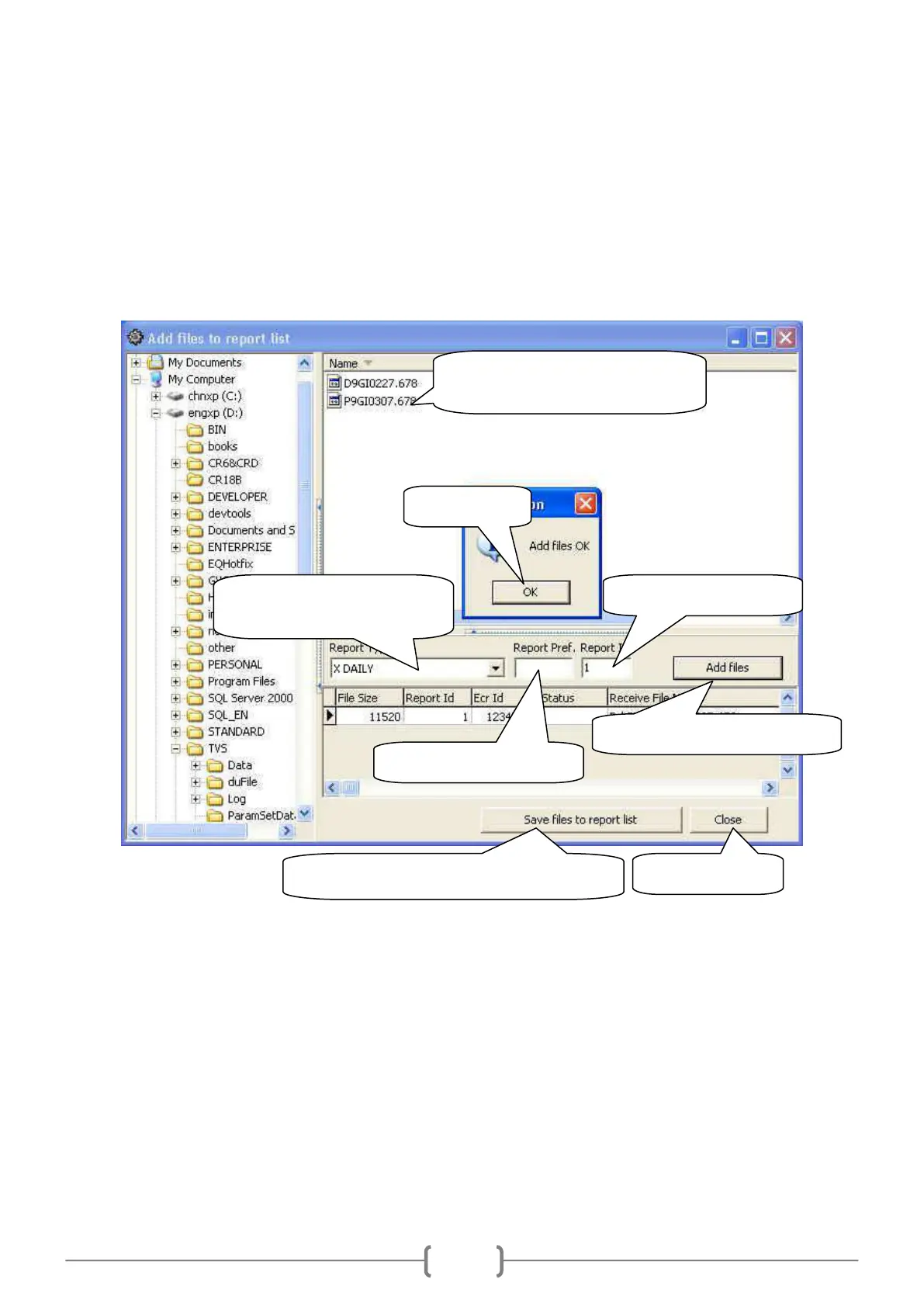
In this function, you can add daily report or PLU report from U disk to report list, so that you can show the report
on PC. Please follow the steps as below:
1. Connect U disk to cash register, and then upload daily report or PLU report to U disk. (Please refer to chapter 10.9
for details.)
2. Click ‗System/Add files to report list‘ to enter the following window:
11. Click ‗Report/X DAILY‘, choose the file, and click the button ‗Show‘ to show it. (Please refer to chapter 14.3.4.)
3. Select a report file. (E.g. select
the file of X daily report.)
4. Select the corresponding
report type (E.g. ‗X DAILY‘).
5. Delete the content here.
6. Set the report ID as 1.
7. Click this button to add files.
9. Click this button to save file to report list.



 To Next Page