PT - 262
receipt properly. System prompts: <Head Line num (0~15)>. Input the head line number ranging from 0 to 15, and then
press [CASH] to confirm. System prompts: <Tail Line num (0~15)>. Input the tail line number ranging from 0 to 15,
and then press [CASH] to confirm. E.g. the head line number is set 2 and the tail line number is set 4, the receipt will be
printed with 2 blank head lines and 4 blank tail lines.
12.13 Fiscal Set
Note: After changing to TAX mode, you can set „FISCAL SET‟.
12.13.1 Tax Rate
Use [↑] or [↓] key to select ‗TAX RATE‘ item, and then press [CASH] key to enter.
After system prompts: <TAX IDX (1~8)>, input a digit ranging from 1 to 8 (1 for tax A; 2 for tax B; 3 for tax C; 4
for tax D; 5 for tax E; 6 for tax F; 7 for tax G; 8 for tax H), and then press [CASH].
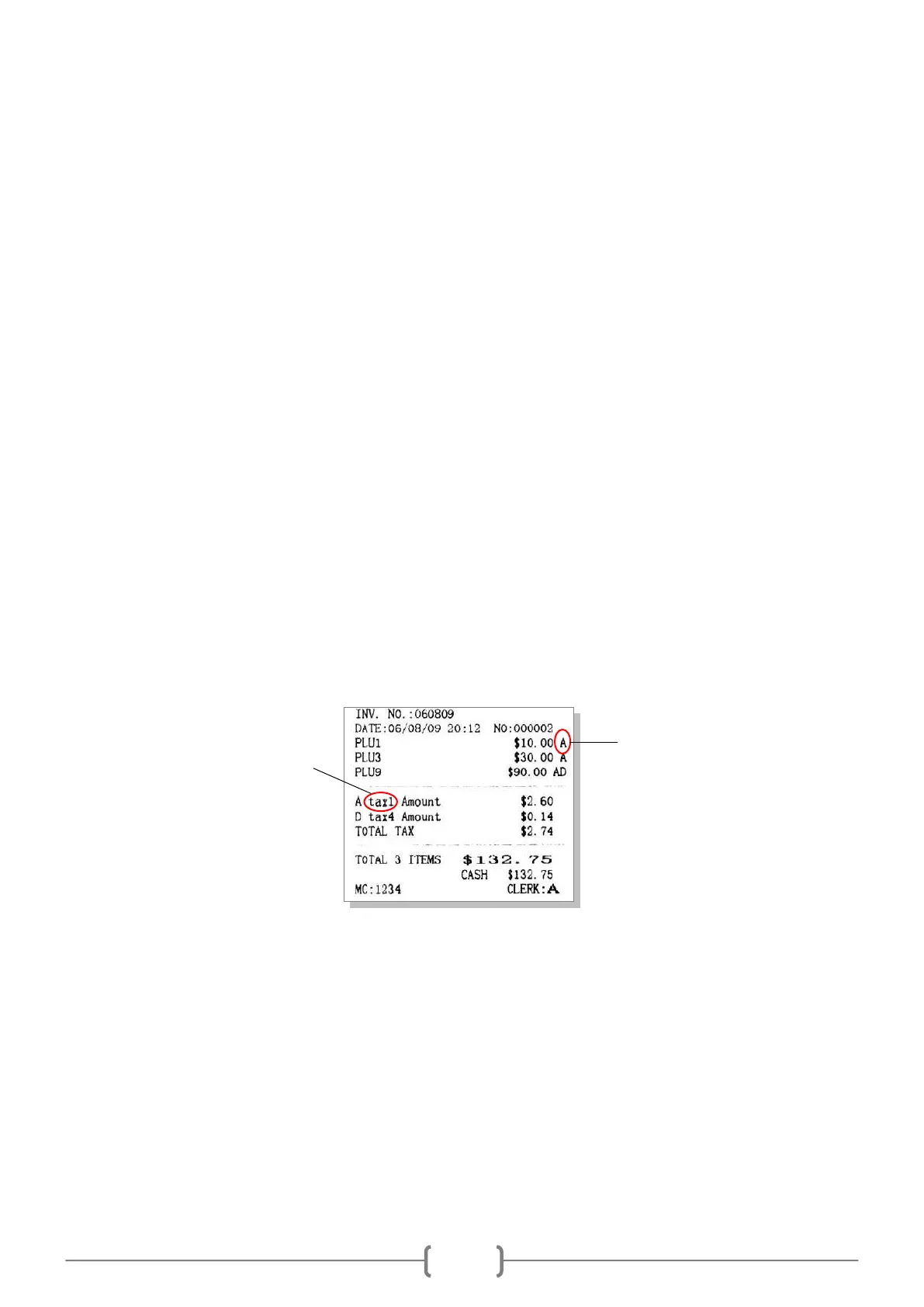
System prompts: <TAX FLAG>. Tax flag is marked behind the price on the receipt. For example, you set * as a tax
flag. When a PLU with the tax is sold, the tax flag * will be printed behind the price on the receipt. Also, leave a space
here, the tax flag will be ignored. (Please refer to chapter 8 for ‗HOW TO INPUT CHARACTER‘.)
System prompts: <TAX NAME>. Input the tax name and then press [CASH]. (Please refer to chapter 8 for ‗HOW
TO INPUT CHARACTER‘.)
System prompts: <TAX DEPEND ON TAX? (1. YES 0. NO)>. Input number 1 or 0 to set whether the tax is
tax-on-tax.
System prompts: <TAX RATE>. Input the tax rate and then press [CASH] to confirm.
Note: Only one type of tax is available for tax-on-tax.
12.13.2 Tax Head Line and Tax Tail Line
Use key [↑] or [↓] to select the item ‗TAX HEAD LINE‘ or ‗TAX TAIL LINE‘ item, and then press [CASH] to
enter.
After system prompts: <IDX (1~3)>, input the index of the line you want to edit, press [CASH]. There are totally 3
lines of head massage can be set.
System prompts: <MSG>. Input the message content, and then press [CASH] key to confirm. (Please refer to
chapter 8 for ‗HOW TO INPUT CHARACTER‘.)



 To Next Page