PT - 262
11.14 Prn Term Report
In X mode, use key [↑] or [↓] to select the item ‗Prn Term Report‘, press key [CASH] to enter.
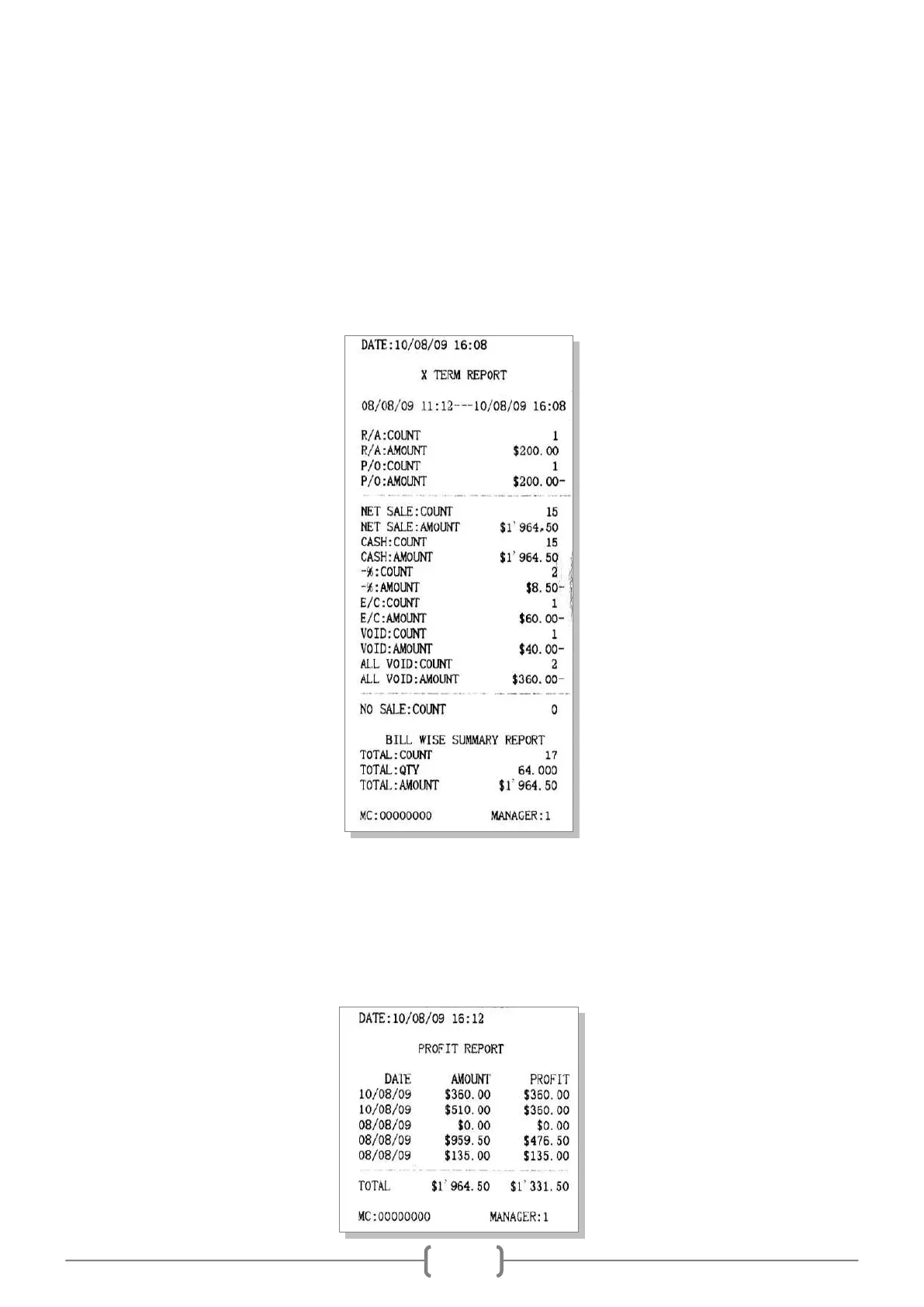
● X Daily Term Report
Accumulates sales info for all Z daily reports from last time Z term report.
Use key [↑] or [↓] to select the item ‗X DAILY TERM REPORT‘, press key [CASH] to print daily term report.
● X Profit Report
This report is to show each X daily report‘s profit.
In X mode, use key [↑] or [↓] to choose the item ‗X PROFIT REPORT‘, and press key [CASH] to enter.
Input START DATE and END DATE, the format is DDMMYYYY (DD indicates day, MM indicates month, and
YYYY indicates year).



 To Next Page