PT - 262
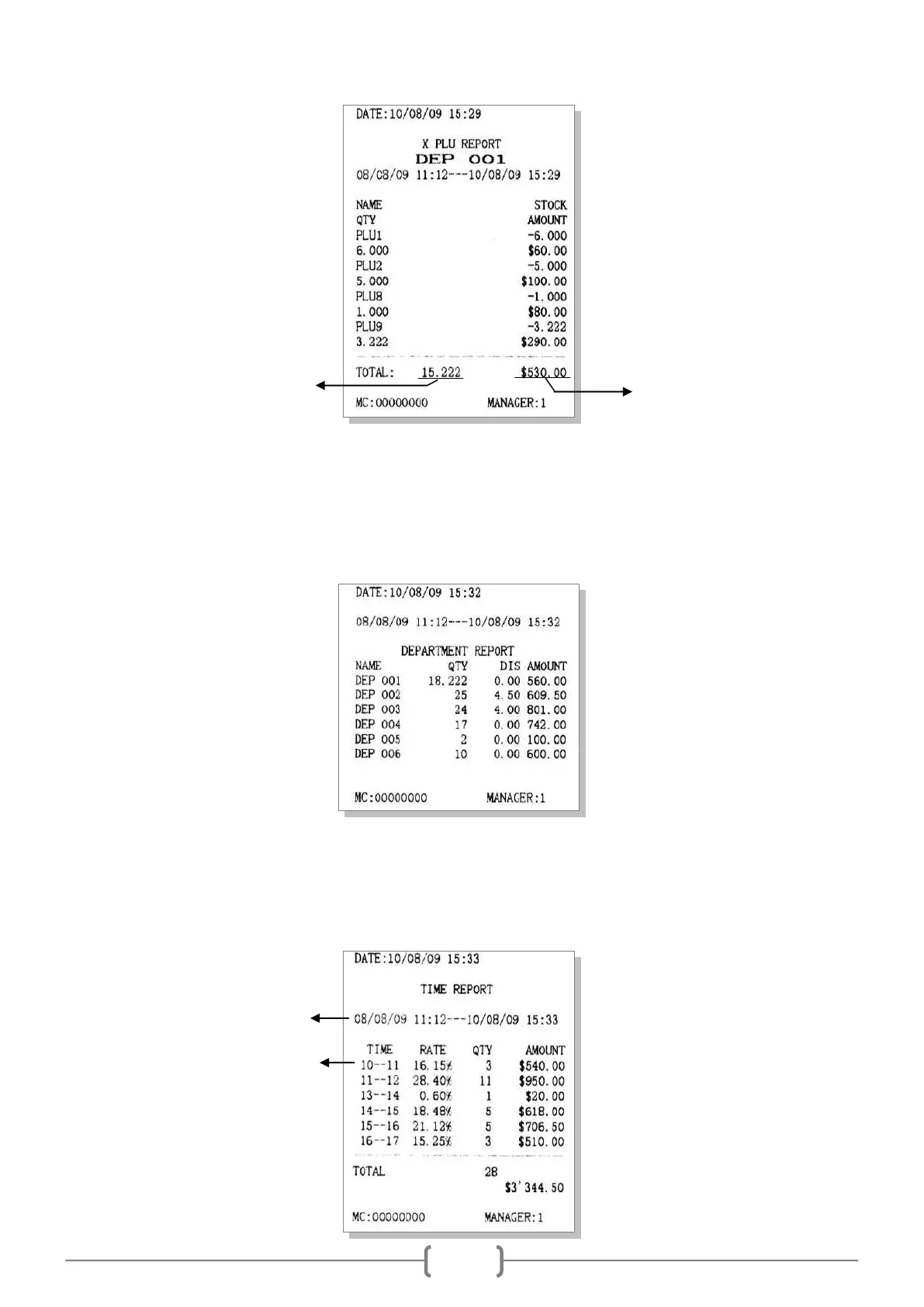
11.6 Department Report
Department report prints all department sales info after last time Z department report.
Enter X/Z mode, use key [↑] and [↓] to select ‗DEPARTMENT REPORT‘ or ‗Z DEPARTMENT REPROT‘.
Press key [CASH] to print department report.
11.7 Time Report
This prints all sales info by an hour after last time Z daily report.
In X mode, use key [↑] or [↓] to choose ‗X TIME REPORT‘, press [CASH] key to print.
How many net sales have been
generated during this period.



 To Next Page