PT - 262
Note: we suggest you set different time value for each ECR, so that they won‟t upload data at the same time,
avoid data transmission jam.
b. PC online mode to reach receipts:
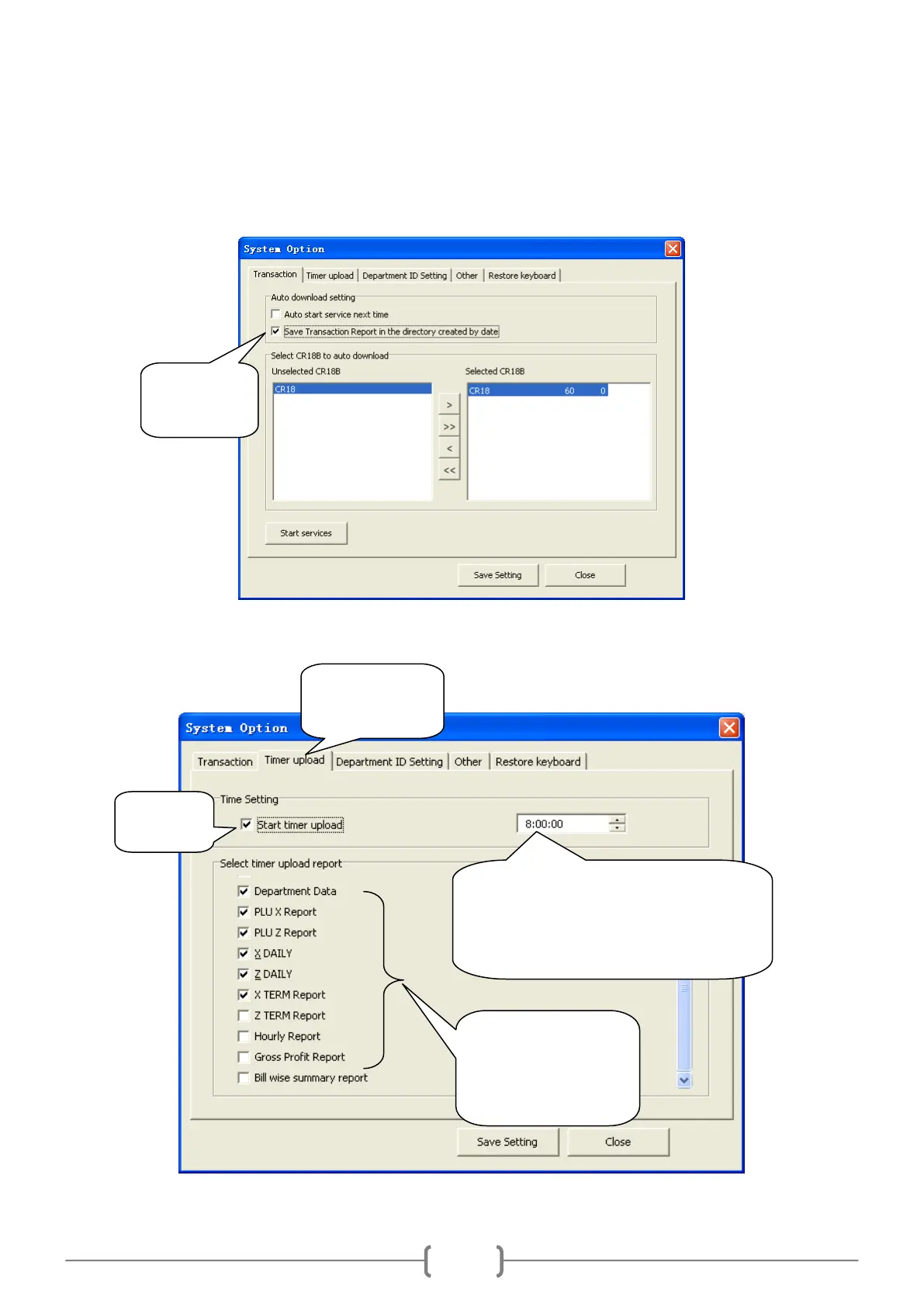
(2) Upload reports. You can set timer upload reports at the following interface:
Set the uploading time here.
E.g.: if you set 10:00:00 here, then the
selected report will upload automatically
at 10 o‘clock.
Select and tick off
the item you want to
automatically upload
at the fixed time.
Select the page
‗Timer upload‘.



 To Next Page