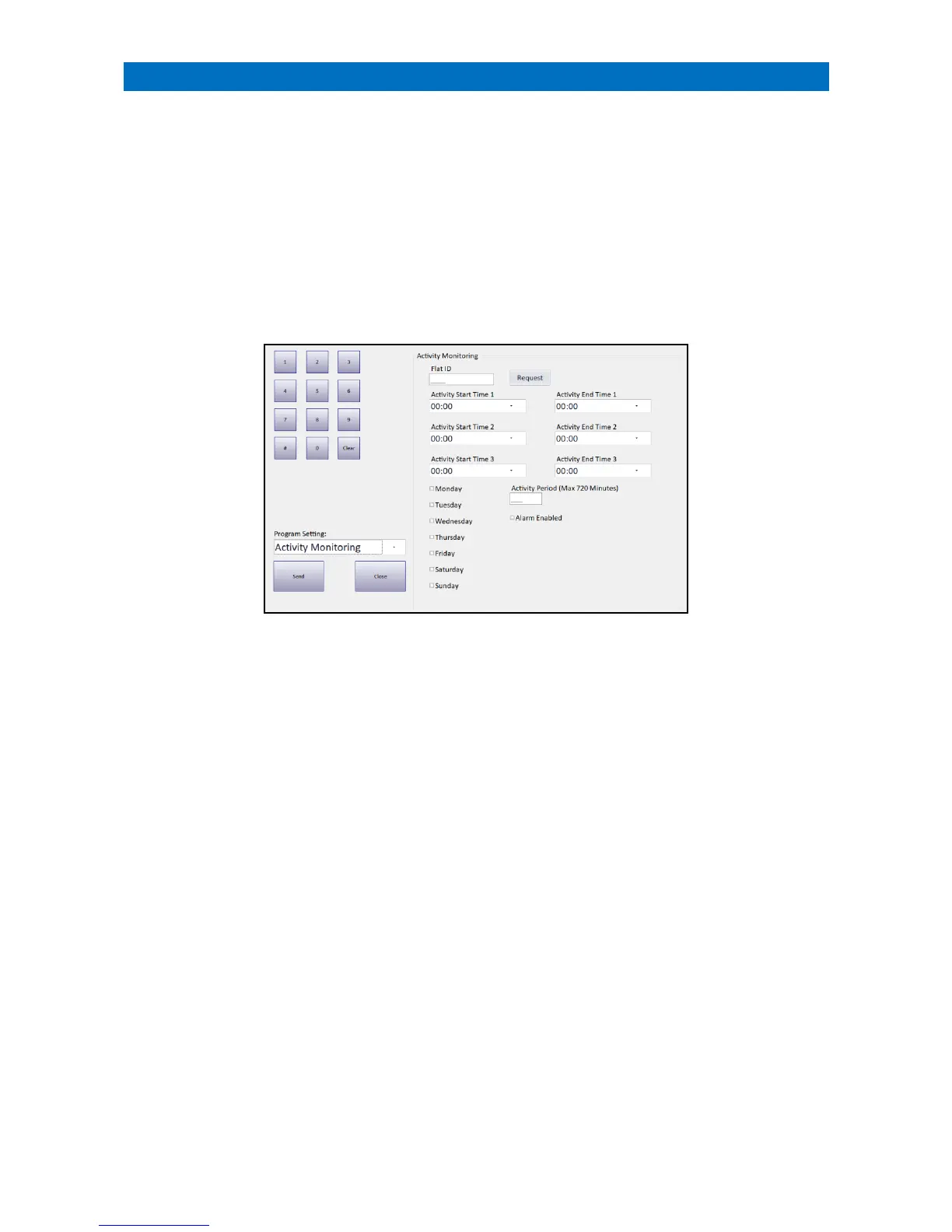
The XT2 system may be fitted with optional PIR movement detectors in each flat to monitor the residents activity.
Up to 3 Activity Start/Stop Time periods can be set per flat to operate on a daily basis.
The Activity Period is a smaller window of time (1 to 720 mins) which can be set to split each start/stop time into
smaller inactivity reporting periods. If during an active monitoring time, an activity period elapses where there has
been no resident activity then an inactivity alarm will be signalled for that resident. This will be repeated for each
interval within an active monitoring time. If the Activity Period is not set (0) then no resident activity will only be
reported at the end of the monitoring time.
Note: the Activity Monitoring feature can be temporarily disabled by selecting “Away Mode”.
Activity Monitoring Programming can only be performed from the Manager’s Panel designated as the Controller.
Log on using the Manager (or Engineer) password and touch the Programming button.
Programming will always open at the Program Date Time option, select the Activity Monitoring option from the
Program Setting drop-down menu.
Enter a Flat ID and press the Request button to view the current Activity Monitoring settings for any flat number.
Set up to 3 Activity Start Time/Activity End Time periods.
If an Activity period is not required, the start/end times should be left as 00:00.
Set the Monday to Sunday check boxes that the Activity times are active.
Enter the Activity Period (in minutes) over which the activity is monitored (max 720 mins = 12 hours).
Set the Alarm Enabled check box to enable the feature (clear the check box to disable).
Once these details have been entered set press the Send button to update the XT2 system.



 To Next Page