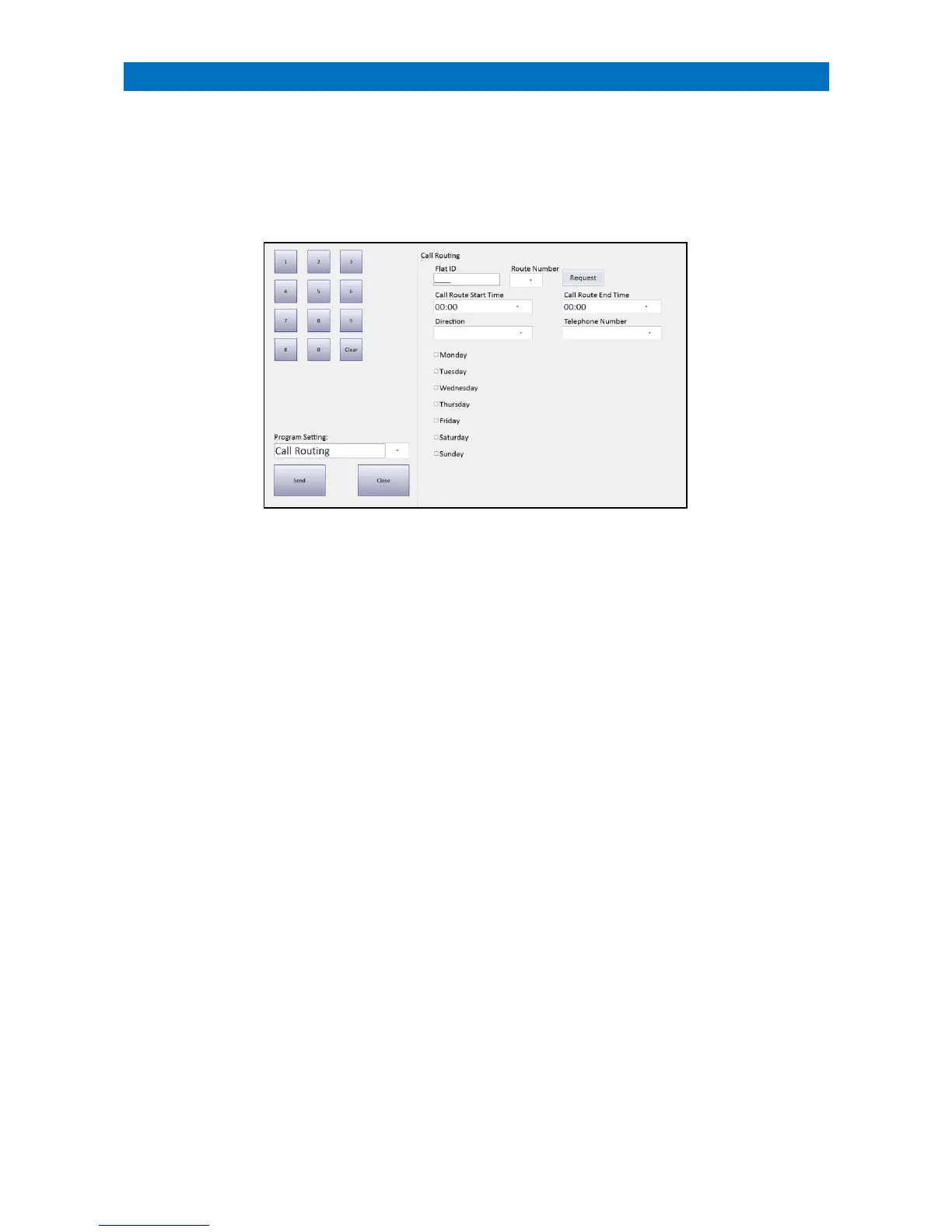
Call Routing is used to set a direction (onsite/offsite) and the specific DECT extension or offsite telephone number that
a call will be routed to on an individual flat basis during a set time period each day. Up to 8 routes can be set per flat.
Call Routing Programming can only be performed from the Manager’s Panel designated as the Controller.
Log on using the Manager (or Engineer) password and touch the Programming button.
Programming will always open at the Program Date Time option, select the Call Routing option from the Program
Setting drop-down menu.
Enter a Flat ID and press the Request button to view the current Call Routing settings for any flat number.
Set the Route Number (1 to 8).
Set the Call Route Start Time/Call Route End Time period.
Set the Direction as onsite or offsite.
Set the Telephone Number from the drop-down list (onsite DECT extension or offsite telephone number).
Set the Monday to Sunday check boxes that the Call Routing times are active.
Once these details have been entered set press the Send button to update the XT2 system.



 To Next Page