The intercom in the resident’s flat can be set to flash the green “I’m OK” light and sound a beep
every 20 seconds
during a pre-set time period each day.
If the resident is up and about and feeling “OK” they can press the “I’m OK” button on their intercom to stop the alert
and clear their flat number from a list in the Advent XT2 memory.
The flat numbers of the residents that HAVE NOT responded “I’m OK” can be checked at any time on the Manager’s
Panel or called using a special code (3010) on the DECT handset.
The beep every 20 seconds can be turned off.
Note: the I’m OK feature can be temporarily disabled by selecting “Away Mode”.
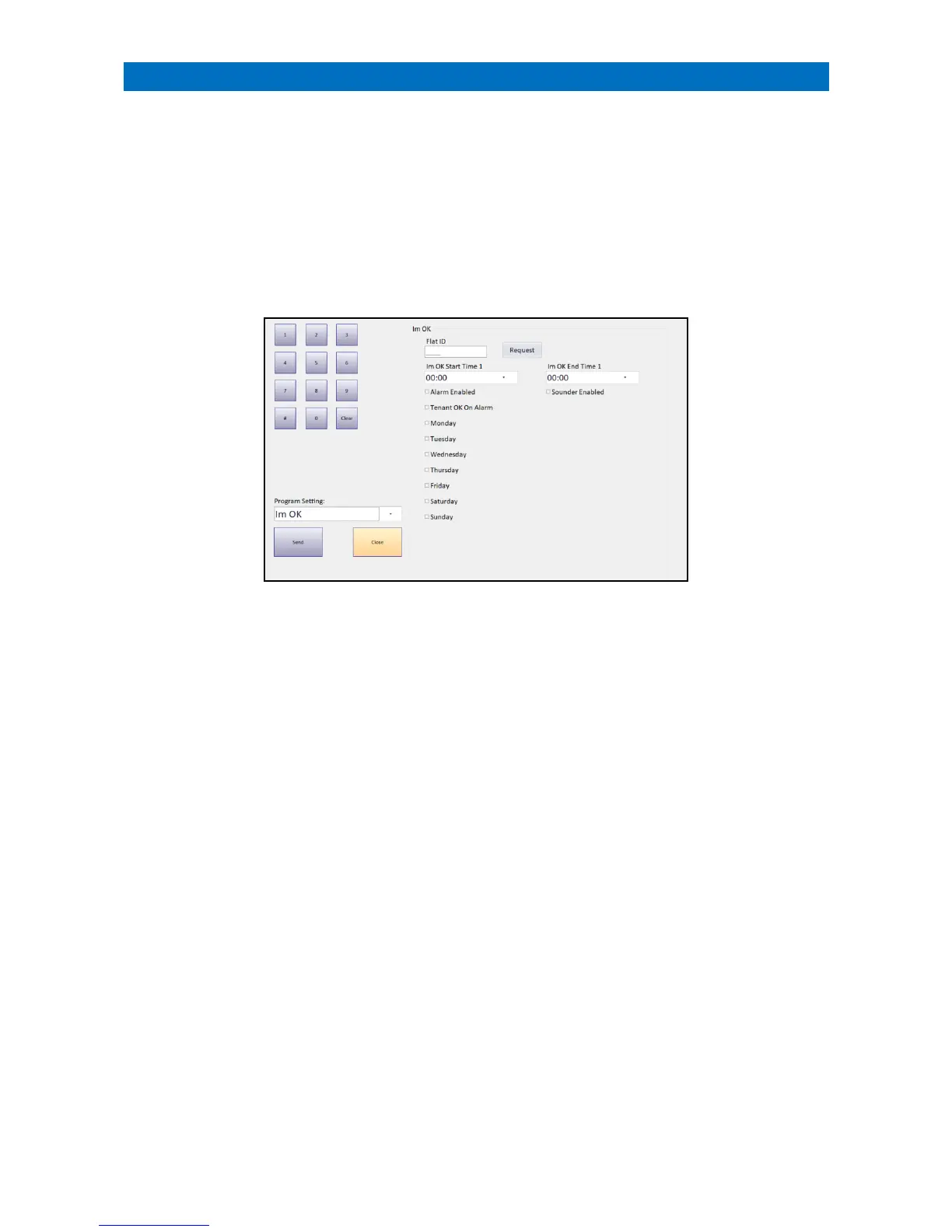
I’m OK Programming can only be performed from the Manager’s Panel designated as the Controller.
Log on using the Manager (or Engineer) password and touch the Programming button.
Programming will always open at the Program Date Time option, select the I’m OK option from the Program Setting
drop-down menu.
Enter a Flat ID and press the Request button to view the current I’m OK settings for any flat number.
Set the I’m OK Start Time/I’m OK End Time period.
Set the Alarm Enabled check box to enable the feature (clear the check box to disable).
Set the Sounder Enabled check box to sound beeps during the I’m OK period (clear the check box to disable).
Set the Tenant OK on Alarm check box to accept any alarm call as I’m OK (clear the check box to disable).
Set the Monday to Sunday check boxes that the I’m OK times are active.
Once these details have been entered set press the Send button to update the XT2 system.



 To Next Page