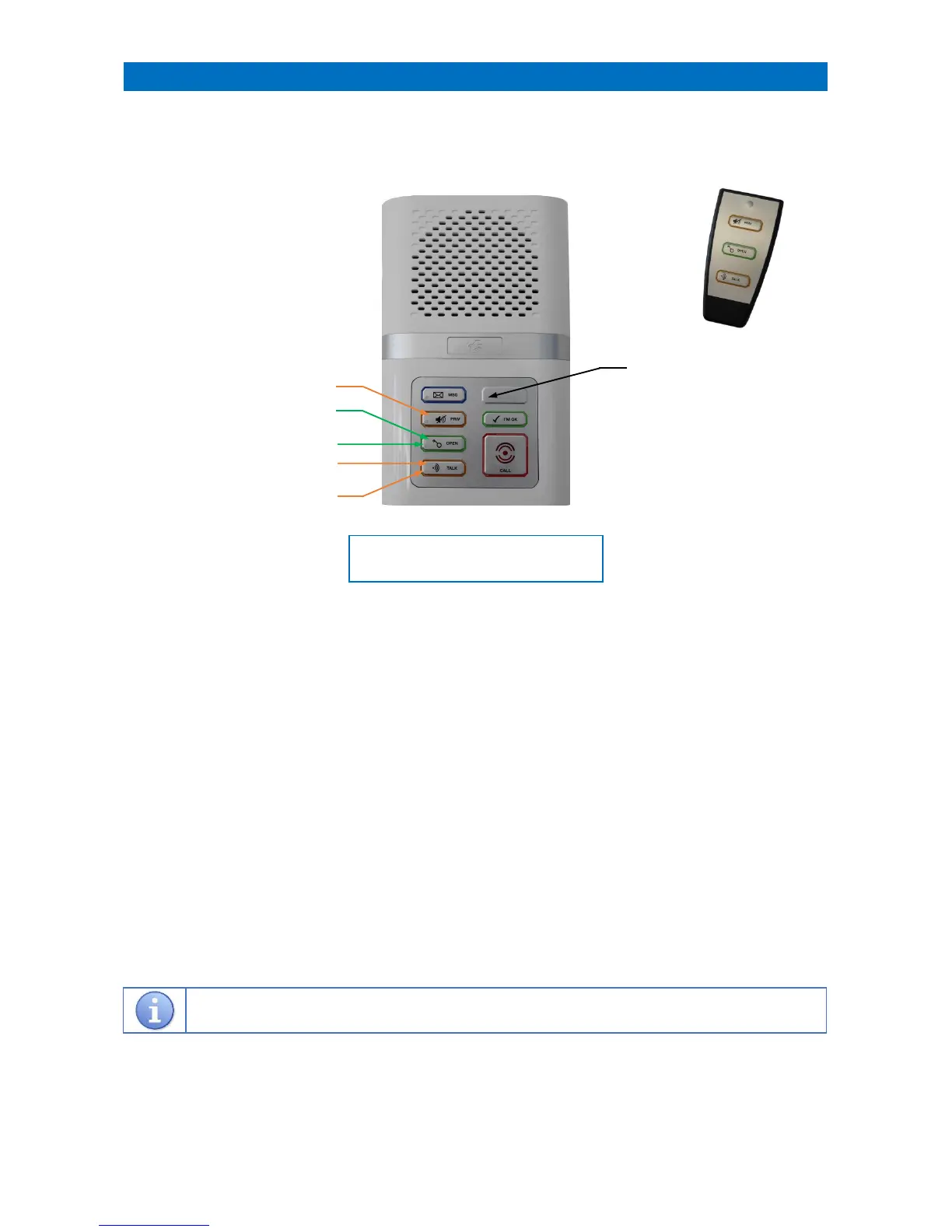
Door entry intercom units have all the same functions as standard intercoms but with an additional 2 buttons to
answer a call from the door and to release the door lock. An optional remote control is available for use with door
entry intercoms (ZXT931 models only).
TALK BUTTON
When the intercom is called from the door entry system it will sound a telephone ring tone and the TALK LED will be
FLASHING AMBER. Press the TALK button once to answer the door entry call and the TALK LED will be STEADY AMBER
during speech to the door. Press the PRIV button to end the call without letting the visitor in.
OPEN BUTTON
To allow the visitor in press the OPEN button, the OPEN LED will be STEADY GREEN for 5 seconds.
If the OPEN LED is FLASHING GREEN the door has been left open.
PRIVACY BUTTON
During a door entry call the PRIV button can be pressed to end the call without letting the visitor in.
OPTIONAL REMOTE CONTROL
During a door entry call the remote control TALK/OPEN/PRIVACY buttons operate as described above.
With no door entry call in progress the TALK button can be used to acknowledge “I’m OK” or play a “Message”.
With no door entry call in progress the PRIV button will toggle privacy mode on/off.
Note: changing the privacy mode also acknowledges “I’m OK” as it is seen as resident activity.
REMOTE CONTROL “LOW BATTERY” WARNING
If the battery in the remote control is running low the TEST MODE LED will be FLASHING WHITE.
Replace the battery and press any button on the remote control to clear the flashing white light.



 To Next Page