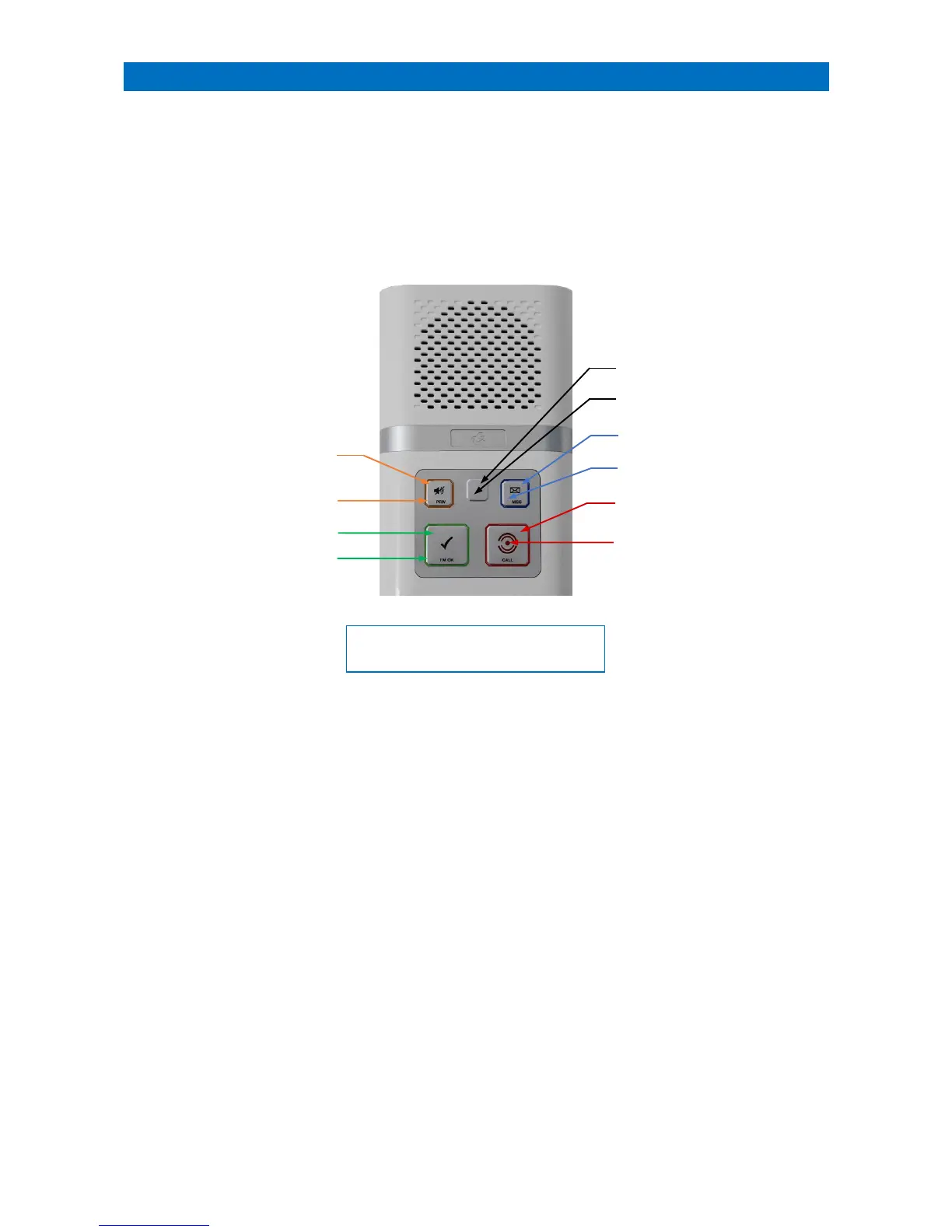
Each room on your scheme will have an Advent XT2 intercom unit, there may also be others in communal areas,
corridors and toilets. The intercom unit ORANGE cord or associated ORANGE ceiling pullcords located in bedrooms
and bathrooms etc. can be used to initiate an emergency alarm call.
When operating in onsite mode all calls are reported on the DECT cordless handsets or desktop telephones. If there is
no onsite Manager then calls can be reported via local offsite mode to a mobile telephone, or via remote offsite mode
to a 24 hour alarm receiving centre (ARC).
The standard Advent XT2 intercom unit has the following features;
PRIVACY BUTTON
Press the PRIV button to toggle privacy on/off; when privacy is ON the PRIV LED will illuminate AMBER and the
microphone in the intercom is turned off - you will not be able to hear the resident.
Note; an alarm call will automatically override privacy mode for about 15 minutes.
Press and hold the PRIV button to select away mode; when away mode is enabled a series of tones will sound and the
PRIV LED will be FLASHING AMBER. I’m OK and activity monitoring will be disabled.
I’M OK BUTTON
If the I’M OK LED is FLASHING GREEN and 2 tones sound every 20 seconds the resident can press the I’M OK button to
let the manager know they are OK.
CALL BUTTON
Press the CALL button or pull the orange alarm pullcord on the intercom to make an alarm call. The CALL LED will
illuminate STEADY RED when an alarm call is made, it will be FLASHING RED when the intercom is awaiting Extracare
cancellation - see section 23 for details.
MESSAGE BUTTON
If the MSG LED is FLASHING BLUE and a series of tones sound every 60 seconds then there’s a message waiting.
The message can be played by pressing the MSG button - see section 27 for details.
TEST MODE BUTTON
Test mode is used to check the operation of ceiling pullcords, personal pendants, PIR’s etc. without activating an alarm
call on the system - see section 28 for details.



 To Next Page