Arrow Manual Console Settings 163
I/O Matrix Panel
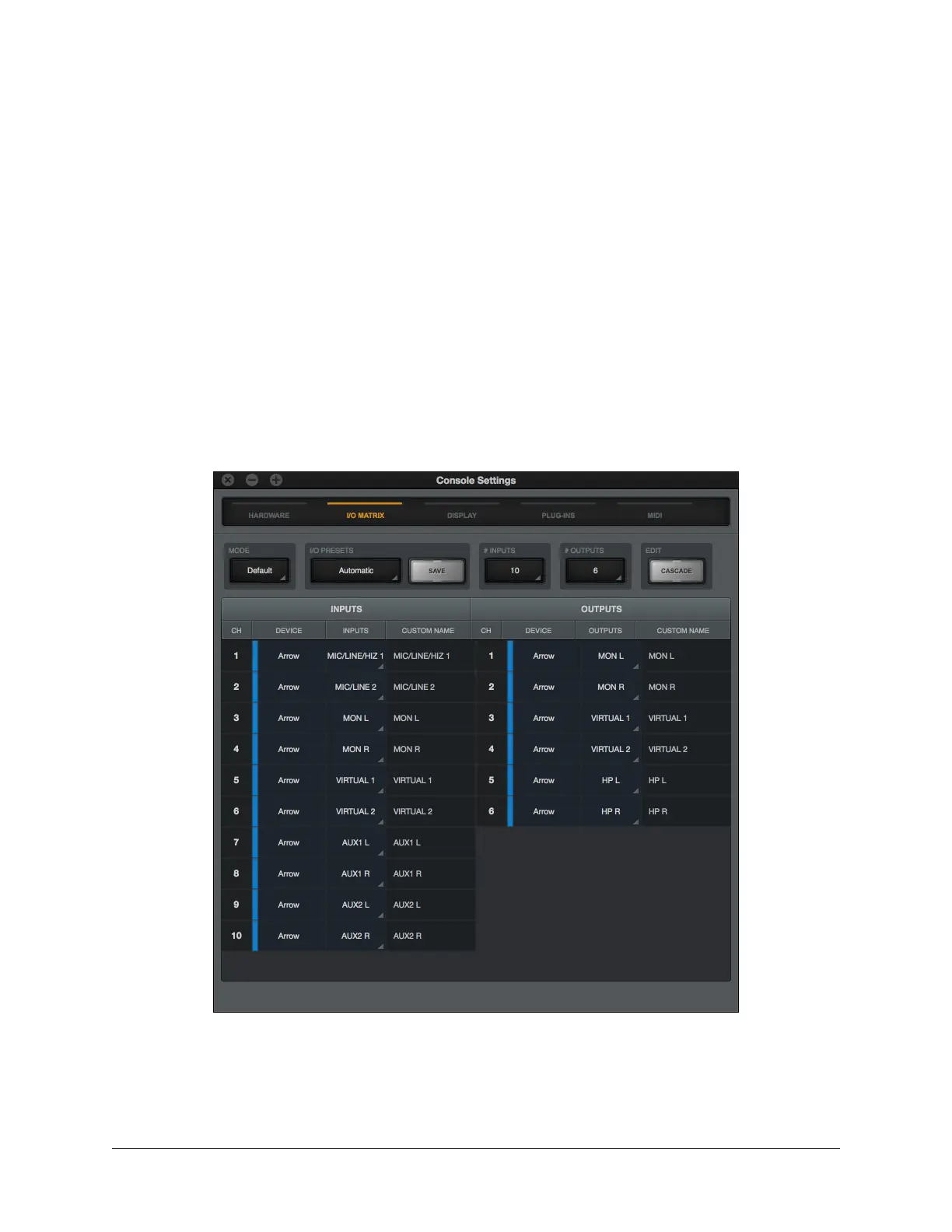
The I/O Matrix panel is where customized I/O routings for Core Audio (Mac) or ASIO
(Windows) are managed at the driver level. For an overview of I/O Matrix features, see I/O
Matrix Overview.
I/O Matrix Columns
In addition to the switches at the top of the panel, two columns are displayed. The
INPUTS column on the left displays all available hardware and virtual Arrow inputs. The
OUTPUTS column on the right displays all available hardware and virtual Arrow outputs.
I/O Matrix Rows
Each row in the panel represents a single Arrow audio channel. The currently assigned
input and output route for each channel is displayed within a single row. By clicking any
assign switch, a different route can be mapped to the channel.
I/O Matrix Panel















 To Next Page