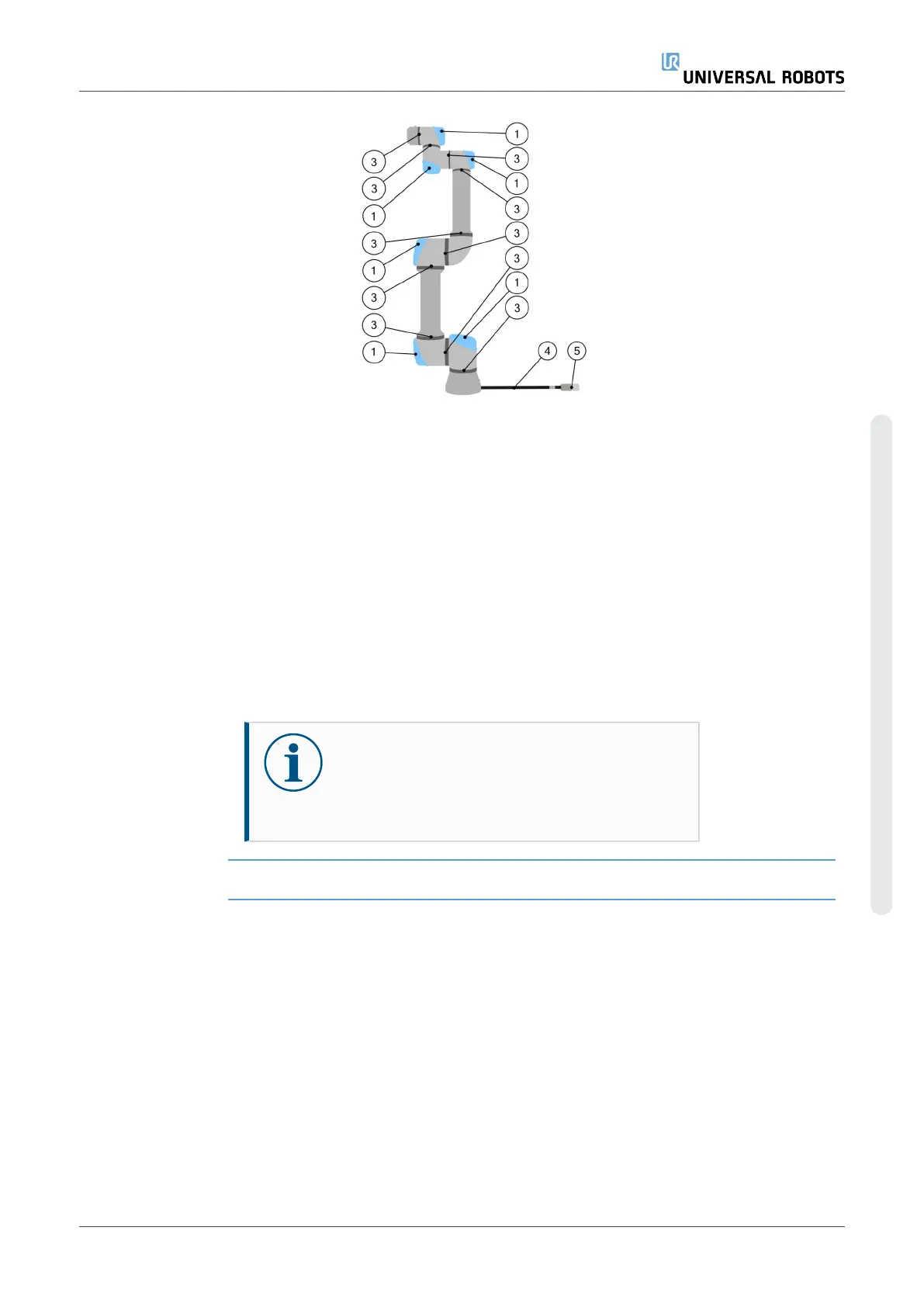
Inspection points
1. Move the robot arm to the Zero position, if possible.
2. Turn off the robot and disconnect the power cable from the
Control Box.
3. Inspect the cable between the Control Box and robot arm for
any damage.
4. Check the base mounting bolts are properly tightenend.
5. Inspect the flat rings for wear and damage.
•
Replace the flat rings if they are worn or damaged.
6. Inspect the blue lids on all the joints for any cracks or
damage.
•
Replace the blue lids if they are cracked or damaged.
7. Inspect the screws used to secure the blue lids.
NOTICE
If any damage is observed on a robot within the
warranty period, contact the distributor where the
robot was purchased.
User Manual 81 UR10e PolyScope X
7.Robot Arm Cleaning and Inspection
Copyright © 2009–2024 by UniversalRobotsA/S. All rights reserved.










 To Next Page