USTER®
HVI 1000
Instruction Manual
Uster Technologies, Inc. Chapter 6
(3/08) System Testing - Page 6-16
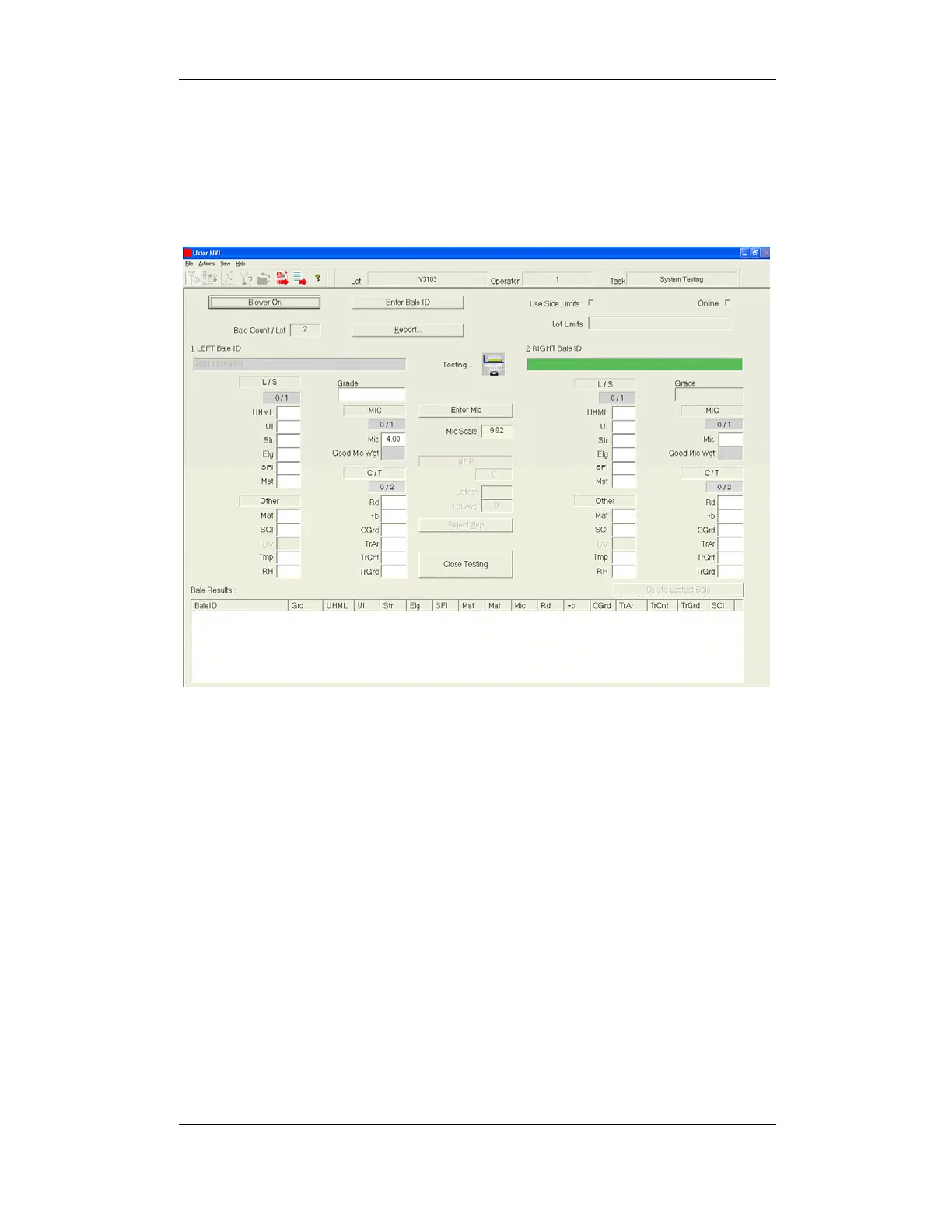
7 Mode 3 Testing Screen
Once you have selected the System Testing button, the SYSTEM
TESTING MENU is displayed. Mode 3 is used on the M1000 model.
Figure 6-5: System Testing Screen – Mode 3
Note: Depending upon the configuration of your system the above
screen may appear differently.
The upper portion of the screen reflects the following:
1. The Enter Bale ID button
2. The Blower Off button
3. Bale Count/Lot
4. Whether or not Online testing was selected
(Host Communications)
5. Lot Limits dialog box
6. The Report button


 To Next Page