USTER®
HVI 1000
Instruction Manual
Uster Technologies, Inc. Chapter 8
(5/08) System Diagnostics - Page 8-15
Note: If you turn OFF the Power (L/S and Mic) it turns the power off to
both cabinets (as well as the blower and 4 smart motors.) If you turn
OFF the Main Air (L/S and Mic) it turns the air supply off for both
cabinets.
3.6.2.1 Voltages
This area allows you to view the 12-Bit and 8-bit SOC and Analog
voltages. This area also reflects the inside and outside temperature and
relative humidity %.
When testing is complete, click the Finish button to return to the
DIAGNOSTICS MAIN MENU.
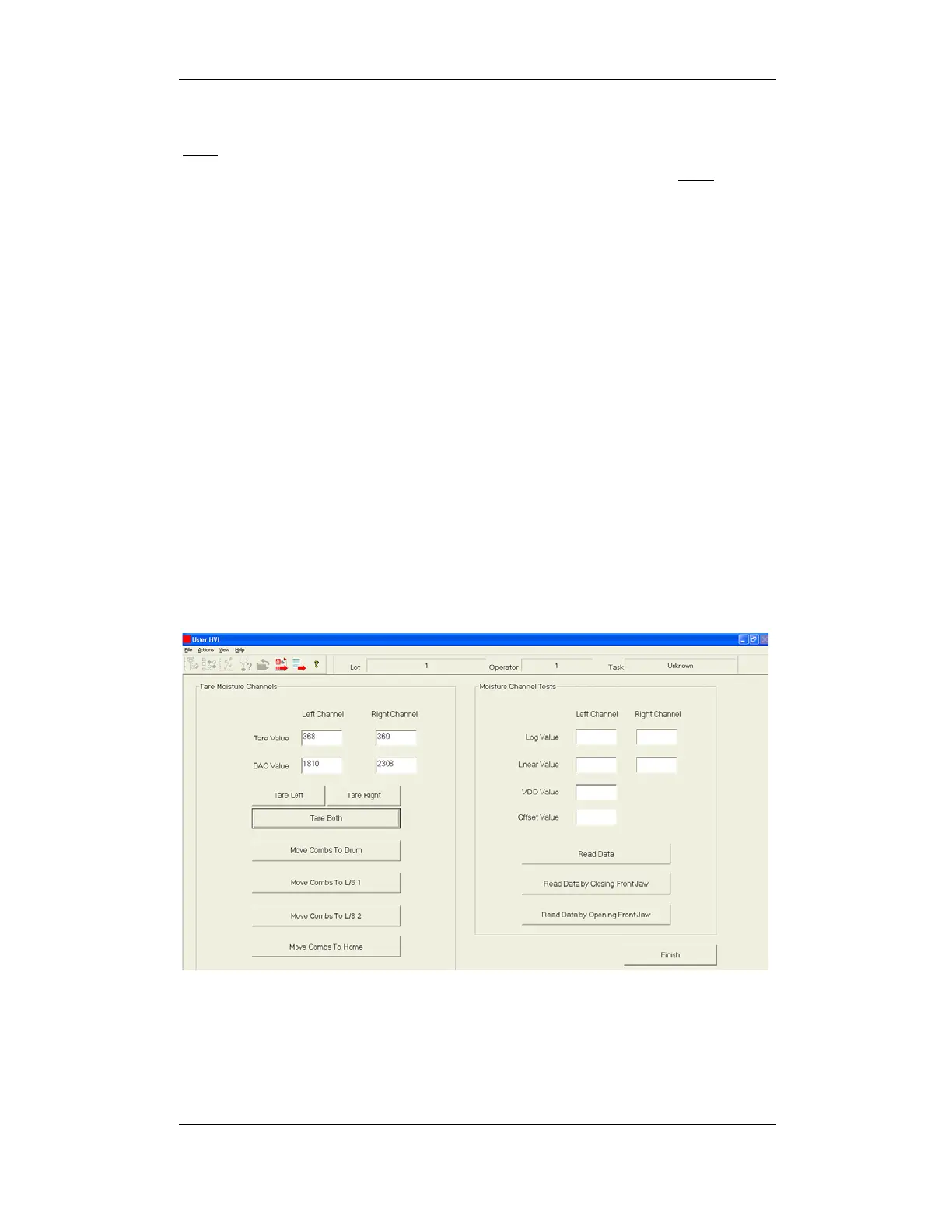
3.7 Moisture Control Board (M1000)
This area allows qualified service technicians to tare moisture channels
and perform moisture channel tests. Click the Moisture Control
Board button on the DIAGNOSTICS MAIN MENU.
Figure 8-11: Moisture Control Board Menu (M1000)



 To Next Page